

Video Memory price list
Last updated Monday, 19 Oct 2026





View 8 Offers
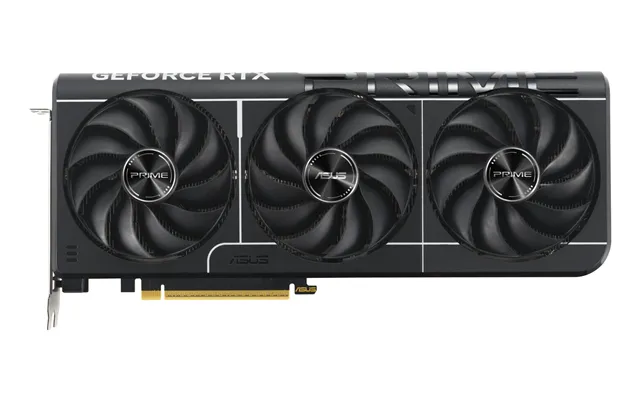

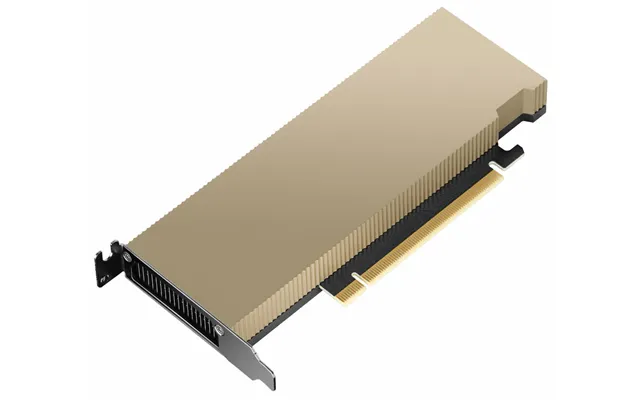
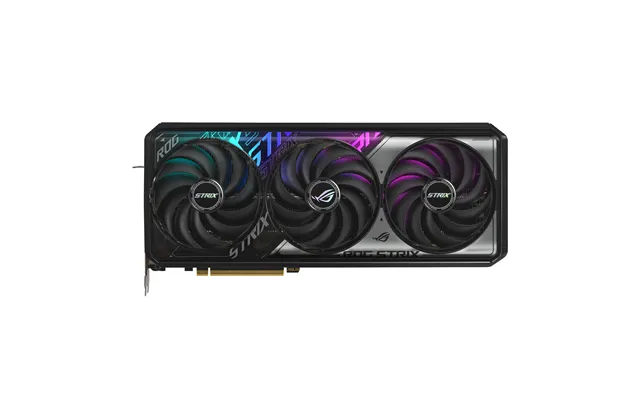

Loading...
Last updated Monday, 19 Oct 2026
Ever wondered why two graphics cards with the same chip can perform so differently? Nine times out of ten, the answer sneaks back to video memory, often called VRAM. Think of VRAM as your graphics card’s private workbench. The bigger and faster it is, the more high-resolution textures, models, shadows, and effects your system can lay out before rendering each frame. When your game or app runs out of that space, it has to juggle assets across slower system memory, and that’s when stutters, texture pop-in, and big performance dips show up.
With modern titles pushing ultra-high textures, ray-traced lighting, and massive open worlds, and with creators loading huge 3D scenes and multi-layer timelines, VRAM matters more than ever. The good news? You can find excellent UK offers on cards with the right memory for your needs, and comparison sites like ZoneOffer make it simple to check live deals across multiple retailers. The trick is knowing how much VRAM you truly need—and what else to look for besides just the number on the box.
If you’re targeting smooth 1080p gaming, you can absolutely enjoy modern titles with an 8 GB card. But here’s the honest truth in 2025: games are getting heavier. If you love ultra textures, bigger open worlds, and ray-tracing bells and whistles, 10–12 GB gives you a healthier buffer. It’s like having a slightly larger workbench—you won’t bump elbows when things get busy.
At 1440p, textures and effects balloon in size, and 12 GB starts to feel like the sweet spot for high settings. For titles that are especially VRAM-hungry or for long-term peace of mind, 16 GB is a very sensible target. You’ll notice fewer stutters in dense scenes, especially in sprawling RPGs or highly modded games.
4K piles on the pixels, and VRAM needs can jump fast. If 4K is your endgame with high settings, look toward 16 GB as a baseline. For maxed-out textures and ray-tracing in newer triple‑A titles, 20–24 GB provides headroom that keeps performance from dropping off a cliff when scenes get complex.
VR and sims (think flight or racing) gobble VRAM due to high-resolution frame buffers and crisp textures rendered across two displays. For smooth, immersive play with high settings, 12–16 GB is a smart choice. The extra memory helps keep your frame pacing even, which is crucial for comfort.
If your day involves 4K timelines, large After Effects comps, 3D scenes, or GPU renderers, more VRAM equals fewer compromises. Aim for 12–24 GB depending on your projects. Big texture sets, simulation caches, and complex geometry are far happier when they stay parked in fast VRAM instead of bouncing in and out of system memory.
Running models locally is easier than ever, but models and their context windows can be memory hogs. A practical range for hobbyists is 12–24 GB. Smaller models and image generation can run on lower memory, but if you plan to experiment with bigger checkpoints or higher batch sizes, that extra VRAM can be transformative.
VRAM isn’t just about capacity; speed and access patterns matter. Two cards with the same GB count can behave very differently because of memory type, bus width, and cache. Imagine two delivery vans with the same cargo space: one takes an expressway, the other a country lane—both carry the goods, but one gets there a lot faster.
Most gaming cards today ship with GDDR6 or GDDR6X. GDDR6X packs in clever signaling to push higher throughput, especially on premium cards. In practice, GDDR6 is plenty fast for mid‑range GPUs, while GDDR6X appears on high-end models to keep up with beefier cores and effects like ray tracing.
HBM stacks memory vertically near the GPU for enormous bandwidth at lower power. You’ll find HBM on data center or workstation cards. It’s blazing fast and excels at massive datasets, though it’s rare (and pricey) in consumer gaming cards. If you work in heavy AI or simulation, HBM-equipped options can be compelling—if your budget allows.
Bus width (for example, 128‑bit vs 256‑bit) and on‑chip cache design can make a card with “less” memory bandwidth perform surprisingly well. Smart caching keeps frequently used data close to the cores, minimizing trips to VRAM. It’s one reason newer architectures can punch above their raw bandwidth numbers in real-world games.
So what happens when VRAM fills up? Picture pouring water into a glass that’s already full—it spills. In computing, that “spill” is data getting shuffled to slower system memory or constantly swapped. The symptoms you’ll notice are hitches during fast camera pans, textures loading late or at lower detail, and inconsistent frame pacing as your card plays catch‑up.
Once you dial back texture quality or reduce resolution scaling just a notch, the stutter often vanishes. That’s your sign you were bumping into a VRAM limit rather than a pure horsepower issue. In creators’ apps, preview caching may break or renders may slow significantly if VRAM isn’t large enough to hold key assets.
Looking for popular offers in the UK? Keep an eye on cards known for sensible VRAM at their tiers. Prices move frequently, so it pays to compare across multiple retailers using a trusted comparison site. Here are families and memory configurations to watch for balance and longevity.
For mainstream gaming, look at configurations like 8 GB and 12 GB cards in the 60‑ and 70‑class ranges. If you’re targeting 1440p with high fidelity, 12 GB is a smart minimum, and 16 GB in upper‑midrange models delivers welcome headroom for longer-term use. For 4K or heavy creator workloads, high‑end options with 16 GB and 24 GB shine. NVIDIA’s strengths include mature encoders for streaming, strong ray-tracing performance at higher tiers, and wide game support.
AMD often offers generous VRAM at competitive prices. Midrange cards with 12–16 GB are common and great for 1440p. At the top end, 20–24 GB options provide impressive 4K capability and terrific value for creators juggling large texture sets. AMD’s recent architectures also provide excellent raster performance and competitive upscaling options.
Intel’s newer cards can deliver surprisingly good performance per pound, with 8–16 GB configurations in the mix. They continue to improve drivers, and feature sets like modern media encoders and AV1 support make them attractive for budget streaming or entry‑level creation. If you’re deal‑hunting, Arc can be a strong wildcard.
Don’t sleep on prior generations when the price is right. Cards with 10–16 GB can be excellent for 1440p today, while 24 GB flagships from the previous cycle still chew through 4K. Always check the specific VRAM capacity of a model line—some older variants ship with less memory and may be less future‑proof.
It’s tempting to fixate on VRAM size and forget the rest, but that number is only one part of the experience. The GPU’s core strength, memory speed, architectural efficiency, and software stack all matter. Two cards with identical VRAM can perform worlds apart depending on these factors.
Bandwidth is how quickly the card can feed data to the cores. Higher bandwidth and smarter cache layouts help keep the GPU busy rather than waiting on assets. When you’re considering two options with similar VRAM, evaluate reviews that measure bandwidth-sensitive scenarios like high-resolution textures and ray tracing.
Drivers can make or break a card at launch, and ongoing updates often bring notable gains. Feature sets also matter: DLSS, FSR, and XeSS can effectively “buy back” performance and ease VRAM pressure by letting you render at a lower internal resolution while maintaining sharp image quality. For streamers and editors, look at the hardware encoder quality and software support—those perks often tilt the scales.
Before you click “buy,” double‑check size, airflow, and power requirements. Modern cards can be long, tall, and thick. A little planning avoids the “it doesn’t fit” headache that can turn an upgrade into a weekend project.
Measure your case’s GPU clearance and compare it to the card’s length. Many mid‑to‑high‑end cards are around 10–13 inches long, with some compact models closer to 9 inches. Height can reach roughly 5 inches, and thickness can approach 2–3 inches depending on the cooler. Make sure front drive cages or radiator placements won’t block the card, and leave room for good airflow.
Check the power connectors your power supply supports and confirm your unit is rated to handle the card plus the rest of your system comfortably. Some newer cards use modern high‑pin connectors via included adapters, while others use familiar multi‑pin plugs. Route cables cleanly to avoid crowding fans, and be mindful of cable bend radii right at the connector.
Hitting a VRAM wall doesn’t mean you have to nuke your settings. A few smart tweaks can dramatically lower memory use while keeping visuals crisp. It’s like reorganizing a closet: swap out the bulk without losing your favorite outfits.
Textures are the big one. Dropping from “Ultra” to “High” often slashes memory use with a small visual hit. Dialing back resolution scale a touch, trimming shadow quality, and reducing ray-traced reflection resolution also help. Use DLSS, FSR, or XeSS to maintain clarity while rendering fewer pixels internally, easing both VRAM and core load.
In editors and 3D apps, use proxies or preview resolutions for timelines and viewports. Trim cache sizes, close unused scenes, and purge previews before heavy tasks. For GPU renderers, consider tiled rendering and texture compression options. These habits keep your projects responsive even on midrange VRAM.
Prices on graphics cards move. Seasonal sales, stock refreshes, and new launches can shift the value landscape overnight. That’s why it’s smart to compare across multiple sellers before you commit. A dedicated comparison site helps you scan current prices, spot standout offers, and check specs side by side—ideal when two models look similar on paper but differ in VRAM or features.
When comparing, align the memory configuration to your goals. If you’re choosing between a faster core with less VRAM and a slightly slower core with more, think about your workload: texture‑heavy games or creator apps often favor the bigger buffer, while purely compute‑limited titles might lean toward the stronger GPU, even with less memory. A balanced pick usually wins in the long run.
Building a compact 1080p gamer? An efficient 8–12 GB card will keep you happy for years, especially paired with upscaling. Shooting for buttery 1440p? Cards with 12–16 GB feel comfortable and skip the hitching that can show up in large worlds. For 4K or professional workflows, 16–24 GB smooths out the rough edges and gives you breathing room for the next wave of demanding software.
Esports titles are generally well‑optimized, and VRAM needs are modest. An 8–12 GB card is more than enough for high frame rates, with the core’s raw speed and latency often mattering more than memory size. Still, having a little extra VRAM can help when you crank textures or add creator workflows on the side.
This is where VRAM capacity shines. Massive texture replacements, high‑detail foliage, and long draw distances pile up memory demands. For richly modded experiences, 12–16 GB offers a cushion that keeps hitching at bay and lets you enjoy crisp visuals without constant compromise.
Not sure whether to upgrade now or wait? If your current card is constantly maxing its VRAM and lowering settings barely helps, it’s likely time. If games run well after a few sensible tweaks, you might hold off and snag a sharper deal later. Watch for generational transitions and clearance pricing; that’s often when value spikes.
Before buying, confirm your case clearance in inches, ensure your motherboard slot is accessible, and verify the power leads you need are available. If you’re moving from a short, single‑fan card to a long, triple‑fan model, plan your cable routing and consider extra case intake to keep temps happy.
Modern GPUs bring hardware encoders that take a load off the CPU, with quality that’s become impressively close to software solutions for many use cases. If you stream or record gameplay, that encoder quality can matter as much as raw frame rate. Extra VRAM helps keep your game or timeline smooth while the encoder does its thing.
Love keeping twenty browser tabs, a music app, a chat client, and a capture tool open? VRAM doesn’t replace system memory, but it does prevent your graphics tasks from elbowing their way into slower resources. Headroom helps you juggle more without the “why did this just stutter?” moments.
If you upgrade infrequently, go for a VRAM configuration that will age gracefully. A card with 12–16 GB for midrange or 16–24 GB for high‑end gives you a longer runway as games and apps evolve. It’s a little like buying boots—pick the pair that won’t wear through after one season.
Cards with more VRAM generally hold value better because they keep meeting new software requirements longer. If you like to offset the cost of your next upgrade by selling your current card, a memory‑rich model can pay off down the line.
VRAM is the unsung hero of smooth gaming, clean timelines, and stable AI experiments. You don’t have to overspend, but you also don’t want to paint yourself into a corner. Match your resolution and workload to the right memory tier—8–12 GB for 1080p and esports, 12–16 GB for 1440p and modded epics, 16–24 GB for 4K and creator heavy lifting—and weigh bandwidth, cache, features, and encoder quality alongside it. Compare current UK offers across multiple retailers through a dedicated comparison site, and you’ll land a deal that feels great today and still holds up tomorrow. Ready to make your rig feel brand new? The right VRAM is half the magic.