
GPS Mounts price list
Last updated Thursday, Sep 3, 2026




View 11 Offers



Loading...
Last updated Thursday, Sep 3, 2026
Ever tried following directions while your sat nav wobbles like a bobblehead? It’s distracting, unsafe, and downright frustrating. A reliable GPS mount transforms your daily drive or weekend adventure by keeping your device exactly where you need it—steady, visible, and hands-free. Whether you use a dedicated sat nav or a phone running navigation apps, the right mount improves safety, reduces stress, and helps you stay focused on the road ahead.
Beyond convenience, a solid mount protects your device from drops, vibrations, and sun exposure. It’s the unsung hero of hassle-free navigation—one small accessory that makes a big difference, especially on bumpy roads, long road trips, and when you’re juggling calls, music, and directions all at once.
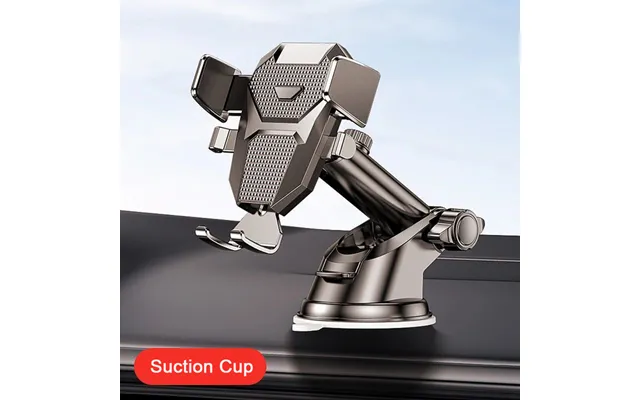
Windshield suction cup mounts are the classic choice for many drivers. They’re easy to install, repositionable, and usually offer a wide range of adjustment. Look for mounts with a larger suction pad—around 3 to 3.5 inches—for stronger hold, and a lever-lock mechanism to create a tight seal. These are great for renters or anyone who swaps vehicles, because removal is simple and leaves no residue behind.
If glare is a concern, choose a mount with a longer arm or an articulating joint so you can angle the screen away from direct sun. And if your windshield has a steep rake, a mount with a telescoping arm can bring the GPS closer for easier viewing.
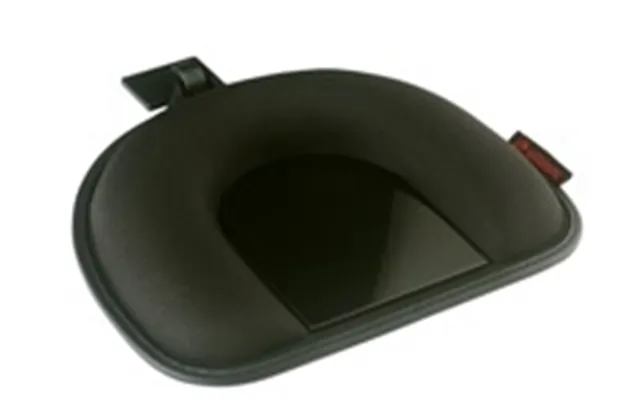
Dashboard mounts come in two main flavors: adhesive discs and friction mounts. Adhesive discs provide a smooth base for suction mounts and stick securely to textured dashboards. High-quality discs use automotive-grade adhesive designed to withstand heat and sunlight. Friction or “beanbag” mounts use weight and a grippy underside to stay put—no sticky pads, no mess. They’re ideal if you want a stable base without any adhesives and prefer the device closer to your line of sight.
For those who drive in very hot conditions, dashboard mounts can be more reliable than windshield suction cups, since glass can heat up and affect suction over time. Bonus: they’re quick to remove and stash in the glovebox.
Vent mounts clip onto your car’s air vent and keep the screen at a comfortable height. They’re compact, easy to install, and perfect if your windshield is already busy with dash cams or toll tags. Choose a vent mount with soft, non-slip grips and a support foot to reduce bounce. CD-slot mounts slide into the disc slot many modern drivers no longer use, creating a firm, central anchor point. Meanwhile, cup holder mounts expand to fit most cup wells and rise on a telescoping neck. They’re surprisingly steady and keep your windshield completely clear.
These cabin mounts shine when local regulations limit windshield-mounted devices or when you want minimal visual clutter and a solid, central viewing position.
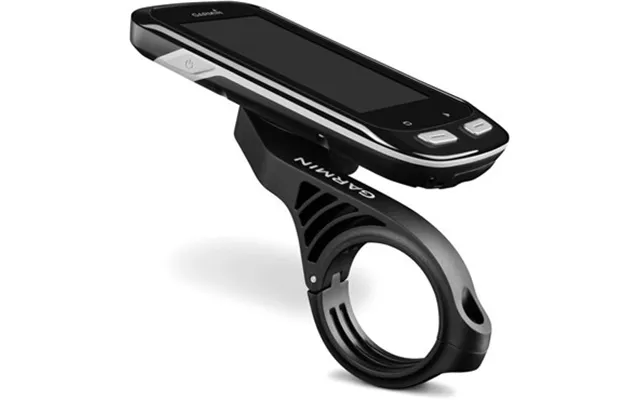
Two-wheel riders need something seriously secure. Handlebar mounts clamp onto bars—typically compatible with diameters around 7/8 inch to 1 and 1/4 inches—and lock the device into a padded cradle. For motorcycles, seek vibration-damping designs that protect electronics from long-term buzz. Weather-resistant housings or cases with water-resistant seals also help when the skies open up mid-ride.
Quick-release mechanisms are a big plus here, letting you remove your GPS at a pit stop. For adventure rides, consider mounts with a tether or safety lanyard for extra peace of mind.
Boats, ATVs, and 4x4s demand rugged mounts that can take a beating. Look for heavy-duty bases, metal arms, and rubberized ball-and-socket systems that absorb shocks and allow precise angles. Corrosion-resistant hardware and UV-resistant plastics are essential when gadgets live in sun and spray. If you’re racking up the miles off the pavement, a rugged mounting system can be the difference between flawless tracking and a device that won’t stop jiggling.
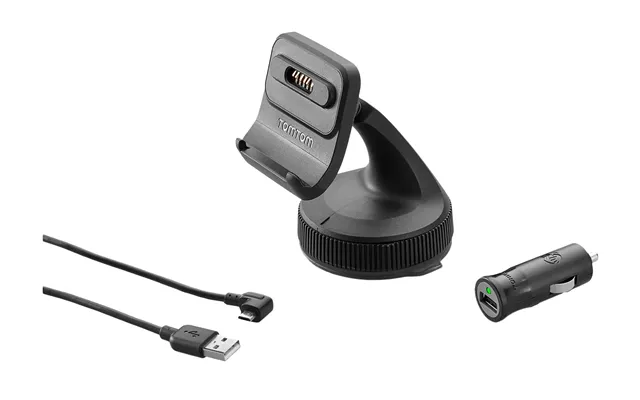
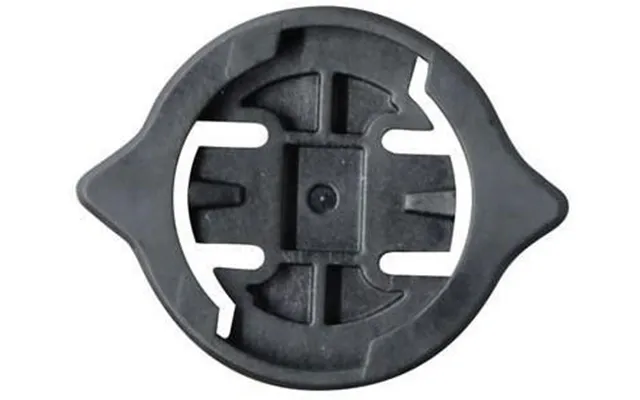
Dedicated mounts are engineered for specific sat nav models from brands like Garmin, TomTom, and Magellan. They often click into place with a proprietary connector or cradle, giving a secure hold and a cleaner look. If you’ve invested in a dedicated GPS unit, sticking with a brand-compatible mount usually means better stability, fewer adapters, and a snug fit that won’t loosen over time.
The trade-off? Less flexibility if you upgrade to a different brand later. But if you’re set on your device, a dedicated mount is a safe, tidy choice.
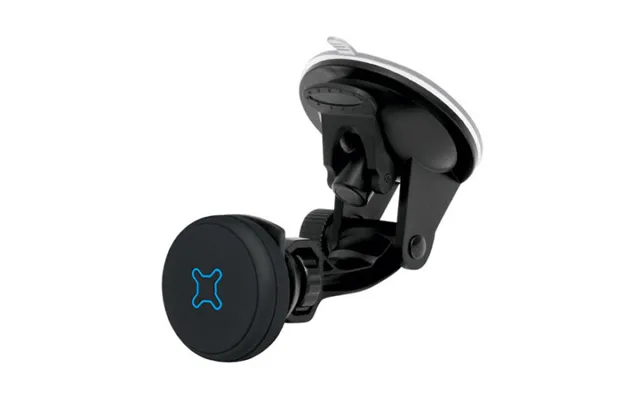
Universal mounts fit a wide range of devices using adjustable arms or magnetic plates. They’re fantastic if you switch between a sat nav and a phone, or between multiple vehicles. Magnetic mounts, when paired with a metal plate or a case insert, offer fast one-handed docking and removal. Make sure the magnet is strong enough for your device’s weight, and use a mount with a firm base—suction, adhesive, or vent—so the whole setup stays rock solid.
If you go universal, pick a cradle with padded grips to avoid scuffs and a 360-degree swivel for easy portrait-to-landscape changes.
Stability is the name of the game. A larger suction pad, a weighted friction base, or a reinforced clamp can make or break your experience. Check the stated weight capacity and consider real-world bumps, not just smooth tarmac. For motorcycles and boats, vibration-damping components—like rubber isolators or ball-and-socket joints—help protect electronics and keep the display readable.
If you’re using a bigger seven-inch display, choose a mount with a stiffer arm or a shorter reach to reduce wobble. Small design tweaks here pay big dividends on the road.
Your mount should let you tilt, swivel, and extend without fuss. A 360-degree ball joint enables quick angle changes, while telescoping arms bring the screen closer for safer glances. If you share a car, these adjustments make it simple to switch between drivers with different seating positions and preferences.
Keep glare in mind too. Being able to tilt down just a few degrees can put the screen out of direct sun, making maps clearer and your eyes less strained.
Quality materials don’t just look better; they last longer. UV-resistant plastics stay strong in direct sunlight, and metal reinforcement in arms or clamps adds confidence. Soft silicone pads on grips prevent scratches, and textured levers give you better leverage for a tight lock. If a mount feels flimsy in your hands, it’ll probably feel worse after a few months of use.
Small details—like a tether point, a cable clip on the arm, or a knurled tightening knob—show that the manufacturer thought through real-world use.
Clean surfaces are the secret to a mount that stays put. Wipe the windshield or dashboard with an alcohol-based cleaner, let it dry, and then attach. If your dash is textured, use an adhesive disc as a smooth landing pad for the suction. Press firmly and engage the lock if your mount has one. For friction mounts, make sure the base is flat and free of dust so the grippy underside can do its job.
Placement matters for safety. Keep the device low enough not to block your view, but high enough that your eyes don’t have to travel far from the road. Avoid putting it over airbags or in spots that force you to stretch.
Nothing ruins a tidy setup like a charging cable dangling across the dash. Use cable clips along the mount’s arm or the dash edge to route power neatly toward your 12V socket or USB port. Coil any extra length and tuck it into the center console or a side pocket. A clean, organized cable route reduces snags, rattles, and distractions—worth the extra minute during setup.
If your suction cup pops off, it’s usually one of three things: dust, temperature, or surface texture. Clean both the glass and the cup with mild soap and water, then try again. A tiny dab of water on the cup can help create a tighter seal. In high heat, reattach in the cooler part of the day, then let the mount “set” before driving. If your windshield’s curve is extreme, try a shorter arm or switch to a dashboard disc for a flatter mounting surface.
Over time, suction cups can harden. Replacement cups are inexpensive and can revive a favorite mount without replacing the whole thing.
Wobble often comes from long arms, loose joints, or soft dashboards. Tighten every knob, reduce the arm length, and add a support foot or brace if your mount offers one. For friction mounts, ensure the base sits flat and that any adjustable weights are positioned evenly. If you’re on a motorcycle, consider a mount with extra damping or a short, rigid stem—less leverage means less shake.
An adhesive dashboard disc is a tiny upgrade with big impact, giving suction mounts a reliable base on textured surfaces. Replacement suction cups breathe new life into older mounts, and extension arms help tailor the reach and height to your driving position. If your device is heavier, choose a thicker, stiffer arm to keep things steady. For cup holder mounts, height extenders bring the screen closer to eye level without invading windshield space.
Cable clips do wonders for tidiness. Pair them with a fast, reliable charger—preferably one with multiple ports if you’re powering a dash cam too. A protective case or weather shield is especially helpful for motorcycles and open-air vehicles. It keeps rain out, reduces sun glare, and adds a layer of drop protection when you’re hopping off the bike or ATV.
In smaller cabins, space is at a premium. A vent mount or a low-profile dashboard mount keeps the screen accessible without crowding the windshield. If you prefer windshield mounting, a shorter arm prevents bounce and keeps the device closer to the glass, which helps stability. Friction mounts are great if you regularly remove your setup or don’t want adhesive anywhere near your dash.
Larger vehicles often benefit from mounts with longer reach and stronger joints. A telescoping windshield mount or a sturdy cup holder mount makes sense when you need the screen closer to your seat. For RVs with expansive dashboards, a weighted friction mount is a favorite—stable, portable, and easy to stow when you park. If your cabin rides high, prioritize a mount with an adjustable tilt to keep the display square to your line of sight.
Dedicated sat navs shine on long trips, off-grid routes, and when you need big, bright screens with turn-by-turn guidance, traffic data, and lane assistance. Their mounts are often tailored for stability and ease of use, and they don’t drain your phone’s battery or hog its screen when calls come in. If you tow, caravan, or drive for work, a dedicated GPS plus a solid mount is a stress-saving combo.
They also tend to stay reliable in spotty coverage, and many have specialized routing for trucks or RVs—handy when height or weight restrictions complicate the usual route.
If you mostly drive around town and rely on navigation occasionally, a phone mount may be all you need. Choose a mount with a secure grip, good ventilation, and a charger that keeps up with power-hungry apps. If you swap cars often, a universal magnetic mount offers quick, one-handed dock-and-go convenience. Just ensure it can handle your phone’s weight, especially if you use a large case.
Looking to save on GPS mounts and accessories? Watch for seasonal events where you’ll find bundle deals that pair mounts with adhesive discs, extra arms, or chargers. Bundles are great value if you’re building a complete setup for a new sat nav or upgrading multiple vehicles at once. Keep an eye on offerings that include replacement suction cups or friction bases—those extras extend the life of your gear.
You’ll also see rotating promotions on universal cradles, magnetic mounts, and specialized handlebar kits for motorcycles and bicycles. Timing your purchase around these events can net a premium mount for a budget-friendly price.
Budget mounts are perfect for light use and smaller devices. They do the job, but may use thinner plastics or simpler joints. Mid-range options add stronger suction, better adjustment, and nicer materials that hold up over time. Premium mounts justify their price with metal hardware, vibration damping, UV-resistant finishes, and extra-stable bases that keep bigger screens rock steady.
Value isn’t just about the price tag; it’s about reliability on the road. Spending a little more for a mount that stays put could save you from replacing a dropped device—or from missing that crucial turn.
Comparison platforms make it easy to check prices, specs, and availability across multiple retailers at once. Instead of hopping store to store, you can see popular offers and price lists in one place and choose the deal that suits your budget and needs. On a comparison site like ZoneOffer, you can quickly scan discounts on GPS mounts, spot bundle values, and discover accessories that pair well with your setup—all without treating it like a store, because it isn’t one.
Use filters to narrow down by mount type, compatibility, and features. Then read real-world feedback to verify stability, grip, and durability before you buy.
Every few weeks, wipe the suction cup, adhesive disc, and device cradle with a damp cloth to remove dust and oils. If the suction cup looks dry, a quick wash restores tackiness. In hot weather, park in the shade when possible and stow friction mounts to protect soft surfaces. During colder months, let the cabin warm up before reattaching suction mounts so the cup can form a better seal.
When you’re not using the GPS for a while, remove the mount, coil the cable, and store everything in a small pouch. It keeps parts together, prevents scratches, and makes it easy to switch vehicles without hunting for missing bits.
First, confirm compatibility with your device—brand-specific or universal, and the size of your screen. Next, decide where you want to place it: windshield, dashboard, vent, CD-slot, cup holder, or handlebar. Choose a mount with the right base (suction, adhesive, friction, clamp) and make sure it offers the adjustability you need. Finally, consider accessories like adhesive discs, replacement cups, and cable clips to complete your setup and keep it tidy.
If you’re stuck between two options, pick the one with better build quality and a stronger base. The mount you don’t have to think about is the mount you’ll love.
The best GPS mount is the one that fits your device, your vehicle, and your driving style—then quietly disappears into the background by doing its job perfectly. From windshield suction mounts to rugged motorcycle clamps, there’s a solution for every setup and budget. Focus on stability, adjustability, and build quality, and don’t forget the small accessories that elevate the whole experience. With smart shopping—especially through comparison platforms that surface popular offers and clear price lists—you’ll land a mount that keeps your navigation steady, your cabin tidy, and your eyes on the road where they belong.