All categories
Business & Offices
Electronics & Media
Fashion & Accessories
Groceries & Essentials
Health & Personal Care
Home & Living
Kids & Family
Sports & Outdoors
Search in ZoneOffer

Loading...
A video multiplexer takes multiple video inputs and combines or arranges them into a single output so you can view, record, or stream everything together. Think of it like a traffic controller for your cameras: instead of juggling many screens or recorders, a multiplexer organizes the chaos, giving you a clean, centralized view and control over your feeds.
People often confuse multiplexers with video switchers. A switcher picks one source at a time, while a multiplexer can handle many sources simultaneously—displaying them in grids, sequencing through them, and sending synchronized feeds to recorders. If a switcher is a single-lane bridge, a multiplexer is a multi-lane highway designed for heavy, parallel traffic.
With more homes and businesses adopting multi-camera setups for security, live events, and content creation, video multiplexers have become essential. They streamline workflows, reduce hardware sprawl, and simplify monitoring. Whether you’re managing a small shop or producing a live talk show, having all your video signals neatly orchestrated makes your life easier and your output more professional.
For CCTV, a multiplexer is the heart of your surveillance system. Connect your cameras, choose your display layout, and record everything in sync. Want four cameras over a driveway, garage, side gate, and lobby? A 4-channel multiplexer can show them all at once, record every angle, and help you review incidents without hunting through multiple devices.
Creators and producers love multiplexers for live shows, church services, conferences, and esports. They feed multiple cameras into one output for encoders or recorders, manage synchronized viewing, and keep latency in check. Instead of wrestling with complex gear, you get a clean tool that lets you focus on the story, not the spaghetti of cables.
Not all video multiplexers are created equal. Before you hit checkout, dial in on the specs that matter: channel count, I/O types, resolution support, encoding options, and software features. Your choice should match how many sources you’ll use, how you’ll monitor or record them, and how you plan to grow over time.
Channel count sets your limits. A 4-channel unit is perfect for compact setups like small retail or a home studio. Step up to 8 or 16 channels for medium sites, multi-room offices, or multi-camera productions. Larger sites may need 32 channels or more. Buy the headroom you’ll need within the next couple of years to avoid upgrading too soon.
Match your gear to the connectors. Analog CCTV often uses BNC; pro cameras lean into SDI; consumer gear and many TVs rely on HDMI. Some units mix formats, which is handy if your setup is a blend. For monitoring, check that the multiplexer supports your display’s input. For long cable runs, SDI is a workhorse; HDMI may require boosters or extenders.
Choose a multiplexer that comfortably handles your cameras’ resolutions and frame rates. If you’re in 1080p now but plan to shift to 4K, get a unit that is 4K-ready. Smooth motion matters for sports, traffic, and production. Look for dependable 30 or 60 frames per second support, depending on your use case and the look you want.
If your multiplexer records or streams, encoding matters. H.265 (HEVC) offers similar quality to H.264 at lower bitrates, saving storage and bandwidth. That said, ensure your viewing and editing environment supports it. If compatibility is key for you, H.264 remains a safe, widely supported choice.
Different environments call for different styles of multiplexers. Analog-focused units are great for legacy CCTV systems. SDI-based models fit professional broadcast and live production. IP-ready multiplexers or NVR-style units shine with modern network cameras. And desktop-friendly options work well for creators who need simple, computer-centric workflows.
Still running analog cameras? BNC-based multiplexers let you keep costs low while gaining centralized monitoring. These are often robust, budget-friendly, and compatible with existing coax cabling. If your priority is reliability over cutting-edge resolution, analog multiplexers remain a practical, proven solution for many sites.
For broadcast and event work, SDI-based multiplexers offer long cable runs, locking connectors, and professional-grade stability. They’re built to handle demanding shoots, high resolutions, and slick routing. If you’re feeding video villages, recorders, and multiple monitors, SDI gear keeps the signal clean over long distances and heavy use.
Modern surveillance often uses IP cameras and network video recorders. Multiplexers that support IP streams or integrate NVR functions let you view multiple cameras, record to local storage, and access feeds remotely. If you’re building a new system with PoE cameras, an IP-centric unit aligns with how the industry is evolving.
Creators who live on laptops or small desktops can use compact devices and software-based multiplexing. These setups feed multiple HDMI or USB cameras through capture devices and combine them in software. It’s flexible and portable, perfect for podcasters, educators, and solo streamers who want streamlined control on the go.
A clean install pays dividends every day. Plan your cable paths, label everything, and keep power clean and reliable. Place your multiplexer where cables can reach without tension, and maintain airflow to keep components cool. A few extra minutes of planning beats hours of troubleshooting later.
Keep cable runs tidy and within recommended lengths. For Ethernet-based IP cameras, treat 328 ft as your practical limit before adding switches or extenders. Use high-quality power supplies, account for total draw when adding cameras or accessories, and ensure proper grounding to avoid interference. A small surge protector or UPS can save your day—and your footage.
If you’re building a larger system, a 19-inch rack keeps everything organized. Leave at least 1U of breathing space above heat-heavy gear, and don’t cram components without airflow. If temps climb, add quiet rack fans. A cool multiplexer is a happy multiplexer, and happy gear is reliable gear.
The right software layer turns good hardware into a great system. User-friendly interfaces, smart layouts, customizable alerts, and flexible recording schedules all matter. If you’ll manage cameras daily, prioritize ease of use. If you’ll hand off monitoring to staff, look for simple dashboards and rock-solid reliability.
Some multiplexers do more than pass video. Motion detection can cut false alarms when tuned correctly. AI analytics can spot people, vehicles, or packages, making reviews faster. PTZ control lets you track action directly from your console. These features can trim busywork and give you sharper, more actionable insights.
Remote access is no longer a luxury. Look for secure remote viewing, mobile apps that are actually good, and cloud options if you want off-site access without punching holes in your network. Prioritize secure logins, up-to-date encryption, and the ability to manage permissions for different users.
Prices can vary widely, so it pays to compare. Look for a clear price list, then scan popular offers to spot bundles and seasonal discounts. Using a comparison site like ZoneOffer helps you evaluate options across multiple retailers without hopping between tabs, so you can focus on features, value, and real-world reviews.
Refurbished and open-box units can deliver serious value if you’re budget-conscious. You’ll often get near-new performance for less. Just verify the condition, check what’s included in the box, and ensure you’re comfortable with the support terms. For mission-critical use, new units with full coverage may still be worth the premium.
Solid support can be the difference between a minor hiccup and a major headache. Consider the length of coverage, availability of firmware updates, and the manufacturer’s reputation for patching bugs. A brand with frequent, stable updates and clear documentation is worth its weight in gold when you’re on a deadline.
A multiplexer is the hub, but the spokes matter. Cables, splitters, extenders, PoE injectors, storage, and a reliable monitor round out your system. Plan these extras into your budget so the setup works perfectly on day one, not after three extra shopping trips and a tangle of last-minute adapters.
Use well-shielded cables sized for your runs: 3 ft or 6 ft for short jumps; longer, quality SDI lines for big venues. For HDMI, active cables or extenders help over distance. IP cameras may need PoE injectors or switches—just ensure they meet the power class your cameras require. Avoid mixing random adapters that add noise or fail under load.
Recording needs storage, and storage needs planning. For NVR-style multiplexers, large-capacity HDDs are your cost-effective backbone. SSDs shine for fast access and rugged environments, but expect a higher price per TB. If you need to archive footage, consider external drives and a simple rotation plan so you never run out of space unexpectedly.
A clear, color-accurate monitor makes decision-making faster. If you’re monitoring many feeds, a multiview display reduces eye strain and speeds incident review. For tight control rooms or studios, a KVM helps you manage multiple systems from a single set of peripherals, keeping your desk uncluttered and efficient.
Every setup hits a snag now and then. The trick is knowing where to look first. Most issues trace back to cables, power, or configuration. Tackle the basics methodically, and you’ll fix 90% of problems in minutes. When in doubt, simplify your setup and reintroduce components one by one.
No signal? Confirm power, reseat connectors, and try a known-good cable. Dropped frames can point to bandwidth limits or underpowered hardware. If latency creeps up, reduce overlays, kill background apps, or lower resolution temporarily. For IP feeds, test with a single camera to isolate issues before blaming the entire network.
EDID mismatches can lead to odd resolutions or no picture at all. Use a dedicated EDID emulator or set a fixed EDID on your multiplexer if supported. HDCP conflicts show up when protected content meets strict chain requirements. Keep your chain compliant or use non-protected feeds for monitoring to avoid blank screens.
IP cameras can saturate a network if bitrates spike. Segment camera traffic with VLANs, use managed switches, and consider QoS rules. Keep cables and connectors in top shape, and remember that 328 ft is the practical limit for a single Ethernet run without additional gear. If in doubt, add a switch and retest.
Tech moves fast, but your multiplexer should stand tall for years. Planning for tomorrow’s needs saves money and headaches. Favor models with firmware updates, flexible inputs, and room to expand channels or storage. It’s like buying a jacket a size up—you’ll be glad you did when winter really hits.
If you’re anywhere near pro production, consider 4K today and keep an eye on 8K trends. HDR support is a bonus for dynamic scenes, and 12G-SDI handles 4K over a single cable. Even if you don’t need it now, having this headroom lets your system grow without replacing the backbone.
Modular inputs, swappable storage, and frequent firmware updates extend a multiplexer’s lifespan. Brands that publish clear changelogs and security fixes earn trust. Before you buy, skim the update history. A steady cadence of improvements signals that the device will keep pace with your evolving workflow.
A well-chosen video multiplexer brings order to multi-camera chaos, whether you’re protecting a property, streaming a service, or producing a live show. Zero in on channel count, I/O formats, resolution support, and smart software. Compare a clear price list against popular offers to lock in value, and leave room to grow. Do that, and your setup will run smoother, look sharper, and stay ready for whatever you throw at it tomorrow.
| Video Multiplexers | Price | |
|---|---|---|
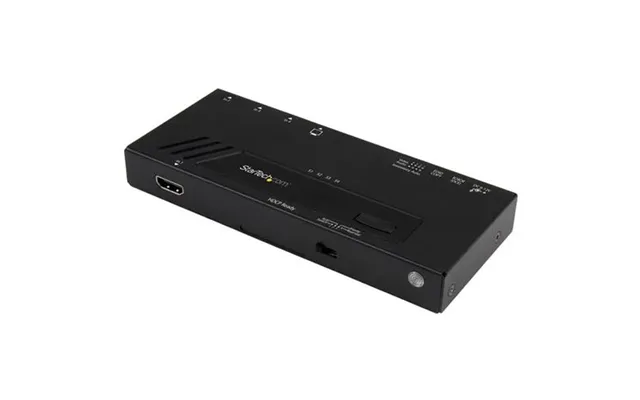
| Startech.com 4-port Hdmi Automatic Video Switch - 4k With Fast Switchi | £ 136,51 | |
| Av Access 120m 395ft Fhd 1080p 60hz Hdmi Extender Over Ip Encoder - One To One One To Many Many To Many Over Network | £ 199,99 | |
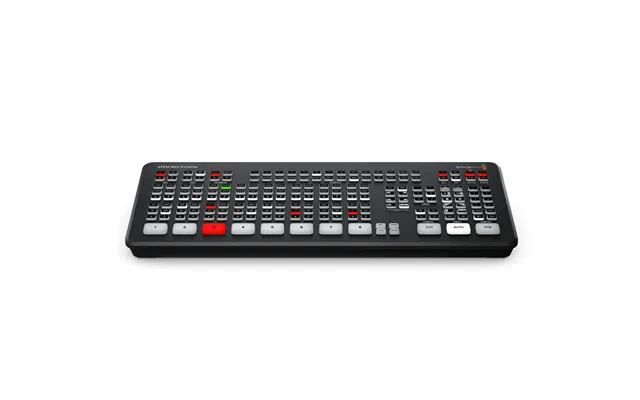
| Blackmagic Design Atem Mini Extreme Full Hd | £ 872,74 | |
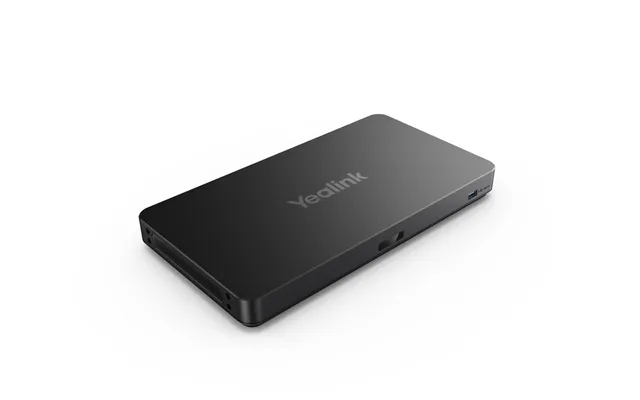
| Yealink Avhub | £ 1.298,77 | |
| Vms-741 Multiviewer Scaler 10-210665-21 | £ 2.928,70 | |
| Blackmagic Design Atem 4 M E Constellation Hd | £ 3.332,46 | |
| Direct Streaming Video Switcher | £ 4.973,61 |