All categories
Business & Offices
Electronics & Media
Fashion & Accessories
Groceries & Essentials
Health & Personal Care
Home & Living
Kids & Family
Sports & Outdoors
Search in ZoneOffer

Loading...
If you’ve ever wrestled with a wobbly tablet or a sagging headrest screen while driving, you know a proper motor vehicle video monitor mount is more than a luxury — it’s a necessity. The right mount turns chaotic cables and shifting screens into a tidy, secure in-car entertainment or work station. Whether you’re fitting a rear-seat entertainment system, mounting a dash monitor for reversing cameras, or securing a tablet for navigation, a quality mount improves visibility, safety, and longevity of your gear.
A vehicle monitor mount is any bracket, arm, or fixture that secures a display inside a vehicle. These mounts come in many shapes and sizes: overhead consoles, headrest mounts for backseat viewers, mirror-integrated screens, suction cup dash mounts, and roll-bar clamps for off-road rigs. Choosing the right one depends on monitor size (measured in inches), vehicle type, and how you plan to use the monitor.
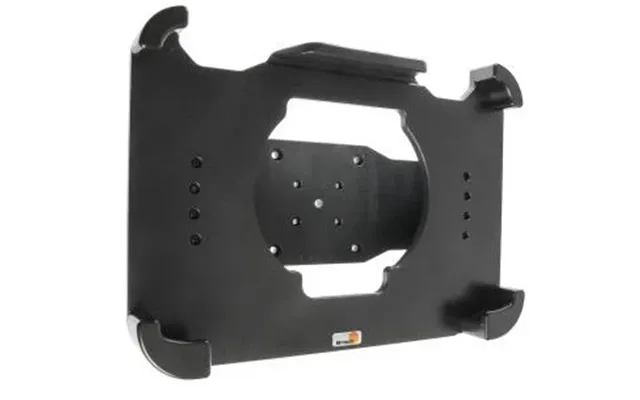
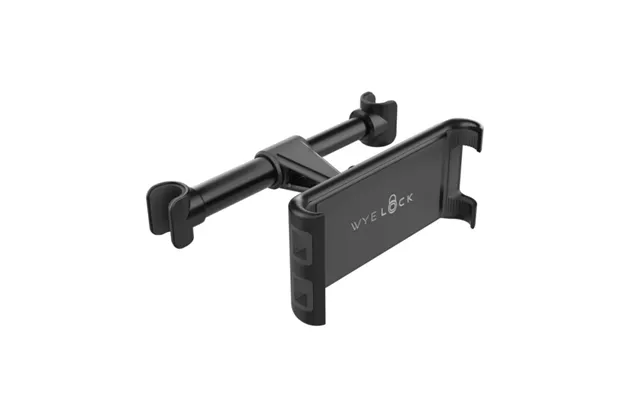
Headrest mounts clip to or replace your existing headrest posts and hold a screen directly in back of a front seat. Ideal for kids’ entertainment on long trips, these mounts typically support screens from 7 inches up to about 15.6 inches. They give a stable viewing angle and keep seat space tidy — a simple solution if rear-seat entertainment is your priority.
Want a drop-down screen for the whole back row? Overhead mounts or flip-down monitors attach to the vehicle ceiling and provide a central viewing point. These often work well with 10.1-inch to 15.6-inch screens and are great for family vehicles. Installation is more involved but you get a theater-like experience without blocking side windows.
Mirror monitors replace or attach to your rearview mirror and can display reversing camera feeds or navigation. Dash-integrated mounts are perfect for small monitor installations like 5-inch to 7-inch reversing screens. These solutions are discreet and usually aimed at drivers who need quick glances rather than prolonged viewing.
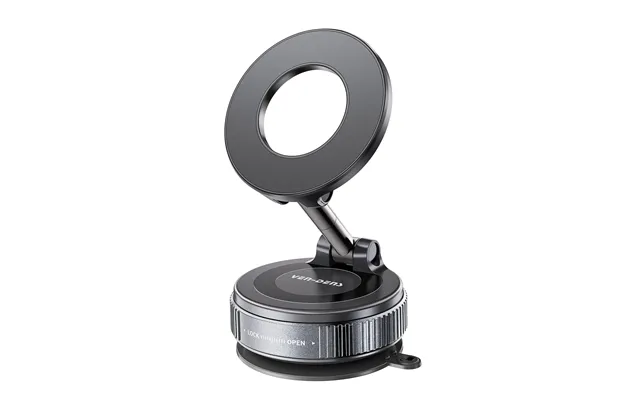
Suction cup mounts and adhesive pads are great for short-term setups or for users who need the freedom to move a screen between vehicles. They’re commonly used for tablets and small monitors, from about 7 inches to 10.1 inches. While convenient, they’re less sturdy than bolt-on mounts and can struggle with vibration on rough roads unless well engineered.
For jeeps, UTVs, or any vehicle with exposed roll bars, clamp mounts attach securely to round tubing and hold monitors or tablets steady even over rugged terrain. These mounts are made of heavy-duty materials and typically support larger screens and heavier devices; expect arm lengths of 6 inches to 12 inches or more for flexible positioning.
Always check the screen size your mount supports. Common monitor sizes are 7 inches, 9 inches, 10.1 inches, 12.1 inches, 13.3 inches, and 15.6 inches. A mount designed for a 7-inch tablet won’t adequately support a 15.6-inch video monitor — that mismatch leads to instability and possible damage. Choose a mount whose spec explicitly lists the inch range you need.
Weight matters. Mounts often list a weight limit in pounds; never exceed it. Lightweight plastic mounts might handle 2 to 3 pounds (typical for small tablets), whereas metal articulating arms can manage 5 pounds or more for larger monitors. Think of the mount as a shelf — a heavy item needs a stronger bracket.
Look for mounts with tilt, swivel, and rotation features so every passenger gets a clear view. A flexible arm with a reach of 6 inches to 12 inches allows you to position the screen just right. Locks and tightening knobs are essential to prevent sag over time, especially on long trips.
Aluminum and steel mounts last longer than plastic models, especially under sun exposure and temperature swings inside a vehicle. UV-resistant coatings and corrosion-resistant hardware keep mounts functioning for years. If you live somewhere with extreme weather, prioritize metal builds and strong finishes.
Neat cables are safer cables. Choose mounts with channels or clips to route power and video leads. Some mounts include integrated power adapters or USB pass-throughs for a cleaner install. If you’re hard-wiring a monitor, a mount that allows cables to be hidden behind trim makes for a professional finish.
Installation complexity ranges from plug-and-play suction mounts to full-bore ceiling installs. Before you buy, measure the space and think about how the monitor will affect airbags, sightlines, and passenger comfort. Use a stud finder or check vehicle schematics for safe drilling locations when installing ceiling or bolt-on mounts. For headrest installs, ensure posts are the correct diameter and that the mount clamps securely. When routing power, use fused wires and consider a professional hard-wire kit if you want a seamless look.
These compact screens are perfect for reversing or as a secondary display for a dash cam. Their small footprint allows them to be placed on the dash or within a mirror housing. Paired with a suction or dash mount, they’re easy to install and inexpensive.
Mid-size monitors strike a balance between viewing comfort and space. Popular for headrest systems and overhead installs, 9-inch to 12-inch screens are big enough for movies yet small enough to avoid obstructing lines of sight. Use a robust mount with good tilt and swivel range for best results.
For a true cinematic rear-seat setup, 13-inch to 16-inch monitors provide immersive viewing. These require heavy-duty mounts — ceiling or custom brackets — and careful routing of power and AV cables. If you want a family movie-night vibe, couple a large monitor with a high-quality metal ceiling mount.
There are safety and legal implications when mounting monitors. In many places, including the UK and similar jurisdictions, any monitor that is visible to the driver while the vehicle is in motion can be illegal if it displays entertainment content. Always position screens so drivers are not tempted to watch them while driving, and use them only for passenger entertainment or as dedicated camera displays for parking and reversing. Secure mounts properly — a loose monitor can become a dangerous projectile in a crash.
Simple care extends life. Tighten adjustment screws periodically, check for cracks in plastic fittings, and clean mounting surfaces before reapplying suction pads. Use a microfiber cloth and screen-safe cleaner for the monitor. If you notice wobble after months of use, replace worn screws or upgrade to a sturdier mount rather than improvising with tape or rubber bands.
If you rarely use an in-car monitor, a budget suction or adhesive mount paired with a small screen will do the job. But if your vehicle sees daily long-distance use, has off-road adventures, or carries fragile electronics, splurge on a premium metal mount with solid warranty coverage. Think long term: a cheap mount may save money now but cost more in replacements and potential device damage later.
Consider scenarios: for ride-share drivers who need navigation, a compact dash mount with a 5-inch to 7-inch screen is ideal. For families, dual headrest mounts with 10.1-inch screens offer a balance of comfort and cost. For campers and overlanders, heavy-duty roll-bar clamps or ceiling mounts that hold 13-inch to 16-inch screens provide entertainment in rugged conditions. Tailor mounts to how you live and drive — that’s the secret to a satisfying setup.
Quick checklist: confirm monitor size in inches, verify weight capacity in pounds, check material and finish, ensure adjustment range suits your seats and passengers, and review cable routing options. If you’re unsure about fit, measure twice — monitor width and headrest post spacing matter. When in doubt, choose a mount with a straightforward return path and solid customer reviews focused on stability and durability.
Choosing the right motor vehicle video monitor mount transforms in-car entertainment and utility from clunky to classy. From compact dash solutions to full overhead cinemas, there’s a mount for every need and every screen size in inches. Prioritize secure attachments, proper weight capacity in pounds, and durable materials so your investment delivers years of stable viewing. Think practical, measure carefully, and pick a mount that matches your driving life — that’s how you get the perfect in-vehicle display setup.
| Motor Vehicle Video Monitor Mounts | Price | |
|---|---|---|
| Silverstone Mva02 | £ 23,59 | |
| Silverstone Mva02 | £ 23,59 | |
| Tomtom Easy Dashboard Mount | £ 30,92 | |
| Tomtom Easy Dashboard Mount | £ 30,92 | |
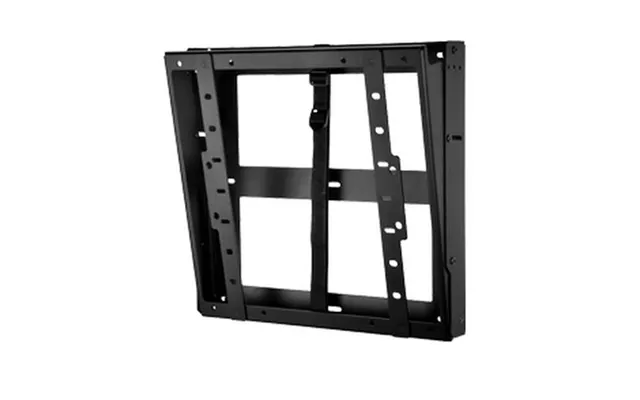
| Peerless Dst660 Signage Display Mount 152.4 Cm 60 Black | £ 266,67 |