





All categories
Business & Offices
Electronics & Media
Fashion & Accessories
Groceries & Essentials
Health & Personal Care
Home & Living
Kids & Family
Sports & Outdoors
Search in ZoneOffer
Loading...
Satellite radio accessories are the unsung heroes that make your receiver useful, comfortable, and crystal clear—whether you’re driving across counties, relaxing at home, or parked at the marina. From antennas and mounts to power adapters, Bluetooth add-ons, and home docks, the right gear takes your satellite receiver from “it works” to “it works brilliantly.” If you’re browsing offers in the UK, you’ll find a wide mix of universal accessories built for popular receivers and tuners. Many buyers want cleaner installs, stronger signal, hands-free audio, and a neat way to switch between car, home, and portable listening. This guide walks you through what to buy, how to install it, and how to compare offers so you save money without sacrificing quality.
Before you hit “buy,” take a minute to match the accessory with your gear and your setup. A strong signal starts with the antenna, and a frustration-free setup starts with compatibility. Think about how you’ll connect audio (AUX, Bluetooth, FM), how you’ll power the receiver, and where you’ll mount it. Also consider your driving environment—urban canyons with tall buildings, tree-lined lanes, or long motorway stretches. A few smart choices on day one can save hours of tinkering later and deliver the clear, consistent sound you want.
Not every accessory fits every receiver. Check the connector type on your tuner or dock (for example, SMB or Fakra-style antenna connectors, or brand-specific dock ports). If you’re using an imported receiver or a universal tuner, look for “universal” or model-specific compatibility notes. When in doubt, choose kits that list your exact model, or pick universal options known to work across multiple generations. A properly matched antenna or dock ensures you won’t be stuck with adapters you didn’t plan to buy.
You have three common ways to feed sound into your car or home system: AUX, Bluetooth, or FM transmission. AUX (via 3.5 mm) offers stable, clean audio with minimal fuss. Bluetooth adds wireless convenience—ideal if your head unit supports it or you use a Bluetooth receiver. FM transmitters are the fallback when AUX or Bluetooth aren’t available; they’re easy to set up, but expect a little more tinkering to find the best frequency. At home, a direct AUX line-in to your speaker or amp is often the simplest and most reliable.
Car power adapters (12V cigarette-lighter style) are the fastest route to getting started. For a cleaner look, consider a hardwire kit that taps into accessory power so your receiver turns on and off with the ignition. At home, use the manufacturer-approved AC adapter to avoid underpowering or introducing noise. Keep an eye on cable length; a 6 ft to 10 ft run often strikes the right balance between reach and tidy cable management.
Look for low-profile vehicle mounts that keep your screen visible without obstructing the road. Adhesive dashboard mounts and vent mounts are popular because they’re quick to install and easily repositioned. If you want a semi-permanent install, consider a bracket that slips into existing trim seams for a factory-like look. Make sure cables route safely away from pedals, shifters, and airbag areas.
Rain, salt spray near the coast, and bumpy roads can test your setup. Weather-resistant antennas with sturdy cable jackets and strain-relief boots are worth the small price bump. If you frequently travel on rough surfaces, choose mounts with secure locking mechanisms and adhesive pads rated for temperature swings. A little extra durability today prevents rattles and signal dropouts tomorrow.
There’s a lot to choose from—but each category plays a specific role. Picking the right mix means stable reception, a clean-looking setup, and sound that never stutters. Here’s a quick tour of what you’ll see when comparing offers, and why each piece matters.
Antennas do the heavy lifting. Magnetic roof-mount options are the classic choice for vehicles because they’re easy to place on a metal surface with an open sky view. Panel-mount and adhesive antennas are great when you can’t use a magnet or want a sleeker look. Marine and RV variants often feature low-profile housings and longer cable runs. Look for low-loss cable, weatherproof housings, and a generous lead length—10 ft or more gives you the routing flexibility you need.
Mounts keep your receiver steady and readable. Dash-top adhesive mounts are quick and surprisingly strong when you clean the surface first. Vent mounts help keep the receiver closer to eye level and within reach, and they’re easy to move between vehicles. If you prefer minimal clutter, slim-profile brackets that tuck between panels can look close to factory-installed. The best mounts absorb vibration and include cable clips so you don’t end up with a spaghetti mess.
Home docks turn your portable receiver into a plug-and-play listening station. Drop the unit into the dock, connect to AC power, run an AUX line to your stereo, and you’re ready. Some docks support external antennas for better reception through windows or on balconies, and many come with remote controls. If you’d like a one-room solution, look for docks that bundle compact speakers or pair easily with a bookshelf system.
A 12V car adapter gets you going fast, but a hardwire kit delivers a cleaner look and automatic on/off behavior with ignition. In homes and offices, use an AC adapter matched to your receiver to avoid noise or under-voltage issues. For long cable runs, a little extra length—say 6 ft to 10 ft—helps you hit the nearest outlet while keeping cables tucked and tidy.
If your head unit has an AUX input, use it—it’s the simplest and most reliable method. No AUX? A compact Bluetooth receiver plugged into your car stereo gives you wireless convenience with solid quality, especially with modern codecs. FM transmitters are the backup option that works in almost any car; pick one with multiple frequency presets and a clear display to avoid local interference. At home, AUX still wins for a no-lag, no-fuss connection to amplifiers or powered speakers.
Want an all-in-one solution for the garden, garage, or kitchen? Speaker docks and boomboxes bundle power, amplification, and a cradle for your receiver. Choose units with balanced drivers, a decent bass port, and line-level inputs so you can use them with other sources too. If portability matters, check the handle design and battery compartment. A boombox that runs on AC and batteries offers flexibility for road trips and picnics.
Marine-grade antennas and mounts are built for corrosion resistance and rough conditions. Look for UV-resistant housings, stainless fasteners, and secure cable seals. RV-focused kits often include longer antenna leads, grommets for clean pass-throughs, and versatile mounting bases to accommodate different roof shapes. For large cabins, consider a distribution amp or powered speaker kit so you can hear clearly without cranking the volume in one room.
Cable management is more than tidiness; it’s performance. Low-loss antenna extensions help maintain signal integrity over longer runs. Angle adapters reduce stress where space is tight. For audio, keep AUX runs as short as practical—3 ft to 6 ft is ideal—to minimize interference. Add a few cable clips and small adhesive mounts, and you’ll have a professional-looking install without drilling holes.
A clean install is half science, half art. You’re aiming for a strong sky view, minimal interference, and a layout that’s safe and easy to live with. The tips below help you get there faster, even if it’s your first time.
Place the antenna on a flat, unobstructed surface with a clear view of the sky—vehicle roofs are ideal. Avoid placing it directly under roof racks, close to roof edges, or near other chunky metal objects. If you’re using adhesive or panel-mount antennas, keep them a couple of inches from edges and seams to reduce reflections. For home installs, window ledges facing open sky work better than deeper indoor shelves.
Run the antenna cable along existing trim lines and use small adhesive clips every 8 to 12 inches to prevent movement. Avoid sharp bends—use gentle curves with at least a 1 inch radius so you don’t crimp the cable. Keep antenna lines away from thick power harnesses where possible. In the cabin, tuck excess length behind panels or under mats, and leave a small service loop near the receiver so you can undock without tugging.
If you hear alternator whine or buzzing, try a different power source or add a noise filter. Hardwire kits that connect to accessory power often reduce noise compared with shared 12V sockets. Keep power and audio cables crossing at right angles rather than running parallel for long stretches. At home, use a surge-protected power strip and avoid daisy-chaining multiple adapters into a single outlet.
Mount the receiver where you can glance at it without taking your eyes off the road. A vent or low dash position usually hits the sweet spot. Test the angle before final adhesion; most adhesive pads grip best after 24 hours, so get the placement right the first time. If you’re using a suction mount, clean the glass with alcohol first and press firmly for a solid seal.
Even good setups can stumble—buildings, bridges, or wiring quirks can cause hiccups. The fixes are usually quick once you know where to look. Work through these common pain points and you’ll be back to smooth listening fast.
Short dropouts often mean the antenna’s sky view is partially blocked. Reposition the antenna toward the center of the roof, away from roof bars, or move it a couple of inches to reduce reflections. Check for loose connectors—give them a firm click. Long cable runs? Consider a low-loss extension designed for satellite signals. For home listening, try a window with a clearer view or add an external antenna.
Static usually points to the audio path, not the antenna. If you’re using FM transmission, try a different frequency, ideally one far from local stations. AUX crackle often comes from a loose jack or a failing cable—swap the cable first. Persistent buzz that changes with engine RPM suggests a ground loop; a ground loop isolator in the AUX path typically solves it in minutes.
If Bluetooth audio stutters, delete the pairing on both devices and reconnect. Keep the receiver within a few feet of the head unit or Bluetooth adapter—line of sight helps. Disable battery-saver modes that throttle Bluetooth on phones or adapters. When all else fails, an AUX cable is the quick fix that bypasses wireless quirks entirely.
Good news: you don’t have to overspend. Many affordable kits deliver excellent results, while premium gear shines in durability, cleaner aesthetics, and convenience features. The trick is knowing when a budget pick is plenty and when it pays to invest a little more.
For a single-vehicle setup with straightforward needs, a value car kit with a magnetic antenna, dash mount, 12V power adapter, and AUX cable often checks every box. If you mainly listen on clear motorway journeys and don’t need a hardwire install, budget gear can sound identical to premium options. Just choose reputable brands with solid reviews and clear compatibility notes.
If you want a seamless, factory-like install—hardwired power, hidden cables, a low-profile antenna, and a robust mount—premium kits are worth it. Marine and RV users should also lean premium for weatherproofing and longer cable runs. Heavy commuters, rideshare drivers, and anyone who uses their receiver daily may prefer stronger adhesives, sturdier plastics, and better cable strain relief to stand up to constant use.
While offers change, certain categories stay in demand because they solve everyday problems: cleaner installs, better reception, and easy switching between car and home. If you’re browsing discounts, these are the evergreen winners to watch for in listings.
Universal magnetic or panel-mount antennas compatible with popular tuners are top sellers. Look for low-profile housings, strong magnets, and at least a 10 ft lead. If you plan multiple installs or have more than one vehicle, an extra antenna is a smart backup—and often cheaper when bundled in offer events.
Car kits that include a dock, antenna, power adapter, mount, and audio connection accessories are the fastest way to go from box to drive. The best kits include cable clips and alcohol wipes for prep—little touches that make a big difference. If you swap cars occasionally, choose a vent mount kit for easy removal and reinstallation.
Home docks with AC power and an external antenna input are popular for listeners who want to drop in, sit down, and enjoy. Bundles that add a compact speaker or remote control sweeten the deal. If you have a hi-fi, an RCA or 3.5 mm AUX output on the dock is essential. For open-plan spaces, consider a powered speaker pair to fill the room without distortion.
Comparing offers is about more than the sticker price. Factor in what’s inside the box, warranty length, and whether you’ll need extra cables or adapters. Keep an eye on bundle value—sometimes a kit with an extra antenna or longer cables saves more than buying pieces one by one. Price-history tools and comparison platforms help you spot genuine discounts versus short-term markups. If you’re flexible on color or mount style, you can often shave a few pounds off the total.
A little routine care goes a long way. Clean connectors, sanity-check cable routes, and keep mounts tight. You’ll protect your investment and keep your sound clean year-round, even through cold snaps, rain, and summer heat.
Wipe antennas and mounts with a soft cloth and mild cleaner—no harsh solvents. Every few months, reseat connectors to clear oxidation. If you drive in salty or coastal areas, rinse the antenna’s exterior with fresh water occasionally and dry it to prevent corrosion. For exposed runs, add small cable boots or heat-shrink where possible.
When moving gear between vehicles or taking it on trips, coil cables loosely—about a 6 inch loop—to avoid kinks. Keep spare adhesive pads, a short Phillips screwdriver, and a couple of cable clips in a small pouch. A tidy travel kit turns re-installs into a 10-minute job rather than an afternoon project.
Getting the most from satellite radio is simple when you pick the right accessories. Start with a quality antenna, choose a solid audio path (AUX or Bluetooth), and power it cleanly. Then mount it where you can see it, route cables the smart way, and you’re off to the races. Whether you want a budget-friendly car kit or a premium, hardwired setup that looks factory fresh, the UK market offers plenty of choices and price points. Compare offers carefully, aim for proven compatibility, and invest where it counts—signal, stability, and simplicity. With the right accessories, you’ll enjoy consistent, clear sound wherever the road (or the sofa) takes you.
| Satellite Radio Accessories | Price | |
|---|---|---|
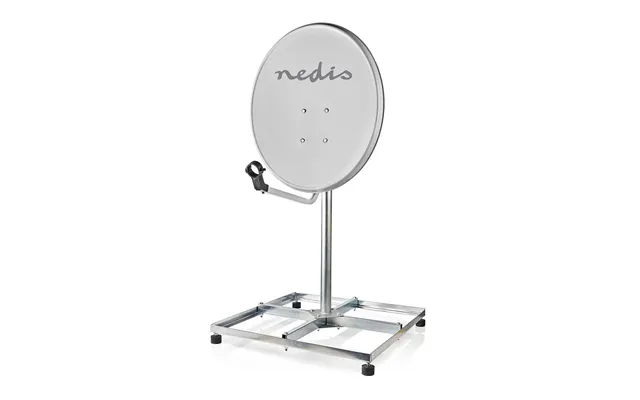
| Nedis Satellite Balcony Stand Mast Length 1.00 M Maximum Dish Size 90 | £ 61,73 | |
| Nedis Satellite Balcony Stand Mast Length 0.75 M Maximum Dish Size 90 | £ 72,51 |

