All categories
Business & Offices
Electronics & Media
Fashion & Accessories
Groceries & Essentials
Health & Personal Care
Home & Living
Kids & Family
Sports & Outdoors
Search in ZoneOffer

Loading...
Looking for the best computer circuit boards without overspending? You’re in the right place. Whether you’re building a gaming rig, refreshing a workstation, or stocking up for a lab or classroom, the circuit board you choose sets the tone for performance, stability, and future upgrades. With so many offers and price lists floating around in the UK, it can feel like a maze. But good news: with a bit of know‑how and a smart comparison strategy, it’s surprisingly easy to spot great value. On comparison platforms like ZoneOffer—remember, it’s a comparison site, not a store—you can evaluate specs, filter deals, and match boards to your exact needs. Let’s break it down step by step.
At their core, computer circuit boards—often called PCBs, motherboards, or system boards—are the backbone that connects every component: CPU, memory, storage, graphics, and peripherals. Think of them as a city’s road network, power grid, and communications lines rolled into one. The “layout” (traces and layers), the “infrastructure” (chipset, sockets, slots), and the “utilities” (power delivery, I/O ports) all determine how smoothly your system runs. From full‑size desktop motherboards to compact single‑board computers and specialized server boards, the right PCB can unlock performance, stability, and longevity while helping you save on total build costs.
Desktop motherboards come in several popular form factors, each balancing features, size, and expandability. ATX boards (roughly 12 x 9.6 inches) offer the most slots and headers, making them ideal for power users. microATX (about 9.6 x 9.6 inches) trims the footprint while keeping room for upgrades. Mini‑ITX (around 6.7 x 6.7 inches) is small but mighty—perfect for compact builds or living‑room PCs. When you compare offers and price lists, keep an eye on slot count, storage connectors, and rear I/O because smaller boards often trade off expansion for size.
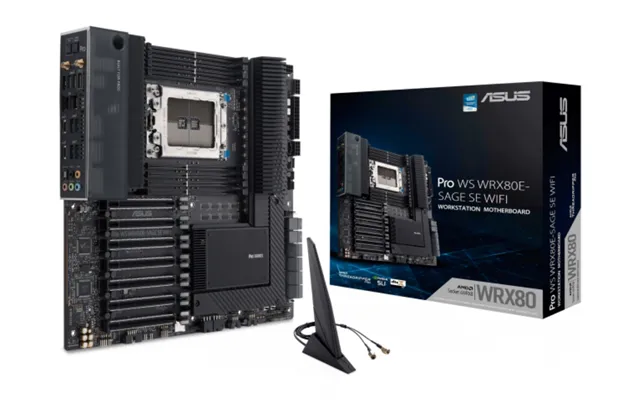
Server and workstation motherboards prioritize stability, memory capacity, and management features. You’ll see support for ECC RAM, robust power delivery, and remote management via BMC/IPMI. Extended form factors like E‑ATX (often near 12 x 13 inches) or specialized server sizes provide extra space for more memory slots, additional PCIe lanes, and advanced storage options. If you’re building a home lab or creative workstation, these boards can be game‑changers, especially when discounted during generation transitions.
SBCs cram a full computer onto one compact board—great for learning, prototyping, and edge projects. They typically integrate CPU, RAM, and I/O on a tiny footprint, often smaller than a paperback. While they can’t match the raw muscle of full desktop boards, they shine in power efficiency, simplicity, and price. When comparing SBC deals, focus on CPU cores, onboard storage options, connectivity (USB, Ethernet, Wi‑Fi), GPIO availability, and community support for projects and tutorials.
While not “motherboards,” expansion boards are crucial members of the computer circuit board family. Graphics cards, network interface cards (including multi‑gig options), and storage controllers (RAID and HBA cards) plug into PCIe slots to add performance and features. Comparing these alongside your motherboard options helps you map the whole build: the number of PCIe slots, lane distribution, and power connectors all affect what you can add later. A great price on a GPU or RAID card can tilt the balance in favor of a particular motherboard with stronger PCIe support.
Bundle offers can stack savings fast. You might find a motherboard paired with a compatible CPU cooler, Wi‑Fi module, or even a discounted NVMe drive. The trick is to compare the sum of parts across listings. Does the bundle deliver real value compared to buying components separately? Sometimes a slightly pricier board with bundled accessories beats a cheaper bare‑bones option because you avoid extra purchases.
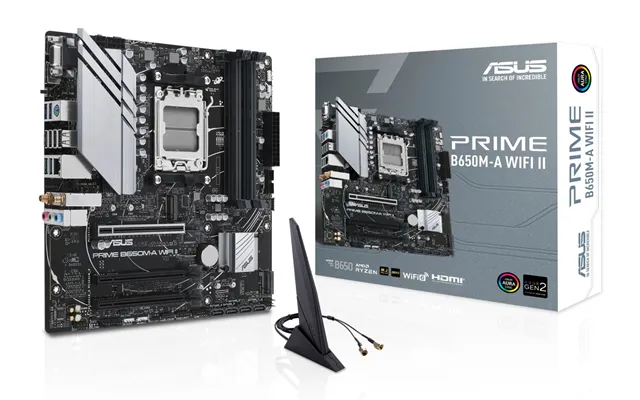
Refurbished or open‑box listings often offer like‑new hardware at reduced prices. These can be gems for secondary rigs, budget gaming PCs, or lab systems. Pay attention to what’s included (I/O shield, Wi‑Fi antennas, M.2 screws, SATA cables). An attractive listing that’s missing key bits could add back costs. When comparing, weigh the savings against the availability of accessories and any included testing or refurbishment notes.
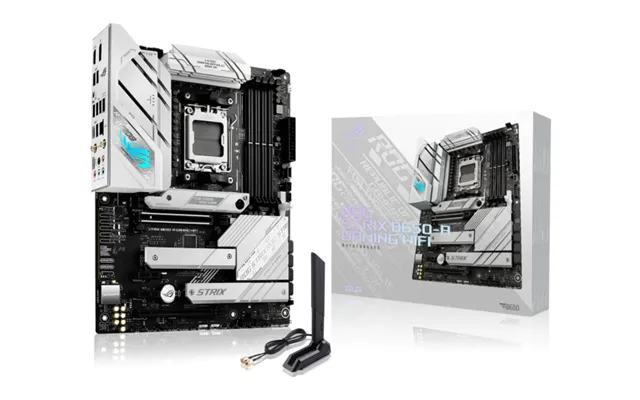
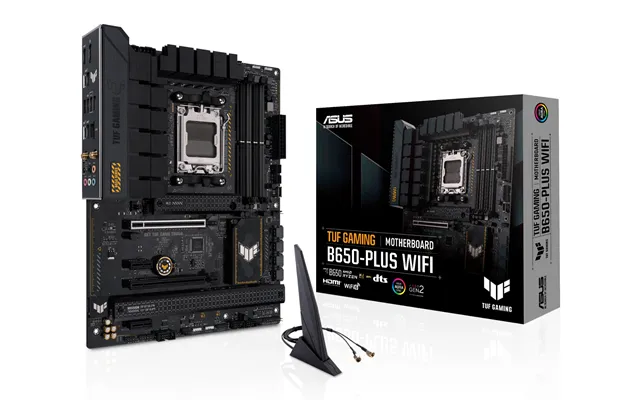
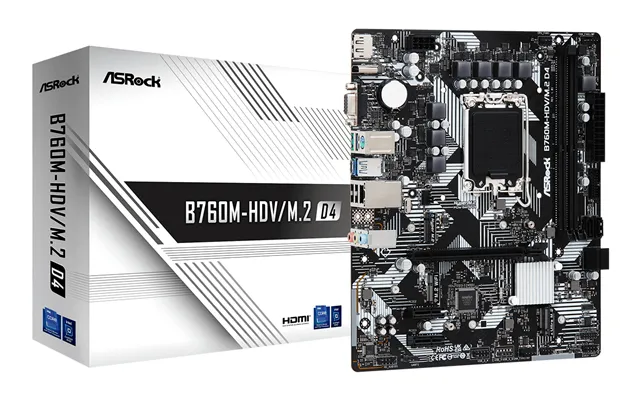
When a new CPU generation arrives, previous‑gen boards frequently drop in price. Step‑down chipsets (with fewer PCIe lanes or ports) can also deliver superb value for everyday builds. If your workload doesn’t demand bleeding‑edge features, grabbing a discounted prior‑gen board can free budget for more RAM or a better SSD—often the upgrade you’ll actually feel day to day.
Start with compatibility: your CPU and motherboard socket must match. Then look at the chipset, which governs PCIe lanes, USB count, and features like overclocking or RAID. Not every chipset supports the same capabilities, so compare spec sheets side by side. If you plan to upgrade your CPU later, check historical support patterns and BIOS update options to avoid a dead‑end platform.
The voltage regulator module (VRM) feeds clean, stable power to the CPU. More phases and better heatsinking usually mean cooler operation and greater headroom—useful for sustained performance or overclocking. Comparison tip: don’t just count phases; read the fine print on component quality and heat spreaders. A well‑cooled, mid‑range VRM often outperforms a poorly cooled design with higher phase counts.
RAM capacity and speed support can make or break a build. Creators and workstation users should watch for higher maximum capacities and ECC support on compatible boards. Gamers can prioritize faster supported speeds and robust memory training in firmware. If you’re future‑proofing, aim for more DIMM slots, so adding capacity later doesn’t require replacing modules you already bought.
Modern motherboards commonly offer multiple M.2 slots for NVMe SSDs, alongside SATA ports for 2.5‑inch or 3.5‑inch drives. Some higher‑end or workstation boards may include U.2 connectors for enterprise‑grade drives. Compare how many of each you get, and whether using one slot disables another—some boards share bandwidth. If you’re eyeing a fast boot drive plus a secondary scratch disk, make sure both can run at full speed simultaneously.
Count ports, then consider speed. Multiple USB‑C ports, 2.5G or faster Ethernet, and built‑in Wi‑Fi can simplify your build and reduce dongles. If you rely on USB audio interfaces or external storage, prioritize more high‑speed USB ports. For content creators, a board with Thunderbolt support can streamline workflows. Also compare internal headers for front‑panel USB‑C and additional fan connections; a neat, quiet build often depends on them.
Case compatibility matters. Standard ATX boards measure about 12 x 9.6 inches. microATX squares up at roughly 9.6 x 9.6 inches, while mini‑ITX is compact at about 6.7 x 6.7 inches. E‑ATX commonly stretches near 12 x 13 inches. Before you buy, check your case’s supported sizes and standoff positions. A deal isn’t a deal if the board doesn’t fit, or if it blocks cable routing channels in a compact case.
Big VRM heatsinks and chunky M.2 shields are great for cooling, but they can crowd large CPU coolers or tall memory. Compare board photos to your cooler’s dimensions, and double‑check the space around the top PCIe slot if you run a thick graphics card. Good airflow is priceless; a sensibly laid‑out board helps cables tuck away from intake fans, reducing turbulence and noise.
Not all PCBs are equal. More layers and heavier copper can improve signal integrity and power stability, especially under load. Quality chokes, capacitors, and MOSFETs affect longevity. You won’t always see these specs highlighted in flashy ads, so dig into detailed listings and reviews when comparing offers. If a board runs cooler at the same workload, it often lasts longer and maintains performance over time.
Good firmware makes tuning simple. Look for boards with clear fan control curves, BIOS flashback (handy for CPU upgrades), and robust memory training. Some boards include automatic overclocking or power‑saving presets. Even if you never touch advanced settings, a clean UEFI interface is a win—less time troubleshooting, more time using your PC.
Modern GPUs love bandwidth, but the lane story can be tricky. Some chipsets split lanes across slots, reducing bandwidth when multiple devices are installed. If you plan multi‑GPU, capture cards, or a stack of NVMe drives, scan the lane diagram in the board manual and compare across offers. A slightly more expensive board with better lane allocation can outperform cheaper rivals once everything’s plugged in.
For video editors and 3D artists, fast NVMe storage feels transformative. Compare which M.2 slots deliver full bandwidth and whether heatspreaders are included. If you keep large projects on a scratch disk, prioritize boards with two or more full‑speed M.2 slots, so your OS drive doesn’t compete with your media drive. Also consider front‑panel USB‑C for quick external transfers.
If uptime matters, ECC memory support and remote management can be lifesavers. Server‑oriented boards often include a dedicated management port, allowing you to power cycle and view the console remotely. That means fewer trips to the rack—or the cupboard under the stairs. When you spot a deal on a board with these features, compare the total platform cost (CPU, ECC RAM, case fit) to ensure your savings hold up across the whole build.
Need storage resilience? Look at onboard RAID options or plan for an HBA card. For network‑heavy tasks, boards with multiple Ethernet ports or higher‑speed NICs reduce add‑on costs. If the board lacks them, check pricing on expansion cards; sometimes a cheaper board plus a discounted NIC beats a premium board with integrated features. Always compare the total solution, not just the base board.
SBCs shine in classrooms, workshops, and embedded projects. When browsing price lists, prioritize CPU capabilities, RAM, the presence of onboard storage or eMMC, and ports you’ll actually use (multiple USB, Ethernet, HDMI). GPIO headers are the playground for sensors and actuators—so if tinkering is your plan, make sure the board offers robust GPIO documentation and community examples. A beginner‑friendly board with great tutorials can be “faster” to value than a more powerful board with sparse resources.
Two boards might look similar on the surface, but differ in lane allocation, VRM quality, or included accessories. Create a quick checklist: socket, chipset features, DIMM slots, M.2 count and speed, rear I/O, fan headers, and any included extras. Then compare prices across multiple listings. A board with a slightly higher price can be cheaper in practice if it includes Wi‑Fi, an I/O shield, and extra SATA cables that you’d otherwise buy separately.
Chasing the lowest price is tempting—but think a step ahead. If you might upgrade your CPU or add another NVMe drive in a year, spending a little more now could save you from a full platform swap later. On the flip side, if you’re building a secondary PC or a student rig, a previous‑generation board at a sharp discount can be huge value. Let your real‑world use steer the choice.
Static discharge can ruin a good day. When you unbox and install, ground yourself, avoid carpets, and handle the board by its edges. Set screws down carefully, and watch for standoffs that can short the back of the PCB if misaligned. A few simple habits ensure your “great deal” doesn’t turn into a troubleshooting marathon.
Before you click buy, check CPU support lists and BIOS requirements. Some newer CPUs need a specific BIOS version to boot. If the board includes BIOS flashback, you can update firmware without a working CPU—super handy. Otherwise, you might need an older CPU to flash first. Comparing this tiny detail across offers can save hours of frustration.
Define your goal: gaming, creating, home lab, or education. Match the CPU socket and chipset to your processor plans. Pick a form factor that fits your case: ATX, microATX, mini‑ITX, or E‑ATX. Count memory slots and confirm capacity and speed support. Audit storage needs: M.2 slots, SATA ports, and any U.2 connectors. Verify PCIe slot layout for GPUs and add‑in cards. Review rear I/O and internal headers for your devices and case features. Scan VRM cooling and heatsink layout. Check BIOS features like flashback and fan control. Finally, compare total value across multiple listings—board price plus any accessories you’d otherwise buy.
Building a sleek living‑room PC? A mini‑ITX board around 6.7 x 6.7 inches with Wi‑Fi and two M.2 slots hits the sweet spot. Planning a high‑refresh gaming tower? An ATX board with a reinforced top PCIe slot, robust VRMs, and plentiful fan headers keeps frames high and temps low. Spinning up a home server? A server‑class E‑ATX board near 12 x 13 inches with ECC RAM support and IPMI simplifies remote management. For a classroom lab, a well‑supported SBC with generous USB and Ethernet reduces setup friction. Each scenario benefits from comparing not just price, but the full ecosystem of features you’ll actually use.
Set alerts for boards you’re eyeing and be patient—price dips happen, especially around new‑gen launches. Compare refurbished/open‑box listings from multiple sellers, and verify what’s included. Consider value bundles that eliminate extra purchases. Cross‑check spec sheets so you don’t overpay for features you won’t use. And remember, a sturdy mid‑range board often delivers 95% of the experience of flagship models at a fraction of the cost. Your wallet will thank you.
Computer circuit boards are the heartbeat of your PC, server, or project build—and the right one can stretch your budget further than you think. By understanding types (ATX to SBC), zeroing in on key features (chipset, VRM, storage, I/O), and reading UK price lists with a keen eye for total value, you’ll turn noise into clarity. Use comparison platforms to line up specs and offers, balance present needs with future upgrades, and stick to a checklist that keeps you honest. Do that, and you won’t just buy a board—you’ll build a system you’re proud of, at a price that feels like a win.
| Computer Circuit Boards | Price | |
|---|---|---|
| Monsgeek M1 Flex-cut Pcba | £ 12,99 | |
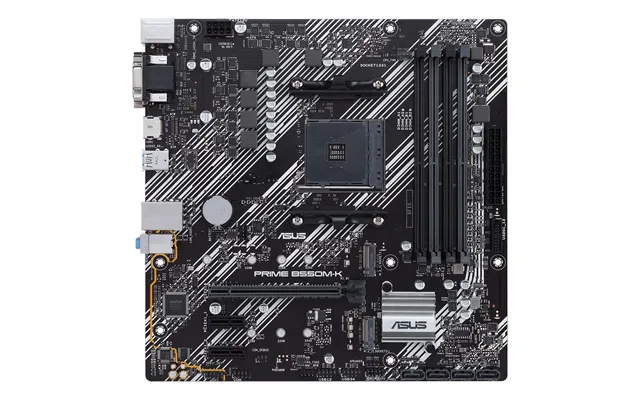
| Asus Prime B550m-k Argb Amd B550 Socket Am4 Micro Atx | £ 87,53 | |
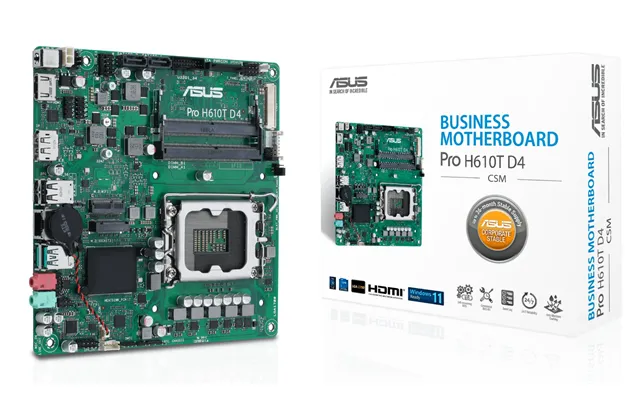
| Asus Pro H610t D4-csm Intel H610 Lga 1700 Thin Mini Itx | £ 102,12 | |
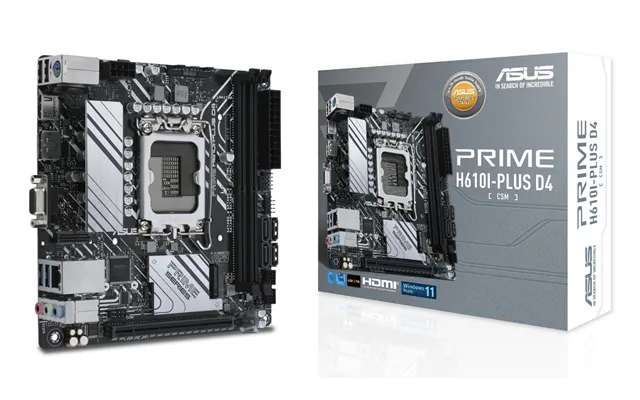
| Asus Prime H610i-plus-csm Intel H610 Lga 1700 Mini Itx | £ 105,25 | |
| Gigabyte B650 Ud Ax Motherboard - Amd Ryzen 9000 Series Cpus | £ 113,14 | |
| Asus Prime B760m-a D4-csm Intel B760 Lga 1700 Micro Atx | £ 115,92 | |
| Asrock B850 Livemixer Wifi Amd B850 Socket Am5 Atx | £ 167,46 | |
| Msi Mpg B850 Edge Ti Wifi Motherboard Amd B850 Socket Am5 Atx | £ 210,99 | |
| Asus Rog Astral - -lc-rtx5090-o32g-gaming Nvidia Geforce Rtx 5090 32 G | £ 3.979,30 |

| Asus Proart B760-creator D4 Intel B760 Lga 1700 Atx | £ 17.487,62 |