All categories
Business & Offices
Electronics & Media
Fashion & Accessories
Groceries & Essentials
Health & Personal Care
Home & Living
Kids & Family
Sports & Outdoors
Search in ZoneOffer

Loading...
Network software is the glue that keeps your devices talking to each other securely and efficiently. From securing remote access to monitoring performance and managing Wi‑Fi, these tools quietly handle the heavy lifting behind every email, video call, and transaction. Shopping for it can feel like decoding a maze—price lists vary, feature sets overlap, and buzzwords fly. The good news? With a clear plan, you can find exceptional value and real performance gains without overspending.
When you browse a price list or scan popular offers, you’ll typically encounter categories like firewalls and security suites, VPN and remote access, network monitoring and observability, Wi‑Fi and LAN management, SD‑WAN and edge security, DNS filtering, and identity and access tools. Each solves a specific problem, but the best setups combine several categories to deliver an end‑to‑end, secure, and resilient network.
On a comparison site, you’ll often see bundles, multi‑seat licenses, and time‑limited discounts that can dramatically lower your cost of ownership. Some vendors include free migration or first‑year support, while others offer tiered editions so you can start small and scale. Keep an eye out for value‑adds like built‑in zero‑trust features, multi‑tenant dashboards, or API access, which can save you from buying separate tools later.
Security suites combine firewall controls with intrusion detection and prevention, application awareness, and increasingly, zero‑trust network access. Established names like Palo Alto Networks, Fortinet, Sophos, and Cisco lead in enterprise features, while Cloudflare and Zscaler shine in cloud‑delivered security models. Look for granular policy controls, strong reporting, and simple ways to segment your network without re‑architecting everything.
Remote access is the bridge between your users and your data. Traditional VPN options—such as OpenVPN, WireGuard‑based solutions, and vendor clients like Cisco AnyConnect or FortiClient—remain popular. If you’re modernizing, evaluate zero‑trust access where users authenticate and authorize to specific apps rather than the entire network. The result? Tighter security and often a smoother user experience.
Monitoring platforms like PRTG, SolarWinds, Datadog, Nagios, Zabbix, and Splunk help you track uptime, spot bottlenecks, and troubleshoot faster. At minimum, you want device discovery, alerting, dashboards, and log correlation. If you manage hybrid or multi‑cloud environments, prioritize tools with broad protocol support, topology mapping, and automated insights so you can find root causes without digging through endless logs.
Don’t let flashy marketing distract you. Focus on features that move the needle for your organization. How well does the software integrate with your directory, identity provider, or ticketing system? Can you automate routine tasks? Is reporting clear enough for auditors and executives? Do you have a simple path to scale? Tie every feature to a real outcome—security hardening, faster troubleshooting, or smoother remote work.
Licensing can be per user, per device, or per feature. Some vendors charge for advanced analytics or add‑ons like web filtering. As your team grows, those add‑ons can add up. Seek elastic licensing that expands when you need it and dials back when you don’t. If you anticipate growth, choosing a platform with predictable licensing can save you from disruptive and costly migrations later.
Interoperability is everything. Verify support for your directories (like Azure AD or similar), logging pipelines, SIEM tools, EDR platforms, and existing network gear. Strong API support matters too—it lets you automate onboarding, policy updates, and incident response. The more your tools can “talk,” the less manual effort you’ll burn on routine admin and the faster you’ll close security gaps.
When trouble hits, vendor support becomes mission‑critical. Check whether support is round‑the‑clock, whether you get access to engineers for complex cases, and how fast vulnerabilities are patched. A steady update cadence signals a mature development pipeline. Bonus points for robust documentation, vibrant communities, and knowledge bases that help you self‑serve when you’d rather not open a ticket.
You’ll see many names while shopping, and each has strengths. Use vendor examples as a starting point—not the finish line. Build a shortlist based on your environment, risk profile, and staff expertise. If you’re heavy in cloud, prioritize cloud‑managed tools. If you’re compliance‑driven, make audit trails, reporting, and role‑based access must‑haves.
Palo Alto Networks, Fortinet, Sophos, and Cisco consistently appear on enterprise shortlists, while cloud‑first vendors like Zscaler and Cloudflare are common in secure access service edge (SASE) strategies. If you manage multiple sites, consider centralized policy management and flexible site‑to‑site connectivity. Don’t forget SSL inspection capabilities and ease of creating app‑aware rules—those two features often separate the great from the merely good.
For more traditional VPNs, OpenVPN remains a dependable, widely supported option. WireGuard‑based platforms are praised for simplicity and performance. Enterprise suites like Cisco AnyConnect or Palo Alto GlobalProtect integrate nicely with broader security ecosystems. If you’re leaning zero‑trust, evaluate identity‑centric access where device posture and user risk determine what each person can reach, and nothing more.
PRTG’s sensor‑based model, SolarWinds’ broad device coverage, Datadog’s cloud observability, Splunk’s analytics, and open‑source stalwarts like Nagios and Zabbix each serve different needs. If you’re a small team, prioritize ease of setup and high‑value alerts over exhaustive features. For large estates, weigh features like distributed polling, service maps, and automated anomaly detection to reduce mean time to resolution.
Ubiquiti UniFi offers approachable management for small to midsize setups, while Cisco Meraki and Aruba Central deliver powerful cloud‑managed experiences with deep policy controls. Look for automatic channel selection, guest portals, application visibility, and seamless VLAN integration. If compliance matters, ensure your platform logs client activity and provides exportable reports for audits.
Price lists can be dense, so decode them by aligning each line item with a business outcome. Do you see separate charges for advanced threat intelligence, web filtering, or mobile device management? Are support tiers tied to response times? What are your renewal terms? The right way to “read the list” is to translate features into impact—reduced risk, fewer outages, and less time spent firefighting.
Watch for costs around training, migrations, connectors, and premium support. Some tools require additional licenses for high availability or for specific APIs. Also note potential costs tied to compliance reporting or log retention. None of these are inherently bad, but surprises are. When you compare offers, include a realistic estimate of these extras so the “cheapest” option doesn’t become the most expensive.
Subscriptions deliver continuous updates and predictable budgeting, which many teams prefer. Perpetual licenses can look attractive up front but consider the long‑term expense of maintenance and upgrade paths. With security tools, staying current is non‑negotiable. If perpetual is your pick, make sure the vendor’s support and update policy fits your risk tolerance and refresh cycles.
Rolling out network software doesn’t need to be a nail‑biter. Success comes from sequencing: plan, pilot, deploy, refine. Start with a focused pilot group. Validate integrations, performance, and user experience. Then scale in waves, keeping rollback plans ready. Document as you go—playbooks turn one‑off fixes into repeatable wins, and they’re priceless when staff changes happen.
Pilots help you uncover snags before they impact everyone. Test authentication paths, policy enforcement, and failover. Gather feedback from admins and a handful of everyday users. If they can do their jobs without hiccups—and if incidents are easy to investigate—you’re on the right track. If not, tweak configs now while the blast radius is small.
Good documentation is an insurance policy. Standardize naming conventions, IP plans, and role‑based policies. Automate where it counts: user onboarding, policy changes, and alert routing. Even simple scripts can eliminate repetitive work and reduce errors. Over time, these habits free up your team to focus on strategic improvements instead of manual busywork.
The best deals mean nothing if your configuration leaves doors open. Security starts with strong identity controls, clear network boundaries, and constant visibility. Lean on principles like least privilege, verified trust, and separation of duties. If you can show who did what, when, and why—and restrict access to only what’s necessary—you’re already ahead of the curve.
Enable multi‑factor authentication everywhere it’s available, particularly for admin accounts and remote access. Enforce least privilege so users and services get only the access they need. Segment critical systems away from everyday workloads. If a breach happens, segmentation can turn a potential wildfire into a candle—containment is everything.
Backups should be regular, encrypted, and tested. Just as important: your incident response plan. Who gets notified? What systems get isolated? Which logs get pulled first? Rehearse the playbook so you can move with confidence when stress levels rise. And ensure your monitoring and security tools provide the data you need to make fast, informed decisions.
One size never fits all. The right network software for a five‑person office isn’t the right fit for a global enterprise. The trick is to pick tools aligned to your team’s bandwidth, expertise, and risk profile. Smaller teams should emphasize simplicity and automation; larger organizations need centralized governance, deep analytics, and tight integrations.
Look for unified security appliances with straightforward management, cloud‑managed Wi‑Fi, and monitoring that surfaces only actionable alerts. Zero‑trust remote access can simplify life by removing the need to expose large chunks of your network. Favor platforms with clear documentation and quick‑start templates so you can get value fast without a steep learning curve.
Enterprises typically need granular policy control, role‑based administration, strong change management, and compliance‑ready reporting. Focus on federation with your identity provider, scalable logging pipelines, and APIs for automation. If you run branch locations, evaluate SD‑WAN or SASE options that centralize governance while distributing enforcement close to users and apps.
Popular doesn’t always equal best for you. Start by writing down your top three outcomes—maybe it’s reducing risk, improving visibility, or simplifying remote access. Then force every offer to answer those needs. If a feature won’t save time, cut risk, or help you scale, it’s probably not worth paying for right now. Popular offers can be fantastic—just make sure they’re popular for the right reasons.
A trial or proof‑of‑concept is worth its weight in gold. Test policy enforcement, admin usability, reporting clarity, and user experience under everyday conditions. If your short list performs well in a realistic scenario, you’ll buy with confidence and avoid buyer’s remorse. When possible, keep trials long enough to capture real‑world spikes and downtime drills.
Performance isn’t just about raw speed. It’s about consistency, resilience, and the human experience. Do users connect quickly? Do admins find the right controls without hunting? Can you spot issues before users notice? Tools that optimize this trifecta often deliver outsized ROI because they prevent small problems from becoming big, expensive ones.
Alert fatigue is real. Choose monitoring and security tools that let you tune thresholds, group related events, and suppress noise during maintenance windows. Look for dashboards that highlight anomalies, not just raw data. When alerts tell a story—what broke, why, and what to do next—your team spends less time guessing and more time fixing.
Switching platforms is part art, part science. Inventory your current policies, dependencies, and integrations. Map them to the new tool’s capabilities. Build a staging environment to prove parity. Then migrate in waves, validating each step and documenting the deltas. Done right, migrations become an opportunity to clean house—retire old rules, remove stale accounts, and simplify workflows.
Every major change should have a rollback plan. Take snapshots, export configs, and schedule changes during low‑impact windows. Communicate clearly with stakeholders so nobody’s surprised. If something goes sideways, go to your rollback checklist and revert. Discipline here turns “uh‑oh” moments into minor blips rather than major outages.
A comparison platform like ZoneOffer helps you scan the market quickly, stack features side by side, and spot genuine value across multiple retailers. Instead of hopping from site to site, you can filter by category, edition, and license model, then dive into popular offers and price lists that match your needs. It’s faster, clearer, and designed to cut through noise so you make a confident choice.
Set filters for the exact categories you need—say, VPN and monitoring—and then enable alerts for price drops or new bundles. Build a shortlist and revisit it periodically, especially ahead of renewal cycles. With a little structure, you’ll catch the right deals at the right time and avoid last‑minute scrambles that force you into whatever’s available.
If you’re tightening security for a distributed team, pair zero‑trust access with endpoint posture checks and DNS filtering. Running a busy office with frequent video calls? Combine robust Wi‑Fi management with monitoring that watches for jitter and packet loss. Supporting compliance? Select firewalls and SIEM‑friendly logs with airtight audit trails. Match the tool to the job, not the other way around.
Start with quick wins: centralize remote access, standardize Wi‑Fi, and turn on meaningful alerts. Then mature into a long‑term posture: automated policy management, segmented network zones, and observability that spans on‑prem and cloud. The aim is progress, not perfection. Each smart move compounds, and before long, your network becomes easier to manage and tougher to break.
Network software is the silent engine of modern work—secure access, smooth performance, reliable connectivity. The trick to buying well isn’t chasing buzzwords; it’s aligning features to outcomes, testing in the real world, and comparing offers with clear eyes. Use a comparison site to see the market at a glance, shortlist wisely, and take advantage of popular offers and transparent price lists. Do that, and you’ll lock in security, speed, and savings you can feel every day.
| Network Software | Price | |
|---|---|---|
| Hpe Hpe Ns Nos Default Fio Software | £ 11,48 | |
| Hpe Hpe Ns Nos Default Fio Software | £ 11,48 | |
| Securepoint Blackdwarf As A Service For Up To 10 Users 12 Months Mini | £ 131,16 | |
| Securepoint Blackdwarf As A Service For Up To 10 Users 12 Months Mini | £ 131,16 | |
| Patchbox Setup.exe - Network Hardware Installation Tool | £ 161,42 | |
| Apc Struxureware Data Center Expert Virtual Appliance - Subscription L | £ 1.659,70 | |
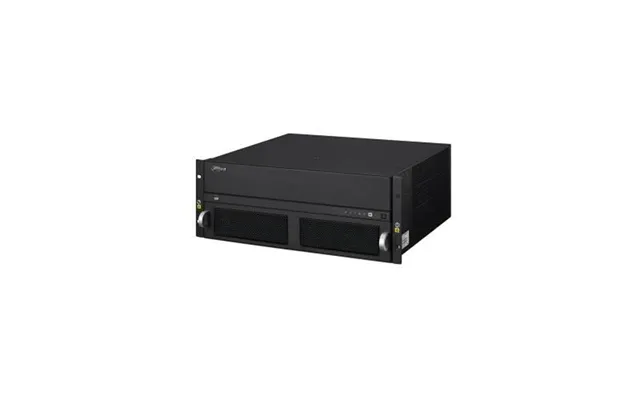
| Dahua Multi-service Video Management Platform | £ 4.309,94 | |
| Hpe Aruba Networking Mc-va-250 Virtual Mobility Controller License Rw | £ 8.225,38 | |
| Hpe Aruba Networking Mc-va-250 Virtual Mobility Controller License Rw | £ 8.225,38 |