All categories
Business & Offices
Electronics & Media
Fashion & Accessories
Groceries & Essentials
Health & Personal Care
Home & Living
Kids & Family
Sports & Outdoors
Search in ZoneOffer

Loading...
Office application software is the engine room of modern work. It includes the everyday tools you lean on to write documents, build spreadsheets, craft presentations, manage email, organise calendars, take notes, and collaborate with colleagues. Whether you’re working from a 13-inch laptop at the kitchen table, or in a busy office juggling projects and deadlines, the right software suite keeps everything humming. In the UK, there are loads of popular offers across leading suites and specialised apps, and comparing them side by side helps you avoid paying for features you’ll never use.
On most productivity checklists you’ll find a word processor for reports and letters, a spreadsheet for budgets and data, a presentation tool for pitches, and email with a calendar to keep your day on track. Many suites also bundle note-taking, PDF tools, cloud storage, and team chat. Beyond the big names, you can layer on specialised add-ons like e-signature, document automation, or AI-assisted writing. Think of your setup as a toolkit: start with the essentials, then add the right attachments to drill through your to-do list faster.
If you’ve seen a headline shouting “Popular Offers” or browsed an “Office Application Software price list,” you know the deals change often. Subscriptions typically come in monthly or annual flavours, with home, family, student, and business tiers. One-time purchase licences still exist, especially for desktop-only use, but updates and cloud features usually favour subscriptions. UK shoppers can also find discounted education plans, business bundles, and occasional seasonal promotions. The trick is matching a plan’s features and user limits to your real-world needs so you’re not overpaying for capacity you won’t touch.
Subscriptions keep you current with the latest features, security patches, and cloud collaboration. They’re flexible, easy to scale, and ideal if you rely on real-time co-authoring, integrated storage, and mobile access. One-time purchases feel simple—you pay once and keep using the software—but you trade away new features and may need to buy again for major upgrades. As a rule of thumb, if you work with a team, collaborate frequently, or want cloud conveniences, a subscription usually wins. If your work is individual, offline, and stable, a one-time licence can still be a smart call.
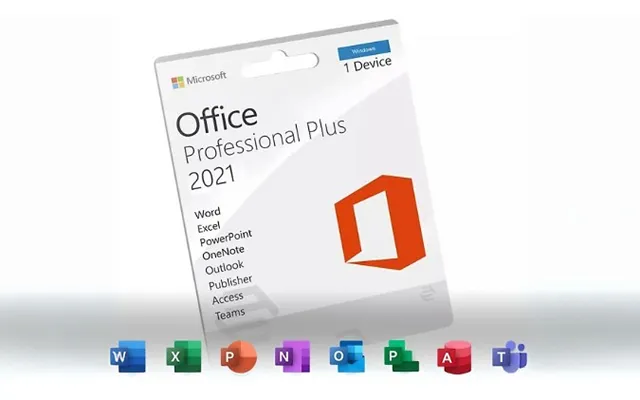
Microsoft 365 sits at the top of many shortlists for good reasons. It wraps Word, Excel, PowerPoint, Outlook, OneNote, and robust OneDrive storage into a familiar package, with Teams for meetings and collaboration layered on top. Cross-device access is smooth, offline editing is strong, and file compatibility is basically the industry default. Businesses value admin controls, security policies, and compliance features, while home users like the family sharing options and generous storage for photos and files. If you live in Excel models or rely on Outlook for your day, it’s an easy first pick to compare.
For individuals, the Personal plan keeps things simple. Families can stretch their money further with shared licences and pooled storage. Students often qualify for education deals through their schools, which can be a huge win. For small businesses, consider essentials like custom email domains in Outlook, Teams meetings, and desktop apps in the Standard tier. If you need advanced device management or enhanced security, step up to a higher tier. When comparing offers, weigh the number of users, device limits per person, storage per user, and whether desktop apps are included.



Microsoft may be the default, but it isn’t the only game in town. Google Workspace is cloud-first and brilliant for real-time co-authoring right in the browser. It’s lightweight, great for simple to moderate workloads, and plays nicely across devices. LibreOffice is free, open-source, and a strong offline option if you want zero subscription costs—just note that collaboration and cloud tooling are DIY. WPS Office strikes a budget-friendly balance with familiar interfaces and decent compatibility. The right choice depends on how much you value cloud integrations, macro support, advanced analytics, and enterprise governance.
Pick Google Workspace if your team lives in the browser, prioritises live collaboration, and wants minimal setup. Choose LibreOffice if you’re privacy-focused, need a capable offline suite, or want to slash software spend without losing core functionality. Consider WPS Office if you want a familiar look-and-feel and decent compatibility at a lower cost. If you rely heavily on complex Excel macros, advanced PowerPoint features, or Outlook workflows, Microsoft 365 still holds the edge. Freelancers who blend clients’ tools often mix and match, using Google for collaboration and Microsoft for advanced tasks.
Beyond the big suites, specialised apps can turbocharge your workflow. Think note-taking tools for meeting minutes and research, PDF editors for contracts and forms, e-signature for approvals, diagramming for flowcharts, and mind-mapping for strategy. If your tasks involve scanning, OCR, or archiving, modern PDF tools can replace a pile of separate utilities. Document automation and template libraries save time and reduce typos. And if you dictate rather than type, speech-to-text can be a game-changer. These add-ons often cost less than you think and return their price quickly in saved hours.
For PDFs, Adobe Acrobat sets the benchmark with editing, OCR, and e-signature baked in. Foxit and Nitro are popular alternatives with lean interfaces and strong enterprise options. PDF-XChange is a favourite for power users who want speed and flexibility. When comparing deals, check for must-haves like accurate OCR, secure redaction, batch processing, fillable forms, and integration with your cloud storage. If you manage contracts, look for audit trails and tamper-proof signatures. A great PDF editor turns a “print, sign, scan” routine into a few clicks—and that’s productivity you can feel.
Collaboration is where productivity suites either sing or stumble. Microsoft Teams, Zoom, and Slack help stitch together chat, meetings, and files so you can move from idea to execution without switching tools. Teams integrates tightly with Microsoft 365, while Google’s Meet and Chat fold into Google Workspace. The best setup is the one your team actually uses, so adoption matters more than buzzwords. When comparing offers, ask how meetings, calendars, and files connect—and whether guests can join without hurdles. The smoother the collaboration, the less time you burn on “Where’s that file?”
Real-time co-authoring is now table stakes. You should be able to see cursors move, comments appear, and suggestions land without email ping-pong. Version history is your safety net, letting you roll back after a formatting disaster or track who changed what. In regulated industries, look for audit logs and retention policies. If you share files outside your organisation, check link controls, expiration dates, and view-only options. Good docs feel like a live conversation; weak ones feel like a relay race with dropped batons.
Security isn’t a bolt-on; it’s baked in from day one. Look for end-to-end encryption in transit and at rest, multi-factor authentication, single sign-on options, device management, and data loss prevention. UK businesses should pay attention to GDPR obligations, data residency options, and the provider’s compliance certifications. For sensitive work, consider customer-managed keys or at least granular admin controls. Backups matter too: confirm restore points and how quickly you can recover from accidental deletions or ransomware. A secure suite lets you sleep at night without playing digital whack-a-mole.
Licences define what you can do; terms define who owns what. Read the fine print on user limits, device installs, and whether you can transfer licences. Check data export options so you’re never trapped, and confirm what happens to your files if you cancel. In many suites, you keep ownership but access features change. If you rely on shared links and automation, plan for a clean exit path. Vendor lock-in isn’t inevitable—good comparison shopping will surface providers that make it easy to come and go.
Before you grab a bargain, make sure it runs where you work. Windows and macOS are well supported across the board; Linux users fare best with web apps or LibreOffice. Mobile apps for iOS and Android are plenty capable for quick edits and reviews. If your laptop is a compact 13-inch model, web-based suites may feel lighter, while desktop apps shine on larger 15-inch or 17-inch screens. Browser choice also matters for performance and features, so check officially supported versions. If your team has a mix of old and new machines, test before you commit.
DOCX, XLSX, and PPTX are the lingua franca of modern office files. ODT and other open formats are solid too, but if you share documents widely, stick to the formats your partners expect. When migrating, start with a pilot: take a few gnarly documents with tables, charts, and tracked changes, then test round-tripping between suites. Pay special attention to macros and complex formulas, which can be finicky. For email, export and import archives carefully, and check calendar and contact syncing. A tidy migration beats a chaotic Monday every time.
Think like a savvy shopper. List your must-have apps, number of users, storage needs, and security requirements, then compare plans that meet them. Factor in desktop versus web apps, per-user costs, and whether support is chat-only or includes phone. Look for family or team bundles, and consider annual billing discounts. For businesses, weigh admin tools, compliance features, and integrations with your CRM, accounting, or project management. Finally, tap a trusted comparison site such as ZoneOffer to scan multiple offers quickly and avoid the rabbit hole of vendor-by-vendor browsing.
Watch out for auto-renewals you forget to cancel, add-ons that seem optional but become essential, and storage caps that force upgrades. Some suites charge extra for advanced security, phone support, e-signature, or compliance tooling. Free tiers can be brilliant, but limits on file size, history, or user seats may bite at the worst time. For UK buyers, check whether prices are shown with or without VAT so you’re comparing apples to apples. If you see a deal that looks too good to be true, read the fine print and confirm the total cost of ownership.
Home and student needs are usually straightforward: write essays, manage budgets, research online, and share projects. A family plan with multiple user profiles and generous cloud storage often stretches the value. Templates for CVs, revision schedules, and personal finance can save hours. Parental controls and safe sharing options matter if you’ve got kids submitting schoolwork. Plenty of suites offer mobile apps so you can keep studying on the bus or revising slides on the sofa. Look for education discounts, and don’t overlook strong free tools if your needs are basic.
Freelancers and small teams live or die by efficiency and credibility. Custom domain email in Outlook or Gmail instantly elevates your brand. Invoices, proposals, and reports are faster with templates and e-signature. If you collaborate with clients, shared folders and guest access cut friction. Small businesses benefit from admin controls, device management, and backup policies that protect work if a laptop goes missing. Integrations with bookkeeping, CRM, and project tools keep your workflow tidy. The right bundle feels like an extra pair of hands—without the payroll.
Buying great software is step one; using it well is where the magic happens. Learn a handful of keyboard shortcuts and you’ll feel the difference immediately. Build a personal template library for reports, invoices, and slide decks so you’re never starting from zero. Use styles for consistent formatting, named ranges for cleaner spreadsheets, and comments to keep feedback out of your inbox. Automations—from mail merge to spreadsheet scripts—turn repetitive grunt work into one-click tasks. A little setup time now pays dividends every single week.
Modern suites are packed with accessibility features that help everyone. Dictation can speed up drafting; screen readers and immersive reading modes support focus; auto-captions in meetings help mixed environments; and high-contrast themes reduce eye strain. Keyboard navigation improves speed and inclusivity. If you share content widely, use built-in accessibility checkers to fix issues before publishing. Teams work better when everyone can contribute comfortably, and accessibility tools make that possible without extra software.
AI is reshaping the office toolset, from drafting and summarising to formula suggestions and smart design. Expect tighter integrations across chat, meetings, and documents so your files, notes, and action items link themselves. On-device AI will grow for privacy and speed, while compliance features become more approachable for smaller teams. For buyers, this means comparing not just today’s features, but the provider’s track record of shipping useful capabilities, not just flashy demos. The best suites feel like a co-pilot, not a cockpit full of switches.
Prices shift, features expand, and your needs evolve. A plan that fit last year may now be too small—or too large. Regularly reviewing offers ensures you’re not leaving money or productivity on the table. Seasonal promotions can sweeten annual renewals, while new competitors bring fresh value. Comparing plans for a few minutes can save you hours down the line. That’s the power of staying informed and letting the market work for you.
Choosing office application software in the UK doesn’t have to be a slog. Start with your must-haves, compare the leading suites and specialised tools, and pick the plan that matches how you actually work. Microsoft 365 rules for deep features and compatibility, Google Workspace shines in effortless collaboration, LibreOffice delivers unbeatable value offline, and PDF editors plus add-ons fill critical gaps. Keep an eye on security, support, and the total cost over time, and use a trusted comparison site to cut through the noise. Do that, and you’ll land a deal that feels like a productivity upgrade from day one.

| £ 236,48 |
| Microsoft Visio Standard 2024 Charting Full 1 License S | £ 345,91 |