

3D Glasses price list
Last updated Saturday, 17 Oct 2026



View 12 Offers







Loading...
Last updated Saturday, 17 Oct 2026
Remember the first time a scene jumped off the screen and made you reach out instinctively? That’s the magic 3D glasses can still deliver at home. Even as the market shifted, thousands of UK households own 3D-ready TVs, projectors, and Blu‑ray collections. Whether you’re rekindling a home cinema setup or finally perfecting it, the right pair of 3D glasses turns a good movie night into something unforgettable. The trick is choosing glasses that match your TV or projector, keep images bright, minimize ghosting, and feel comfortable for a full feature. This guide makes it simple.
All 3D glasses aim to send a different image to each eye so your brain can create depth. How they do that—passive polarization, active shutters, DLP-Link syncing, or old-school anaglyph—affects sharpness, brightness, and compatibility. Not all glasses work with every screen, and the wrong match is the fastest path to headaches and disappointment. Let’s break down the major types so you can pick with confidence.
Passive polarized glasses are the featherweights of the 3D world—no batteries, no charging, just pop them on. They use polarization to split images between eyes, similar to what you wear in many cinemas. On compatible TVs (like older LG passive 3D models) and some dedicated screens, passive glasses give a bright, flicker-free picture that’s easy on the eyes. The trade-off? Resolution per eye can be lower than active systems, and they require displays designed for passive 3D. Bonus: they’re inexpensive enough to buy in multipacks for family and friends.
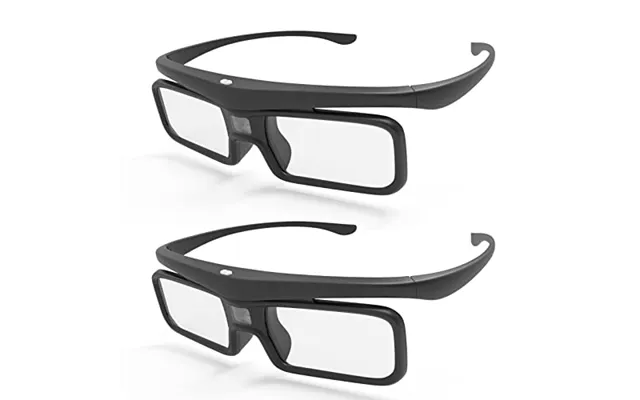
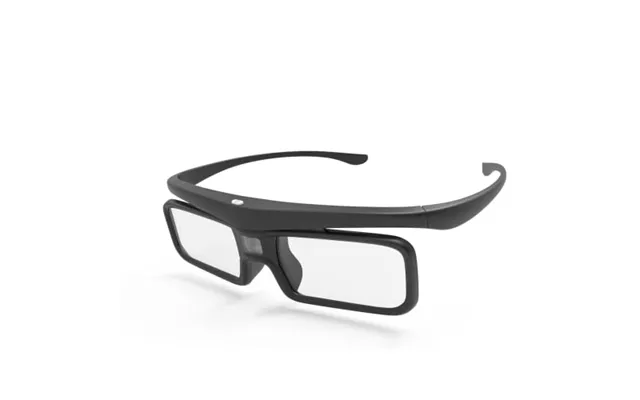
Active shutter glasses are the heavy hitters for sharpness. Tiny shutters in each lens alternately open and close in sync with the TV or projector, delivering a full-resolution image to each eye. Because they actively sync, you need the correct protocol: IR (infrared), RF (radio frequency), or Bluetooth, depending on your brand and model. Many Samsung and Sony systems used Bluetooth or IR, while some projectors relied on RF emitters. Expect vivid detail and strong 3D depth, with a bit more weight due to batteries and electronics.
If you’re running a 3D DLP projector from BenQ, Optoma, or similar brands, DLP-Link glasses are often the go-to. Instead of pairing with an emitter, they sync via brief flashes embedded in the projected image—neat, right? That means fewer cables and accessories, plus straightforward setup. Look for models supporting popular refresh options and rated for low crosstalk. DLP-Link glasses are great for gaming and sports because they’re usually tuned for quick sync and minimal latency.
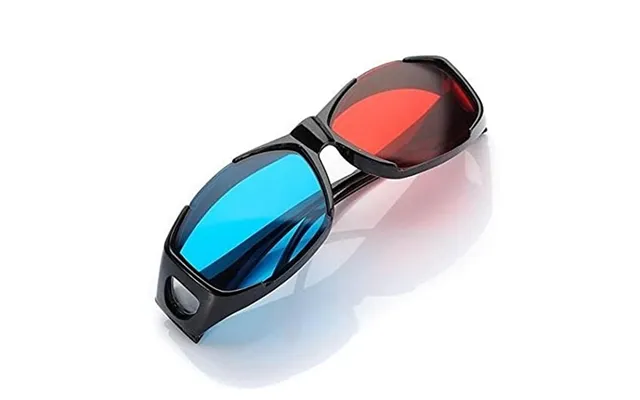
Yes, the retro red/cyan glasses are still around. They’re super cheap and work with anaglyph-encoded videos on practically any screen. But color accuracy takes a hit and ghosting can creep in, so they’re best for casual viewing or nostalgic experiments. If you just want to dip a toe into 3D without investing in new hardware, anaglyph glasses are a playful way to start, but serious home cinema fans will prefer passive, active, or DLP-Link.
Here’s where many people trip up: buying great 3D glasses that simply don’t talk to their system. Think of glasses like a key—the teeth have to match the lock. The protocol (IR, RF, Bluetooth, or DLP-Link), brand-specific timing, and even model-year quirks can make or break your experience. Always line up the type and protocol before you buy, and check whether you need an external emitter or adapter.
For older LG passive 3D TVs, inexpensive polarized glasses typically do the trick—many cinema-style pairs work. Samsung and Sony 3D TVs often used active shutter glasses that sync via Bluetooth or IR. Look for model-specific compatibility lists that mention names like Samsung SSG-series or Sony TDG-series. If your set uses IR, glasses need direct line of sight; Bluetooth and RF are generally more forgiving. When in doubt, search for your exact TV model plus “compatible 3D glasses” to avoid misfires.
Projectors are a different beast. Many BenQ and Optoma 3D projectors use DLP-Link, so matching glasses is relatively easy. Epson’s 3LCD 3D projectors typically rely on RF active shutter models and sometimes recommend brand-specific pairs like the ELPGS-series. Some setups benefit from external RF emitters that enhance signal strength across larger rooms. If you’re building a dedicated theater, check your projector’s manual or reputable comparison pages for the approved glasses list.
You can feed 3D content from a 3D Blu‑ray player, certain media boxes, or older consoles that supported 3D playback. The critical piece is your display and glasses compatibility—if those are in sync, your source simply follows the HDMI 3D standard. Keep in mind that some streaming platforms have retired 3D support; discs remain the most reliable way to enjoy full-quality 3D at home. And yes, a solid HDMI cable still matters—choose a certified high-speed cable for clean handshakes.
Even within the same category, 3D glasses vary a lot. What separates a decent pair from a fantastic one? Lens clarity, anti-ghosting performance, refresh handling, and how long they last between charges. You’ll feel the difference during fast action scenes and brightly lit sequences where poor glasses can show double edges or flicker. Consider these specs your short list when comparing models.
Quality lenses reduce ghosting (also called crosstalk) so edges stay clean and depth feels natural. Overly dark tints can make images dim, forcing you to crank brightness on your TV or projector. Look for neutral lens tints and anti-reflective coatings. Some premium lenses are engineered to maintain color balance, so reds don’t wash out and nighttime scenes don’t feel murky. If you wear prescription glasses, choose over-glasses (OTG) designs with wide lenses to avoid edge clipping.
Active shutter and DLP-Link glasses need to sync cleanly with your display’s refresh to avoid flicker. Glasses that support common projector timings (such as 120 Hz-compatible modes) maintain stable 3D even during quick camera cuts. For gaming, faster sync and low latency matter; for films, smoothness and ghosting control matter most. If a product mentions optimized crosstalk reduction or enhanced sync, that’s usually a good sign for bright scenes and subtitles.
Rechargeable glasses keep clutter down—just plug in a micro‑USB or USB‑C cable for a top-up. Battery life varies, but many last through multiple films on a single charge. Replaceable coin cells are handy if you don’t want charging cables around; just keep spares in a drawer. Whichever you pick, aim for at least a couple of full-length movies per charge or cell, and check for automatic sleep modes that save power when not in use.
Comfort turns a neat 3D effect into a “forget I’m wearing these” experience. If frames pinch or slip, you’ll fiddle more than you’ll watch. Weight, nose pad design, and flexibility all matter, especially when you’re two hours deep into an epic. If you already wear glasses, look for OTG frames that fit comfortably over your prescription lenses without pressure points.
Lightweight doesn’t have to be flimsy. Many well-built active shutter frames keep weight low while maintaining solid hinges. Soft nose pads reduce pressure and help the glasses stay put, even when you look down at a bowl of popcorn. If you’re wearing them over prescription frames, choose OTG designs with curved sides and tall lenses; that extra coverage prevents your main lenses from peeking out and keeps the 3D field consistent.
Kids have smaller bridges and shorter temple lengths, so adult frames can slip or sit crookedly. Some brands offer dedicated kids’ sizes or flexible frames that adjust better to narrower faces. If you plan a family movie night, consider buying a mixed-size multipack so everyone gets a comfortable fit. Proper sizing boosts the 3D effect too—alignment matters when each eye needs a clean image.
The “best” pair depends on your display and your priorities—sharpness, brightness, comfort, or price. Below are popular directions UK buyers take, including brand-matched models and well-reviewed third-party options that deliver strong value. Always double-check compatibility with your exact TV or projector model before you press buy.
For older Samsung and Sony 3D TVs, brand-matched Bluetooth or IR models often pair instantly and maintain reliable sync. Some third-party active shutter glasses advertise broad compatibility lists covering Samsung SSG-series or Sony TDG-series protocols, making them a cost-effective alternative if official stock is scarce. For Epson projectors, RF-based glasses like the ELPGS family are known for stable syncing and good brightness. Look for models that offer USB charging, auto standby, and wide OTG lenses if you wear prescription glasses.
DLP-Link glasses from brands that specialize in projector accessories are a sweet spot for BenQ and Optoma owners. Aim for glasses that highlight low crosstalk and fast switching—great for action films and console gaming. Some premium DLP-Link models include adjustable brightness modes, which can help fine-tune the image depending on your screen size and projector output. If your room is long, consider a pair known for robust syncing at distance so you can sit wherever you like.
If you still rock a passive 3D TV or plan occasional 3D nights with a RealD-style setup, passive glasses are easy wins. Multipacks are inexpensive, and you can choose clip-on versions if you already wear glasses. The key is to match the polarization type your display expects; for many older passive TVs, standard cinema-style circular polarization works. Avoid ultra-cheap lenses with obvious tint or waves—you’ll see the distortion during bright scenes and subtitles.
A great pair of glasses can only do so much if the rest of your setup isn’t pulling its weight. A few accessories make a noticeable difference: external emitters for stronger sync, proper screens for projectors, and simple care kits that keep lenses scratch-free. These modest upgrades often fix nagging issues and keep your 3D sessions smooth.
Some active shutter systems benefit from an external RF emitter. If you experience occasional desync when you turn your head or when multiple people watch together, an emitter can stabilize the handshake across the room. Place it near your display, aim it toward seating, and enjoy more reliable performance. Check that the emitter’s protocol (RF or Bluetooth) matches your glasses and projector or TV.
Projector users get a huge boost from the right screen and a bit of light control. A high-gain screen can add brightness that offsets the slight dimming caused by glasses, and darker wall paint or blackout curtains prevent stray light from washing out depth cues. If you can, keep lights behind you low and avoid bright lamps near the screen—your 3D will look richer and cleaner.
Smudges and hairline scratches are enemies of 3D clarity. Keep a microfiber cloth and lens-safe cleaning spray handy. Store glasses in soft pouches or a small case so they don’t rattle around in a drawer with remotes and cables. A few seconds of care before showtime can eliminate the haze that makes images look dull or ghosty.
3D glasses vary widely in price, and stock for older models can fluctuate. The smartest play is simple: compare offers across multiple UK retailers, watch for seasonal markdowns, and consider multipacks to cut cost per pair. Price comparison platforms—such as ZoneOffer, which operates as a comparison site—make it easy to line up deals side by side so you don’t overpay for the same model.
Prices can swing during big sales events and even midweek drops. If you’re eyeing active shutter glasses for a Samsung or Epson setup, set alerts and revisit comparison pages every few days. You may spot bundle deals with emitters or chargers included, or you might catch an authorized retailer clearing older stock. Quick tip: if an offer looks too good to be true, check the seller’s reputation and warranty terms.
Planning a family screening? Multipacks often cost less per pair than buying separately. Some DLP-Link bundles for BenQ or Optoma projectors include four or six glasses—perfect for a living room crowd. Just confirm all pairs are the same protocol and that the pack suits your projector’s refresh capabilities. Don’t forget spare nose pads or a couple of soft cases; they’re tiny add-ons that keep your investment in good shape.
Once your glasses arrive, a few quick tweaks make a big difference. Think of this as your pre-flight checklist: update firmware if available, seat yourself at the right distance, and set brightness correctly so dark scenes don’t crush detail. The goal is a sharp, bright image with minimal ghosting and zero eye strain.
Keep lights dim and behind you. Avoid lamps directly in front of the screen; reflections mess with depth cues. For TVs, a seating distance of roughly 1.5 to 2.5 times the screen size (in inches, converted to feet) is a simple rule of thumb. For example, with a 65-inch TV, sitting around 8 to 11 feet back usually feels immersive without exaggerating artifacts. Projector users should experiment, but generally, slightly farther back can reduce visible structure in the image.
Pop on your glasses and run through these fast steps: set the display’s 3D mode correctly (frame packing for Blu‑ray is common), raise brightness a touch to offset lens dimming, and adjust contrast so white highlights don’t blow out. If your system offers a 3D depth or perspective slider, start in the middle and nudge until the picture feels natural rather than aggressive. Lastly, make sure subtitles sit at a comfortable depth; some sources let you adjust their position.
Even a solid setup can stumble. Ghosting, sync dropouts, and eye fatigue happen—but they’re fixable. Most issues boil down to mismatched modes, low batteries, or lighting that fights the effect. Don’t give up at the first hiccup; a few tweaks usually restore that “wow” moment in minutes.
If you see faint double edges, you’re dealing with crosstalk. Start by reducing ambient light and checking your display’s 3D mode. For projectors, use a high‑gain screen or raise brightness carefully. Try a different pair of glasses if possible—some lenses handle bright whites and high-contrast edges better than others. Lastly, verify that your source (Blu‑ray player or media box) outputs the correct 3D format and hasn’t been forced into a conversion mode.
Desync looks like flicker or a sudden loss of 3D depth. For IR glasses, ensure clear line of sight. For Bluetooth or RF, re-pair and move potential interferers (routers, hubs) a little farther away. Weak batteries are a classic culprit—recharge or swap cells, then test again. If multiple viewers experience dropouts, consider an external emitter to strengthen the signal across seating positions.
3D glasses aren’t just an accessory; they’re the bridge to a different kind of viewing—one where worlds expand beyond the frame and stories feel closer. Pick the type that suits your TV or projector, prioritize lens quality and comfort, and lean on price comparison to snag the best offer in the UK. With the right pair and a few setup tweaks, you’ll unlock that big-screen 3D magic at home—again and again.