
Calculators - Other price list
Last updated Friday, Sep 4, 2026




View 12 Offers


Loading...
Last updated Friday, Sep 4, 2026
You might wonder why anyone buys a standalone calculator when your phone can run a dozen calculator apps. The short answer: reliability, speed, and feature depth. A dedicated calculator feels like a trusty toolbox—pick the right one and your maths, accounting, or exam work flows without fumbling through menus or risking a drained phone battery. For students, professionals, and small business owners, a calculator is often faster, easier to use under pressure, and accepted in exam rooms where phones are banned. Plus, some models include niche functions—statistical analysis, amortization schedules, or full printing rolls—that apps rarely replicate. If you're hunting for the best calculator deals in the UK, it pays to know what type of device will actually make life simpler instead of being dazzled by discounts alone.
There’s no one-size-fits-all calculator. Think of calculators like shoes: running shoes for running, hiking boots for the hills. For basic sums and budgets you’ll be fine with a compact desktop model; for engineering and exams you’ll need a scientific or graphing machine; for ledger work a printing calculator is often worth its weight in time saved. Identifying your primary use—school exams, business accounting, engineering design, or casual home budgeting—narrows down choices fast. Below I’ll break down the most common types so you can match a calculator’s strengths to your daily tasks and snag the most useful features when shopping deals.
Scientific calculators are the go-to for high school and college students and anyone doing trigonometry, algebra, or calculus. They handle sines, cosines, logs, and complex number functions, often with multi-line displays that make checking steps easier. Popular models are compact—roughly 6 to 8 inches tall including protective covers—and weigh only a few ounces, so they slide into a backpack without trouble. Top picks often include exam-approved options with two-line displays and durable keys that stand up to heavy use. Look for models with long battery life or solar assist if you want to avoid changing batteries mid-term. Whether you’re prepping for exams or running quick engineering checks, a solid scientific calculator is a reliable companion.
If your work or study involves plotting functions, solving systems visually, or exploring calculus concepts, a graphing calculator feels like a mini lab on your desk. These devices display graphs on a color or high-resolution screen that’s often around 3 to 4 inches diagonal, roughly the size of a small notepad. They can store programs, run regression analyses, and handle matrices—functions that make them indispensable for STEM students and some professionals. Yes, they cost more up front, but the time you save when plotting or debugging equations can pay off quickly. Don’t forget to check exam policies: some testing boards allow specific graphing models, while others restrict programmable memory, so always confirm before buying for exam use.
Financial calculators are designed with one thing in mind: money. If you’re calculating loan repayments, net present value (NPV), internal rate of return (IRR), or amortization schedules, these units save you time and headaches. They typically include dedicated keys for cash flows and a clear display for iterative financial operations. For accountants, mortgage brokers, and business students, a reliable financial calculator streamlines routine tasks and removes guesswork from rate calculations. A mid-range model often weighs under a pound and can sit on a desk next to your ledger without taking up more room than a paperback book.
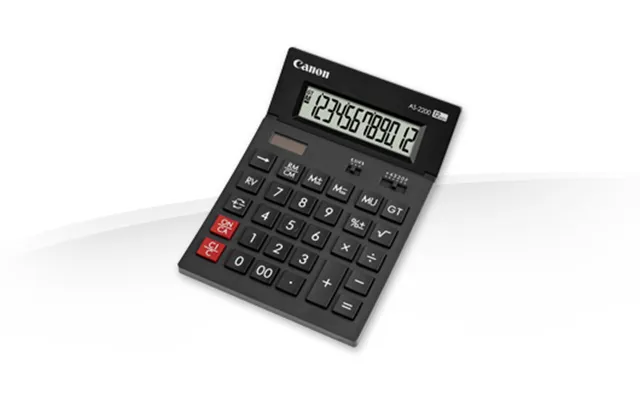
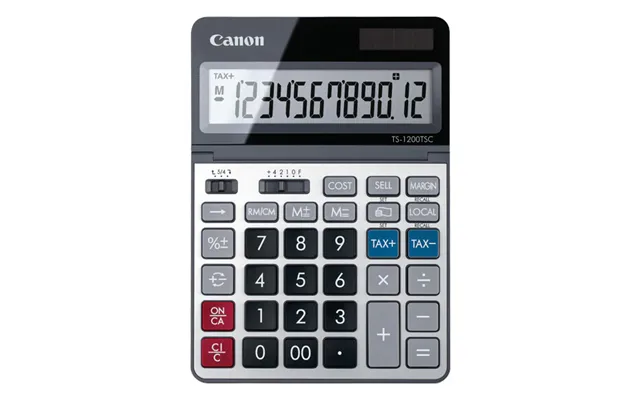
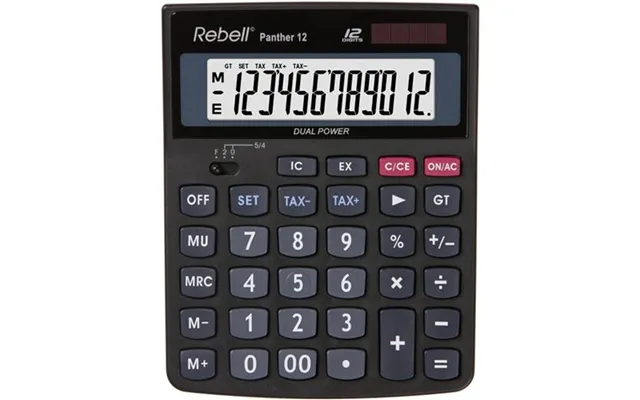
Printing calculators remain a staple for bookkeepers, retail counters, and anyone who appreciates a physical record. These desktop units usually measure around a foot in length and can weigh a couple of pounds, offering a satisfying tactile experience with large keys and fast printing speeds. They’re built for number-crunching marathons—think long receipts, tax tallies, and quick audit trails. Many come with dual power (battery plus plug-in), large angled displays for easy reading, and functions like tax keys, grand total, and cost/sell/margin. If you reconcile accounts by hand or need a paper trail, a printing calculator can be a money- and time-saver.
When you’re scanning offers, don’t get distracted by flashy colors—focus on features that affect daily use. Consider display size and readability, battery life, solar assist, memory and storage for programs or equations, and the presence of dedicated keys for functions you use most. Ergonomics matters too: a comfortable key layout and a slip-resistant base will keep your fingers happy during long sessions. If exams are on the horizon, confirm that the model is approved by your exam board. Also weigh up build quality: thicker housing and firm, responsive keys last longer than flimsy casings. Lastly, check warranty and spare part availability—cheaper models can cost more over time if you have to replace them frequently.
Several manufacturers consistently make calculators that last and deliver great value. Casio, Sharp, and HP headline the list with broad ranges from basic to advanced. Casio is known for student-friendly scientific models that balance price and durability; Sharp often produces sturdy printing calculators and attractive desktop units; HP stands out for graphing and financial models aimed at professionals. When hunting deals, watch for established model numbers—their firmware and support are usually better documented and they tend to retain resale value. If you see older but reputable models on sale, they can be smarter purchases than the cheapest new entry-level device.
Casio dominates classrooms with models that combine rugged design and straightforward menus. The company offers everything from slim scientific calculators to feature-rich graphing machines with multi-line displays. Many Casio devices include solar-plus-battery power, comfortable key resistance, and long lifespans. For students, a mid-range Casio often gives the best balance of exam features and price. If you spot a sale on a well-reviewed Casio, it’s usually worth snapping up, because these models tend to perform solidly year after year.
HP calculators shine in the professional space, especially for financial analysis and advanced graphing. They often include robust programming capabilities and physical designs that prioritize precision and workflow. HP’s machines are slightly larger and more tool-like, appealing to engineers and finance pros who want advanced calculations without the clutter of unnecessary consumer features. Because they’re aimed at professionals, HP models sometimes carry a premium, but if you need depth—like advanced matrix operations or precise cash-flow tools—the investment often pays off.
Sharp competes strongly in the desktop and printing calculator sector, often offering features geared toward office use—heavy-duty keys, fast print speeds, and large angled displays. Other brands like Canon also make reliable models, and boutique brands sometimes offer specialized financial or printing functions. Comparing specifications side-by-side helps: check print resolution for printing calculators, check display resolution and contrast for graphing models, and verify that scientific models offer the specific functions you’ll rely on in exams or work.
Finding a good deal means more than spotting a low price tag; it’s about value. Start by listing must-have features, then compare models that meet those needs. Use comparison sites to quickly filter by type, brand, and function, and keep an eye out for seasonal sales like back-to-school promotions or Black Friday markdowns. Read user reviews for real-world clues about durability and key feel—those are things spec sheets don’t always reveal. Also check bundled deals: sometimes accessories like protective cases or spare paper rolls are included and increase value. Finally, factor in warranty and return terms; a slightly higher price with a solid warranty can be the smarter buy in the long run.
Accessories can extend the life of your calculator and improve usability. For portable models, protective covers prevent scuffs and protect keys; for printing calculators, extra paper rolls and ink ribbons keep you productive. A small desk mat or non-slip pad helps larger desktop calculators stay in place, especially during fast data entry. If you choose a graphing or programmable model, consider investing in a protective case and a backup battery or charger—these models can be more of an investment, so protecting them preserves value. Don’t overlook spare batteries and screwdriver kits if you plan to maintain the device over several years.
Different users have different priorities. Students should prioritize exam-approved models, portability, and essential scientific functions; professionals might need programmable or graphing features and higher precision; home users should focus on ease of use and budget. If you’re buying for a classroom, consider bulk discounts or educational bundles. Professionals who travel might prefer models with durable cases and long battery life—look for units that advertise solar assist for reliability on the road. For home budgeting and simple office tasks, a solid desktop calculator with a large display and tax keys often offers the best long-term value.
Sustainability matters, and calculators can be surprisingly eco-friendly if you choose wisely. Solar-assisted units reduce battery waste, while long-lasting rechargeable batteries cut down on disposables. Durable construction means fewer replacements and less electronic waste overall. Consider models that offer replaceable batteries and easily available spare parts; this keeps the device usable for years instead of ending up in a bin. If you're environmentally conscious, a solar-powered scientific calculator with a robust casing is a small but meaningful way to reduce your footprint.
Choosing the right calculator comes down to matching the device to your day-to-day needs, whether you’re crunching numbers in exams, balancing books, or visualizing functions for engineering tasks. Focus on the type—scientific, graphing, financial, or printing—then evaluate key features such as display size, power source, programmability, and build quality. Shop comparison sites and watch for seasonal offers to get the best deal, but don’t sacrifice the features you’ll use just to save a few pounds. A well-chosen calculator can be a small one-time purchase that repays you in speed, accuracy, and peace of mind for years to come.