



All categories
Business & Offices
Electronics & Media
Fashion & Accessories
Groceries & Essentials
Health & Personal Care
Home & Living
Kids & Family
Sports & Outdoors
Search in ZoneOffer
Loading...
If you’re still folding stacks of mail by hand, you know how quickly that chore eats into your day. Paper folding machines turn a tedious, repetitive task into a few painless minutes. Think of them as the small factory on your desk that turns flat paper into finished pieces—letters, brochures, invoices—without the sore fingers. Whether you run a small office, a nonprofit mailing program, or a busy print shop, a folding machine can save hours, reduce errors, and free your team for higher-value work.
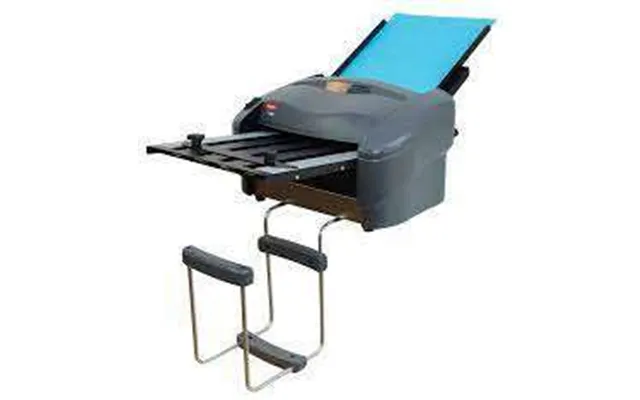
Manual and semi-automatic folders are ideal for occasional folding jobs. They’re compact, often tabletop models, and cost less than full production machines. You still place the sheets and sometimes turn a crank or press a button, but the machine does the heavy lifting. These are perfect if you process under a few hundred sheets per day or need portability.
Automatic desktop folders feed sheets from a hopper and fold them without constant operator input. Speeds vary, but many handle a few hundred sheets per hour. If your office runs regular mailings—think monthly statements or event invitations—an automatic model balances cost and convenience nicely. They usually accept standard letter sizes like 8.5 x 11 inches and work best with 20 lb to 28 lb bond paper.
When your workload runs into the thousands of pieces, production folders or folder-inserters are the go-to. These robust units can fold and insert into envelopes, collate multi-page sets, and run continuously. They’re bigger, often floor-standing, and built to last. If you’re sending direct mail campaigns or printing full runs of brochures, a production machine will be worth the investment.
Most machines handle the basic folds you see every day. The letter fold (tri-fold) creates three panels for a standard 8.5 x 11 inch page; the half fold folds in two; the Z-fold produces an accordion-style brochure. Some advanced machines also do gate folds and double-parallel folds. Before you buy, list the fold types you use most—there’s no sense paying for a specialty fold capability you’ll never use.
One of the most practical features is quick adjustability. If you can switch between fold types and paper sizes in under a minute, your workflow becomes flexible. Look for simple dial or preset settings that let you save common jobs. That way you won’t spend half an hour fiddling with adjustments between batches.
Manufacturers often quote top speed in sheets per minute, but real-world throughput depends on paper weight and the fold type. A compact folder might claim 2,000 sheets per hour; in practice, denser paper or complex folds cut that number. Think about peak jobs—if you need two 500-sheet runs in the same day, model the speed accordingly to avoid bottlenecks.
Hopper capacity is the number of sheets the machine can hold before reloading. Desktop folders might hold 50 to 250 sheets, while production units handle 500 sheets or more. Bigger hoppers reduce interruptions during long runs. If your typical job is 1,000 pieces, a larger hopper or continuous feed will make life easier.
Paper is measured in pounds for bond weight—20 lb is standard office paper, while 24 lb and 28 lb are heavier and more substantial for brochures. Make sure the folder supports the weights you use. Also check the maximum sheet size: most folders handle 8.5 x 11 inches and 8.5 x 14 inches, but production units may accept larger sheets up to 11 x 17 inches for folded brochures.
Duty cycle is how many sheets a machine is designed to handle per day or month. A light-duty desktop folder is fine for 200 to 500 sheets per day; mid-duty machines handle a few thousand; heavy-duty production units manage tens of thousands. Match the duty cycle to your workload or you’ll face breakdowns and downtime. It’s like choosing between a commuter car and a delivery truck—pick the one built for your routine.
There’s a healthy market of brands that specialize in folding equipment. Look for long-standing names with strong service networks if uptime matters. You’ll find trusted options in compact desktop folders, medium-duty office folders, and industrial production machines. When you compare models, focus on real-world reviews, warranty terms, and availability of replacement rollers or belts. A slightly pricier model with good support often outperforms a cheaper unit with no backup.
Dust and paper lint are the main enemies. Sweep out the hopper and feed area daily for high-use machines. Clean rollers with a recommended solvent or damp cloth to prevent slippage and misfeeds. Replacing worn rollers on schedule is cheaper than an emergency repair during a big run.
Keep moving parts lightly lubricated per the manual, replace drive belts when they show wear, and recalibrate fold plates if folds drift. Small adjustments can restore fold accuracy and prevent jams. Consider keeping a spare belt and a set of replacement rollers on hand if you run continuous jobs.
Think about where the folder sits relative to your printer, collator, and envelope inserter. A well-designed production line moves from printing to folding to finishing with minimal human handling. If you’re upgrading, map your current process and identify bottlenecks—sometimes a small desktop folder added near the mailing station saves time without major layout changes.
Paper cutters trim stacks cleanly so folds align well. Collators group pages for multi-page mailings. Inserters fold and insert into envelopes in one pass. Matching your folder with these devices can automate entire mail runs. If you expect to scale, think modular: begin with a reliable folder and add an inserter later.
Finishing touches matter. Heavy-duty staplers or saddle stitchers turn folded sets into booklets. Envelope sealers keep mail secure. For brochure production, consider a booklet maker that combines folding and stapling. These small investments deliver a professional look that improves response rates in mail campaigns.
Price depends on capability. Entry-level manual or small automatic folders can start in the low hundreds of dollars, ideal for infrequent use. Mid-range automatic desktop models range from several hundred to a few thousand dollars, offering faster speeds and larger hoppers. Production and folder-inserter systems cost several thousand to tens of thousands, reflecting durability and advanced automation. Always balance upfront cost against time saved and the cost of errors avoided—sometimes a higher initial price pays off in reduced labor and faster turnaround.
Start by defining your average job and peak demand. Read user reviews that match your use case—what works in a print shop may be overkill for a small office. Check whether replacement parts are readily available and how long the warranty lasts. If possible, see the machine in action or request a demo video with your exact paper type. Finally, compare total cost of ownership, not just the sticker price: include maintenance, parts, and expected service life.
Jams, misfeeds, and uneven folds are the usual suspects. Often a jam is caused by dust build-up or a worn roller—clean and inspect first. Misfeeds can be fixed by checking paper weight compatibility and adjusting roller pressure. If folds are off, recalibrate the fold plates or check the feed tray alignment. Keep a troubleshooting checklist and you’ll solve most issues in minutes without calling tech support.
Smarter folding reduces waste. Use the correct paper weight to avoid misfeeds, program short test runs to dial in settings, and reuse misfolded sheets where possible. For energy-conscious offices, check the machine’s power draw—many modern folders have efficient motors and sleep modes that cut electricity use between jobs.
Buying the right paper folding machine is about matching capability to need. Don’t be seduced by top speed alone—consider duty cycle, fold variety, paper compatibility, and how the unit fits into your workflow. A well-chosen folder reduces labor, increases consistency, and gives your mail and printed materials a more professional finish. Ask yourself: how much time do I want to free up, and what quality do I expect? Your answers will narrow the field quickly.
Paper folding machines are underrated productivity tools that deliver big time savings for a wide range of businesses and organizations. From compact desktop folders ideal for occasional mailings to heavy-duty production systems that handle thousands of sheets, there’s a model for nearly every need and budget. Focus on the fold types you use, the paper weights you handle, and the volume you process, and you’ll pick a machine that pays for itself in reduced labor and improved output. Ready to stop folding by hand? With the right research and a few smart comparisons, you’ll find a folder that fits your workflow like a glove.
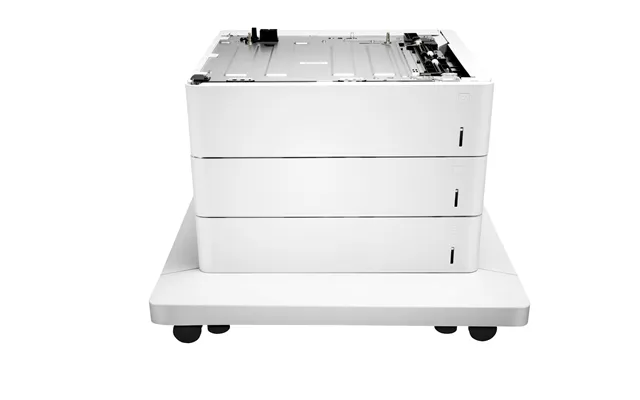
| Paper Folding Machines | Price | |
|---|---|---|
| Paperflow Sk133d1.35 | £ 158,67 | |
| Kyocera Pf-470 500 Sheets | £ 694,01 | |
| Xerox Booklet Maker For Office Finisher | £ 714,28 |


