

Printed Circuit Boards - Other price list
Last updated Monday, 19 Oct 2026




View 26 Offers




Loading...
Last updated Monday, 19 Oct 2026
When you see “Printed Circuit Boards – Other,” you’re looking at a versatile corner of the PCB world that doesn’t always fit the standard one-size-fits-all mold. Think perfboard and stripboard for quick builds, copper‑clad blanks for custom etching, aluminum‑core boards for lighting, and adapter boards that bridge the gap between tiny chips and your tools. Sound niche? Not at all. This category is the Swiss Army knife of circuit boards—ready when you need fast prototyping, small production runs, or specialized materials without commissioning a full custom fab.
Not every project needs a bespoke, four‑layer, gold‑plated showpiece. Sometimes you just need a rugged 62‑mil FR‑4 board for a workshop test, a 31‑mil universal board to squeeze into a tight enclosure, or an aluminum PCB that sheds heat like a champ. The “Other” category covers those practical choices that help you build, test, and iterate quickly—often at prices that make sense for hobbyists and pros alike.
Want to avoid rework, returns, and headaches? Lock in your essentials before you buy: size (in inches), thickness (in mils), copper weight (in ounces), hole sizes, pad pitch, finish type, and solder mask color for visibility. Also consider heat management, mounting points, and whether you’re working mostly with through‑hole or SMT parts. A few minutes of planning often saves hours on the bench.
Some specs look fancy but don’t change your build; others are deal‑makers. Copper weight (1 oz vs 2 oz), board thickness (31 mil vs 62 mil vs 93 mil), and surface finish (ENIG vs HASL) can affect solderability, durability, and performance. If you’re driving LEDs or motors, thermal behavior becomes critical. If you’re wiring tiny sensors, pad pitch and hole accuracy matter most. Choose with your end use in mind, not just the prettiest spec sheet.
There’s a lot of variety here, and that’s good news. From universal prototyping boards to metal‑core designs, the right choice can shave days off your build time and add years to reliability. The trick is knowing which format fits your parts, your tools, and your budget.
Perfboard gives you a grid of isolated pads, typically on a 0.1‑inch pitch. It’s perfect for quick through‑hole builds, small fixtures, and proof‑of‑concept demos. Bring solid‑core jumpers, keep your leads short for clean signal paths, and you’ll have a sturdy prototype by lunchtime. For tighter gear, look for 31‑mil boards; for robust rigs, 62‑mil is a great all‑rounder.
Stripboard routes copper into long, parallel tracks—ideal for repetitive layouts and simple logic that benefits from straight, predictable runs. Bridges and breaks are your friends here. Use a 1/8‑inch countersink or a spot drill to isolate tracks cleanly where needed, and consider color‑coded jumpers to keep your logic easy to trace. It’s like building with train tracks: once you plan your lines, the rest just snaps into place.
Copper‑clad boards are your blank canvas. With a bit of etching or mechanical routing, you can create custom traces, odd shapes, and panelized sections. Choose thickness based on rigidity: 31‑mil flexes more; 62‑mil is the familiar, durable standard; 93‑mil feels robust for larger plates. If you drill at home, keep sharp bits on hand—sizes like 1/32‑inch and 1/16‑inch cover most small holes and mounting points.
Some boards come with intelligent trace patterns that speed up common circuits—power buses, sensor grids, or breadboard‑compatible layouts. They’re lifesavers when you want consistency, repeatability, and tidy wiring without spinning a custom design. They also reduce point‑to‑point wiring, which often means fewer flaky joints and cleaner troubleshooting.
Tiny modern packages can be a pain to prototype. Adapter and breakout boards translate fine‑pitch chips or connectors to 0.1‑inch headers, letting you use everyday tools and perfboard. If you’re juggling sensors with minuscule pads, a good breakout turns “impossible” into “plug‑and‑play.” Look for clear silkscreen and ENIG finish for easier soldering of small pads.
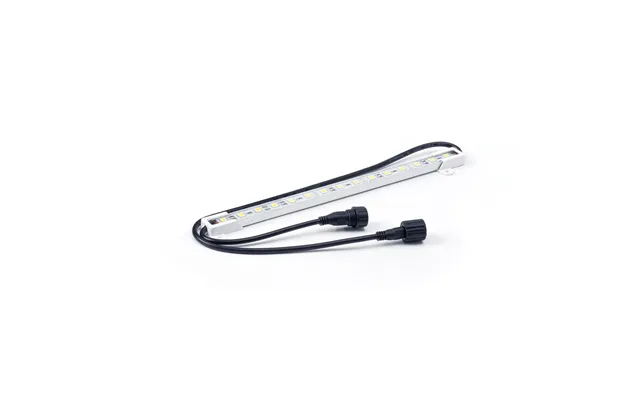
When heat is the enemy, aluminum‑core PCBs spread and shed it quickly. They’re a natural fit for LED bars, high‑current regulators, and motor drivers. Pair 2 oz copper with wide traces, and you’ve got a platform that runs cooler and lasts longer. Bonus: they’re typically flatter and more rigid than thin FR‑4 boards of the same size.
Two boards can look similar and behave very differently. The base material, copper weight, and finish all change how your board solders, how it handles heat, and how long it lasts. Think of materials as the chassis of your project; finishes are the road surface your solder joints grip.
Standard FR‑4 covers most builds. For hotter environments—inside enclosures with limited airflow or near power parts—look for high‑Tg FR‑4 that resists softening well above 248°F. If your board will sit near regulators or LEDs that run warm, that extra thermal headroom helps hold dimensions and keep pads from lifting during rework.
Most boards use 1 oz copper, great for signal lines and modest current. Step up to 2 oz when you’re routing power, driving LEDs, or handling motors. More copper means lower resistance and better heat spreading. For plated through‑holes, check that via walls are well plated; robust plating improves mechanical strength and repeated soldering tolerance.
ENIG (Electroless Nickel Immersion Gold) offers a flat, tarnish‑resistant surface with excellent solderability and fine‑pitch compatibility. HASL (Hot Air Solder Leveling) is more budget friendly and perfectly fine for through‑hole and larger SMT, but it can be a bit uneven. If you’re soldering tiny pads or QFN breakouts, ENIG makes life easier. For rugged hobby builds, leaded HASL still solders like a dream.
Green solder mask is classic for good reason—it provides high contrast with white silkscreen. Black looks slick but can hide hairline bridges; white can glare under bright lights. If clarity is king for you, green or matte blue with crisp white markings makes assembly and inspection more straightforward.
Get your mechanicals right up front. A snug board that fits the enclosure, aligns with standoffs, and clears connectors is half the battle won. Thickness affects feel and durability: thin boards flex more; thick boards ride out stress. Layer count decides routing freedom and noise control, but most “Other” category picks are 1‑layer or 2‑layer for simplicity and speed.
Common choices include 31 mil for slim builds, 62 mil for everyday robustness, and 93 mil for heavy‑duty plates. If you’re mounting to uneven surfaces or long standoffs, the extra stiffness of 93 mil can prevent bowing. If space is tight—think compact sensor nodes—31 mil squeezes into tight bays without major compromises.
Single‑layer universal boards are great for simple logic and LED drivers. Two‑layer boards add the luxury of a ground plane and cleaner routing for mixed‑signal builds. More layers aren’t common in this category, but if you stumble on a 4‑layer prototype board, you’ll gain better noise performance and easier power distribution.
Working on multiple small modules? Boards with pre‑scored lines let you snap units cleanly after assembly. You can also score lightly with a utility blade along a straightedge, then snap—just keep traces away from the score line by at least 50 mil to avoid cracks.
Through‑hole parts remain the hero of fast prototyping. They’re sturdy, easy to swap, and forgiving under the iron. SMT shines when space is tight or when parts simply don’t exist in through‑hole. On universal boards, a hybrid approach is common: headers and power parts through‑hole, sensors and logic SMT on small breakouts. Pick the right tool for the job and you’ll build faster with fewer bodges.
A 0.1‑inch grid handles most DIP ICs, standard headers, and modules. For drill sizes, 0.035‑inch to 0.040‑inch holes fit many leads comfortably, while 0.020‑inch to 0.028‑inch suits small signal pins. If you’re wiring power, leave room for larger holes and heavier gauge wire—don’t starve your current with tiny vias or skinny pads.
Set your iron around 650–750°F depending on tip size and solder alloy. Tin the tip, heat the pad and lead together, then feed solder into the joint, not the iron. If pads lift, your temperature or dwell time is too high. Flux pens are miracle workers for SMT and help through‑hole joints flow bright and smooth.
Heat is invisible, but it’s the silent project killer. High‑current traces, LED arrays, and motor drivers can cook a board if you skip basic thermal planning. Build with copper width, board material, and airflow in mind, and your project will run cooler, cleaner, and longer.
Aluminum‑core boards pull heat away from components and spread it across a broader area, reducing hot spots. They’re a natural match for high‑power LEDs and buck converters. When possible, pair them with metal cases or heat sinks so the whole assembly works together like a big, efficient radiator.
Wider traces carry more current and run cooler—simple as that. On 1 oz copper, a generous 100‑mil external trace can carry solid amps with modest temperature rise, while thin 10‑mil traces are better for signals. If in doubt, go wider, shorten the run, or jump to 2 oz copper. Corners? Round them or use 45‑degree angles to keep current flowing smoothly.
At mains‑level voltages, spacing matters. Keep healthy gaps between high‑voltage and low‑voltage nets—0.1‑inch or more is a practical starting point, and more is safer. Slot cuts in the board can increase creepage if you’re tight on space. Label your high‑voltage areas on silkscreen and keep test pads accessible but isolated.
These boards shine when you’re building fast, tweaking often, and balancing budget with reliability. You don’t need a custom fab to ship a great small run or maintain rugged test jigs. With the right pick, you’ll feel like you’re cheating—in a good way.
Pair aluminum boards with 2 oz copper and keep LED strings short and sweet. Use a 62‑mil carrier for control electronics and a separate aluminum plate for the emitters. Tie grounds with wide pours, and add generous pads for screw terminals to avoid hot connections.
Breakout boards turn tiny packages into friendly 0.1‑inch headers. Mount them on perfboard with right‑angle pin headers and keep jumper lengths short for clean signals. If you’re logging data near motors, use a two‑layer board with a solid ground and route noisy lines away from sensitive inputs.
A 2 oz copper board with wide, symmetrical traces keeps voltage drops down and motors happy. Keep signal lines away from power buses, and use star grounding where practical. A 62‑mil thickness adds rigidity without excess weight, and plated mounting holes resist wear from vibration.
Great prices are everywhere, but the smartest buy balances cost with build quality, specs, and reliability. Comparison sites help you line up options fast—then it’s on you to read the details that actually affect your project. A little homework beats guessing every time.
Confirm board size in inches, thickness in mils, copper weight in ounces, hole diameters, pad pitch, and finish. If the listing lacks hole tolerances or copper weight, ask or choose a listing that spells it out. Clear specs are a sign you’ll get what you expect.
Factor in shipping, tool wear (bits and blades), and any extras you’ll need—headers, standoffs, terminals, flux, and wire. Buying a slightly larger panel you can score and snap might beat ordering multiple small boards. Waste adds up; plan to use what you buy.
Look for detailed photos, consistent reviews, and straight answers to technical questions. When multiple vendors list similar products, side‑by‑side comparisons make it easier to balance cost, features, and reliability without getting lost in marketing fluff.
Most PCB pain points are avoidable. The same handful of mistakes cause most rework: wrong holes, flimsy copper for power, and poor thermal planning. Catch them on paper before you touch a soldering iron, and your success rate jumps immediately.
Nothing stalls a build like leads that don’t fit. Check that your 0.1‑inch headers match the grid and that your drill sizes suit the parts you own. A 0.040‑inch hole with healthy annular rings makes a forgiving landing zone for many common leads.
Thin boards can flex and crack solder joints if they’re mounted on long standoffs or in vibrating enclosures. If your build sees motion or torque, step up to 62‑mil or 93‑mil, add screw terminals with strain relief, and route heavy wires so they don’t tug on pads.
HASL and ENIG both handle shelf life well, but bare copper does not. If you’re buying copper‑clad blanks, store them dry, bagged, and away from fingerprints. A quick scrub with isopropyl alcohol before soldering improves wetting and reduces frustration.
Good habits make better boards. A half hour of planning and a few layout rules turn a tangle of wires into a neat, reliable build. You’ll thank yourself the first time something needs troubleshooting.
Lay out your parts on paper at full scale, mark jumpers, and note power and ground routes. Decide where your connectors and mounting holes live, then commit to copper. It’s like a wiring rehearsal—get the steps down before the performance.
Color‑code jumpers by purpose—power, ground, signals—and keep them as short and direct as possible. If two lines cross too often, reroute the base layout instead of adding more jumpers. Clean paths make clean debugging.
Power up with a current‑limited supply and check for heat with the back of your finger or an infrared thermometer. Verify grounds, then signals, then loads. Catching a miswired header at low current beats replacing a fried regulator later.
Good engineering also means smart resource use. Choosing the right size, thickness, and material reduces waste and cost. Reusing boards and parts where appropriate keeps your budget—and your scrap pile—under control.
Measure your enclosure and plan cut lines before you purchase. If you need multiple small modules, consider one larger panel you can score and snap into neat pieces. Less scrap, more value.
Don’t toss a board that just needs a tweak. Wick off a part, swap a resistor, or add a bodge wire with pride. Rework skill is part of the craft, and it stretches your parts bin further than you think.
The “Printed Circuit Boards – Other” category is where practical builds come to life. From perfboard prototypes and stripboard logic to aluminum‑core LED drivers and custom copper‑clad creations, you’ll find flexible options that fit your budget and your timeline. Focus on the specs that matter—size, thickness, copper weight, finish, hole sizes—and match them to your project’s thermal and mechanical needs. Compare deals thoughtfully, read spec sheets closely, and build with intent. Do that, and you’ll end up with boards that solder cleanly, run cool, and keep your ideas humming long after the first power‑on.