

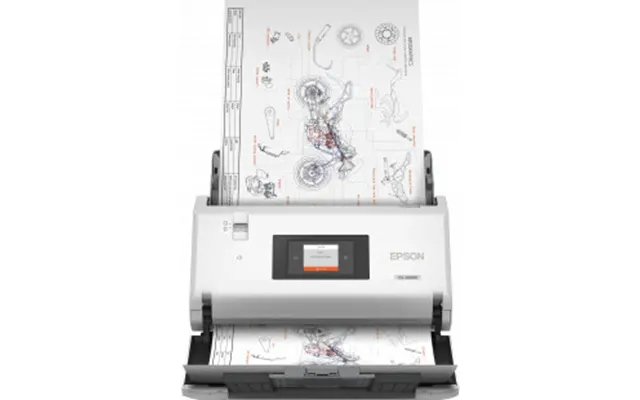
Scanner Circuit Boards price list
Last updated Monday, 19 Oct 2026
| Scanner Circuit Boards | Price |
|---|---|
| Epson Workforce Ds-30000 | £2,100.99 |
| Epson Workforce Ds-30000 | £2,454.78 |





Loading...
Last updated Monday, 19 Oct 2026
| Scanner Circuit Boards | Price |
|---|---|
| Epson Workforce Ds-30000 | £2,100.99 |
| Epson Workforce Ds-30000 | £2,454.78 |
Think of a scanner circuit board as the brain and nervous system of your scanner. It coordinates the sensor, keeps the motor in step, cleans up the analog signal, and sends clean, sharp image data to your computer. If you’ve ever had a scanner that suddenly stops communicating, bands across images, or a motor that chatters like it’s had too much coffee, there’s a good chance the issue leads back to its printed circuit board (PCB). In short, this small slab of fiberglass and copper decides whether your scans look crisp—or not at all.
Pop the hood on a typical scanner PCB and you’ll see a microcontroller or processor, an analog front end that conditions the sensor’s signal, motor drivers for the carriage and sometimes the automatic document feeder (ADF), and power regulation to keep everything stable. You’ll also spot protection components that fend off electrical spikes, memory for calibration data, and the interface chipset that handles USB or network communications. Even the silkscreen and test pads tell a story—quality boards are usually clearly labeled, tidy, and robust where it counts.
Not all boards are the same. Flatbed scanners usually rely on a main control PCB and sometimes a separate power board. Document scanners often include extra boards for the ADF sensors and rollers. Multifunction printers (MFPs) fold scanner logic into a larger system board, while dedicated high-speed document scanners tend to feature modular PCBs for easier servicing. Understanding what type you need shortens your search and helps you avoid paying for parts you won’t use.
Flatbed units typically focus on precise carriage control and high-fidelity sensor capture. Their boards prioritize stable analog paths and consistent movement along the scan bed. Document scanners, on the other hand, juggle multiple tasks at once: feeding pages, tracking paper sensors, and capturing data at speed without jamming. Their PCBs lean into motor control and sensor I/O resilience. If your scan work is mostly photos and books, the flatbed board is your hero; if you chew through stacks of forms, the document board’s ADF-savvy design is your best friend.
When you’re comparing scanner circuit boards, look for the practical stuff. Solid mechanical connectors that don’t wobble. Clear labeling that makes reassembly less of a puzzle. Firmware support that matches your scanner family. A well-designed board cuts noise, keeps motors smooth, and gives you reliable starts every time you hit “Scan.” You don’t need flashy specs—you need consistent performance, day after day.
Some specs quietly determine real-world success. Signal integrity on the analog side matters a lot, especially at higher optical resolutions like 1200 dpi and above. Clean clocking and good shielding around the sensor path reduce grain and banding. On the mechanical side, precise motor stepping and well-tuned acceleration profiles help eliminate jitter that can smear lines. Finally, robust USB controller design reduces those annoying “device not recognized” moments that break your workflow.
Here’s where savvy buyers save time and money. Scanner boards often come in families: the same base PCB may ship with different firmware or headers across models that look identical on the outside. Always match the exact model number and hardware revision printed on your device’s label, then verify the board’s part number silkscreen. Ribbon cable pinouts, connector positions, and sensor sockets vary—getting these wrong can mean no power-up, no motion, or a dead interface. Cross-checking part codes is the fastest path to a first-try fix.
Major scanner ecosystems—think household names like Canon, Epson, HP, Brother, Fujitsu, and Kodak Alaris—tend to maintain tight part number control. That’s good news when you’re hunting for a drop-in replacement. Within each brand, you’ll find series-specific boards that evolve subtly over time. Pay attention to the tiny revision marks—letters or short codes on the silkscreen—because they often indicate firmware or component-level changes that affect plug-and-play compatibility.
You’ve got options, and each has trade-offs. Brand-new boards are the easiest path to long-term reliability, especially for primary business devices that can’t afford downtime. Refurbished units can strike a sweet balance: tested, cleaned, and often updated with newer firmware. Pulled boards—harvested from working machines—can be the budget pick if the source is reputable and the board is visually clean with intact connectors. Whichever route you take, inspect photos closely for burn marks, cracked headers, or lifted pads. That five-minute scrutiny can save a week of headaches.
Genuine boards usually feature crisp silkscreen printing, brand markings, and consistent solder work. Labels align neatly and barcodes scan cleanly. Clones may skip detailed labeling, mix component brands randomly, or use uneven solder joints. If the board art looks off—fonts, spacing, or logo shape—trust your instincts. Another tell? Mounting holes. Authentic PCBs line up perfectly with chassis posts; off-spec clones can be a hair out, leading to stress on the board or connectors during installation.
Swapping a scanner board is often straightforward if you take it step-by-step. Unplug the unit, give it a minute to discharge, and ground yourself to avoid static damage. As you open the case, snap a few photos so you remember where each ribbon cable and screw belongs. Use a gentle touch on flex cables; they’re tougher than they look, but still not fans of rough handling. When mounting the new board, seat it evenly, make sure standoffs align, and tighten screws snugly—firm, not crushing. Finally, reconnect cables in the same order and verify each latch is fully closed before powering up for a test scan.
No power? Confirm the power switch and inlet connections before blaming the board. Carriage won’t move? Check the ribbon connecting the motor driver to the rail sensors. Banding or faint images? Reseat the sensor cable and make sure the scan lamp or LED array is lighting uniformly. USB flakiness? Try a known-good cable and a direct port, then reseat the interface connector on the PCB. Beeps at startup? Many models use simple beep codes—count them and search by model number plus the code pattern to pinpoint the fault domain.
In the UK market, prices swing based on model popularity, availability of donor units, and the age of your scanner series. If you’re running a current-generation device, new boards command a premium; if your machine is a generation or two older, refurbished and pulled parts become plentiful and affordable. Timing helps too—watch for general electronics sales periods and clearance waves when businesses upgrade fleets. Price-comparison platforms make this easy to track without burning hours hopping between sites.
Boards for fast-moving models are typically ready to ship, while niche or pro-grade document scanners can have longer lead times. If your workflow depends on the scanner, consider buying a spare board while prices are favorable. It’s like keeping a spare tire in the trunk—you hope you won’t need it, but you’ll be glad it’s there if something goes sideways.
While you probably won’t measure it with calipers, a well-made PCB often sits around 0.062 inch thick, with clean copper edges and consistent solder mask. Trace geometry on high-quality boards looks tidy, and connector housings feel secure when you plug cables in. Look for reinforced mounting points around screws and any headers that see frequent service—these little design choices prevent cracks and intermittent faults months down the line. A neat board is rarely a coincidence; it’s a sign of a disciplined manufacturing process.
Analog signal paths are where image quality wins or loses. Boards that route sensor signals away from noisy motor lines, add careful shielding near the analog front end, and maintain short, direct paths tend to produce cleaner scans. If you’re replacing a board due to faint streaks or grain, choose a revision noted for improved noise handling. Even a small design tweak can turn muddy scans into clean, crisp output.
Replacing a board is a great moment to refresh other wear-and-tear items. ADF rollers, separation pads, and belts restore smooth feeding. Fresh cables eliminate intermittent faults. If your scanner uses a contact image sensor (CIS) module, inspect its cable for kinks; if it uses a CCD with a lamp, check that the lamp housing is clean and the diffuser free of haze. Consider a new interface cable too—a flaky cable can impersonate a bad PCB and waste your weekend.
Some scanners isolate power regulation on a dedicated board. If you’ve had recurring brownouts or random resets, a power board refresh alongside the main PCB can be a two-birds-one-stone fix. Interface daughterboards exist on certain models to add network features—if you’re moving between USB-only and networked environments, ensure you’re selecting a board that supports the exact interface you rely on daily.
Modern offices care about more than scan quality—they care about security and longevity. Firmware updates can fix odd glitches, improve compatibility with newer operating systems, and harden interfaces. If your replacement board ships with older firmware, plan to update after you confirm basic functionality. Long term, it pays to track the lifecycle of your scanner line. If the series is near end-of-life, it might be wise to grab a spare board now, while prices are still reasonable and supply is healthy.
There’s a simple rule of thumb: if the cost of a replacement board plus labor nips at half the price of a more capable scanner, it’s time to consider upgrading the entire unit. Newer models can scan faster, handle mixed media more gracefully, and deliver better image processing—all while reducing the odds you’ll chase other aging parts down the road. It’s not defeat; it’s cost-smart planning.
In the UK, the fastest way to confidence is to compare across multiple reputable sellers at once. Use price-comparison tools to surface current offers, then weigh cost against condition, photos, and seller reputation. Read buyer comments closely—the ones that mention exact part numbers and specific scanner models are gold. If you see the same board photo repeated across multiple listings, ask for a current shot of the actual item; real photos reduce surprises.
Scan the listing for the exact part code, revision, and a clear description of condition. “Tested” should mean functional testing in the target device, not just a visual check. Look for details on included accessories like standoffs or mounting screws. If you’re seeing terms like “for parts” or “untested,” assume you’re buying a fixer-upper—even if the price looks tempting.
Let’s connect dots between symptoms and likely PCB culprits. If the scanner powers on but the carriage slams to one side, suspect a sensor input or motor driver issue. If USB disconnects mid-scan, investigate the interface chipset and port solder joints. Random stripes or fading often point to analog path issues or sensor connector seating. And if the scanner seems fine but won’t wake from sleep, a firmware or power sequencing problem on the board might be at play.
Dust is the stealthy enemy. Keep vents clear and the interior free from paper dust, which can migrate onto connectors. Avoid yanking cables; grip the connector body, not the wire. If you move your scanner frequently, pad it so vibrational shocks don’t stress mounting points. Finally, plug into a surge-protected outlet to give your PCB a fighting chance against line spikes.
UK availability tends to be strongest for mainstream flatbeds and office document scanners used widely in businesses. That’s good news if you’ve got a familiar brand sitting on your desk—you’ll find a healthy mix of new, refurbished, and pulled boards. Less common models and older photo-centric units can be rarer, so plan ahead. If your scanner is mission-critical, consider buying a tested spare while prices and stock look favorable.
There’s a sweet spot where price, condition, and confidence meet. Instead of chasing the absolute rock-bottom price, aim for verified boards with clear photos and honest descriptions. A tiny premium for transparency pays back in fewer returns, faster fixes, and lower downtime. The best deal is the one that works on the first try.
Scanner circuit boards do the heavy lifting behind every clean, accurate scan. Whether you’re restoring a trusty flatbed, keeping a document scanner fleet humming in the office, or breathing life into a multifunction unit, the right PCB makes all the difference. Match your model and part numbers, favor solid build quality, and lean on comparison tools to see pricing and options at a glance. With a little know-how and a careful eye, you’ll land a reliable board, install it with confidence, and get back to scanning without skipping a beat.