All categories
Business & Offices
Electronics & Media
Fashion & Accessories
Groceries & Essentials
Health & Personal Care
Home & Living
Kids & Family
Sports & Outdoors
Search in ZoneOffer

Loading...
Scrolling through a “Computers – Other” section can feel like opening a mystery box: it’s where the compact, quirky, and category-blurring machines live. You’ll spot mini PCs, stick PCs, small form factor desktops, all-in-one systems, professional workstations, thin clients, and even single-board computers for DIY builds. Hunting for value? This is often where the best bang-for-buck upgrades hide, especially when comparing prices across multiple sellers through a trusted comparison site like ZoneOffer, which aggregates offers rather than selling directly.
Not everyone needs a full-fat tower or a hulking gaming rig. Maybe you want a small desktop for the lounge, a low-power box for 4K streaming, or a pro-grade workstation that doesn’t cost a fortune. “Other” computers cut through the noise with targeted performance, smart form factors, and surprisingly low prices during promotions. That makes them perfect candidates for deal hunters who care about value per pound spent more than flashy branding.
If you’re building a lean home office, planning a media centre, adding a render node, or kitting out a classroom or startup on a budget, you’re in the right place. Creators can score workstation-grade CPUs and GPUs at clearance prices, while families can grab an all-in-one to tame cable clutter. Tinkerers get flexible single-board systems. And if desk space is at a premium, mini and micro desktops slip in without a fuss.
Mini PCs prove that size isn’t everything. These palm-sized machines pack modern laptop-class processors, speedy SSDs, and enough memory to handle everyday workloads, media editing, and even light gaming. Many mount discreetly behind a monitor using a bracket, turning your setup into a stealthy powerhouse. Pair one with a sharp 27-inch display and you’ll forget it’s not a full tower—until you notice the tidy desk and whisper-quiet fans.
When evaluating mini PCs, start with the processor tier (think Intel Core i5/i7 or AMD Ryzen 5/7), then check memory (16GB is the sweet spot for multitasking) and storage (a 1TB NVMe SSD keeps things snappy). Look for Wi‑Fi 6 or 6E support, at least one USB‑C port, and HDMI 2.0 or DisplayPort for dual screens. If you edit photos or dabble in 4K video, integrated graphics can be fine, but a model with a discrete GPU gives you breathing room.
Mini PCs shine as office workhorses, media centres, and student PCs. They’re perfect for spreadsheets, browsing, conferencing, and coding. Media enthusiasts love them for silent streaming boxes that tuck behind the TV. Creators can draft, edit, and proof on them, then send heavy renders to a beefier machine. And if you’re short on space, mini PCs offer a clean, cable-light setup without performance regret.
Think of stick PCs as “HDMI dongles that grew brains.” Plug one into a monitor or TV, add Bluetooth peripherals, and you’ve got a simple Windows or Linux desktop. Ultra‑compact desktops are a step up—still tiny, but with better cooling and more ports. They’re great for kiosks, digital signage, quick office setups, and travel-friendly workstations. They won’t replace a workstation, but for basics, they punch above their size.
Expect modest CPUs, 8GB to 16GB of RAM, and eMMC or small SSD storage. Performance is tuned for browsing, document editing, video playback, and remote desktop use. The appeal is convenience: instant setup, almost invisible footprint, and minimal cables. Keep your expectations real, and these devices feel like pocket-sized productivity boosters.
Most include dual‑band Wi‑Fi and Bluetooth, one or two USB ports, and an HDMI plug. For comfort, pair them with a wireless keyboard and mouse, or add a compact USB hub for extra ports. If you need 4K output at 60Hz, confirm the HDMI spec before you buy. And remember, these devices draw little power, so they run cool and quiet—ideal for stealthy living room setups.
All‑in‑One PCs hide the computer inside the display, delivering a clean, single‑cable look that declutters any desk. If you love simplicity and hate cable spaghetti, AIOs are your jam. You’ll find everything from budget 23‑inch models for homework to premium 27‑inch designs with crisp 4K panels and strong processors for creative work. They’re the modern “family computer,” only sleeker and easier to place.
Panel quality matters. Look for IPS displays with good color reproduction, anti‑glare coatings, and a stand that allows tilt and height adjustment. A 24‑inch screen is a great baseline for mixed use; step up to 27 inches if you juggle multiple windows or creative tasks. Integrated webcams and microphones are handy for meetings, and front‑facing speakers make a real difference for video calls and learning.
AIOs can pack laptop‑class CPUs with integrated or discrete graphics. Aim for at least 16GB of RAM and a 512GB or 1TB SSD. If you dabble in light design work or want smoother multitasking for years, a mid‑tier CPU pays off. Note that many AIOs aren’t as upgrade‑friendly as towers, so buy with tomorrow in mind—especially storage and memory.

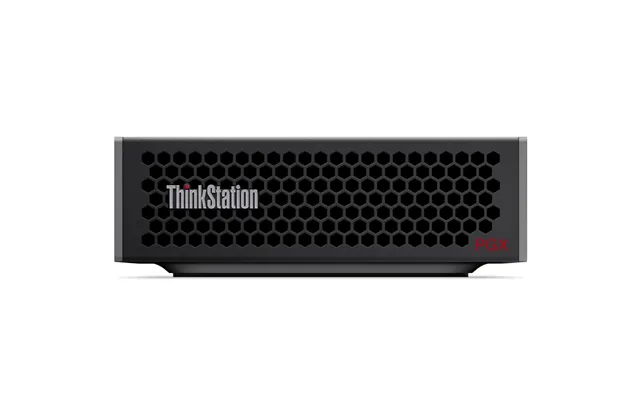
Small form factor (SFF) and micro towers are the Swiss Army knives of desktops. They’re compact enough to fit on a shelf yet roomy enough for better cooling, faster components, and sometimes a low‑profile GPU. Businesses love them for their reliability and tidy footprint, and home users appreciate the balance between performance and size. If a mini PC feels too tight and a full tower feels too big, this is your Goldilocks zone.
Here’s where SFF systems shine: extra RAM slots, multiple storage bays, and standard connectors. You can start with a budget build—say, a mid‑tier CPU and 16GB of RAM—then add a bigger SSD or a dedicated GPU later. That flexibility stretches your budget further and extends the system’s life, making SFF a savvy alternative to fixed‑spec laptops.
Because there’s more airflow space than in a mini PC, SFF desktops often run cooler and quieter under load. A well‑vented case with a quality fan curve can be practically silent at idle. For home offices or bedrooms, that’s a stress‑free upgrade—no whining fans, no hotspots, just smooth performance while you work or stream.
When deadlines loom and render bars crawl, a workstation is your productivity lifeline. These machines pair multi‑core CPUs with pro‑grade GPUs, generous RAM, and storage that flies. They’re built for CAD, 3D modeling, scientific workloads, content creation, and advanced photo and video editing. You’ll often find standout deals on older‑gen workstations that still rip through complex projects at a fraction of the original price.
For serious workloads, aim for a high‑core‑count CPU (think many threads for rendering), 32GB to 64GB of RAM to keep timelines fluid, and a GPU appropriate for your apps—gaming GPUs excel in some tasks, while pro GPUs can be better for CAD stability and certified drivers. On storage, use a fast NVMe SSD for your OS and active projects, and a larger SSD or HDD for archives.
Look for ECC memory support if your software benefits from it, robust cooling, and power supplies with headroom. Tool‑less chassis can save you time, and multiple M.2 and SATA slots keep expansion easy. Ports matter too: Thunderbolt or high‑speed USB‑C can streamline external drive workflows. The goal is predictable performance, hour after hour, with the least fuss.
Thin clients are built for virtualization and cloud apps, focusing on security, low power draw, and centralized management. They’re brilliant in offices, schools, and call centres where most of the heavy lifting happens on a server. But don’t overlook them at home: pair a thin client with a fast connection and a remote desktop service, and you’ve got a quiet, efficient station for document work and admin tasks.
They make sense when your workflow is browser‑centric or hosted—email, office suites, collaboration tools, and remote desktops. The benefits include simpler maintenance, great power efficiency, and a longer service life due to lighter local workloads. If you’re on a tight energy budget, thin clients keep costs predictable.
Account for licensing, server resources, and peripherals. If you plan to use dual monitors or USB‑C docks, confirm support up front. And factor in that a thin client’s local storage and processing are limited—fine for cloud tasks, but not ideal for local video editing or heavy creative work. As long as you buy them for the right role, they’re rock‑solid.
Single‑board computers distill a PC down to essentials on a credit‑card‑sized board. They’re the darling of hobbyists, educators, and makers because they’re inexpensive, flexible, and fun. You can build a retro gaming station, host smart‑home automations, craft a learning PC for kids, or experiment with programming projects—all in a weekend. It’s like having a tiny lab on your desk.
Starter kits bundle the board, power supply, case, storage, and often a preloaded OS to get you up and running quickly. Barebones let you pick every piece yourself. If you’re new, a kit removes friction. If you’re comfortable tinkering, going barebones can save money and let you optimize for performance, thermals, or silence.
Build a Pi‑powered media server, a network‑wide ad blocker, or a dashboard for home energy stats. Educators can create coding stations with a compact keyboard and an old 24‑inch monitor. Makers can connect sensors and actuators to bring ideas to life. The beauty is how approachable these systems are—plug in, power on, and you’re learning by doing.
Refurbished desktops are the secret weapon of budget‑savvy buyers. Enterprise off‑lease SFF machines with solid CPUs and fast SSDs often hit the market in excellent condition, with fresh OS installs and warranties. The value can be outstanding, particularly if you’re upgrading from an older system. Why pay more for basic browsing and office work when a refurbished box does it for less?
Inspect the CPU generation, storage type, and RAM capacity. Confirm the presence of USB‑C, DisplayPort or HDMI, and Wi‑Fi if you need it. Ask about cosmetic grading and testing procedures, and verify what’s included—power cable, keyboard, mouse. A clean interior and fresh thermal paste indicate care. Finally, read the warranty terms so you know you’re covered.
Legitimate refurbished units should include a genuine Windows license or clear details about the included OS. Warranty lengths vary—from 90 days to a year—so weigh that against price and your risk tolerance. The best part? You can redirect savings into a larger SSD, an extra 16GB of RAM, or a better monitor, making the overall experience feel brand new.
Any computer is only as enjoyable as the gear around it. A crisp monitor, a comfortable keyboard, and a precise mouse change everything. Good audio matters too—clear speakers or quality headphones make long days lighter. And don’t forget a decent webcam and mic if you’re in meetings; built‑ins are convenient, but an external upgrade can instantly improve your presence on calls.
For versatility, a 27‑inch 1440p monitor hits a sweet spot for size and sharpness. If your desk is smaller, a 24‑inch panel is still great. Consider an ergonomic keyboard and a mouse that fits your grip; comfort beats gimmicks every time. If you work late, look for a keyboard with gentle backlighting so your eyes aren’t fighting the dark.
A fast external SSD makes backups painless and keeps big projects portable. For networking, a reliable router and, if needed, a USB‑C Ethernet adapter can stabilize video calls and large downloads. If you spread across two or three devices, a compact USB‑C dock can centralize power, data, and displays through a single cable, tidying your workspace instantly.
Seeing a wall of offers can be overwhelming. Start by filtering on the fundamentals: CPU tier, RAM, storage type, and size. Then sort by total cost and warranty. Next, weigh build quality and upgradability—especially on SFF and workstations. Comparison sites like ZoneOffer surface deals across multiple retailers so you can quickly spot outliers, check historical pricing patterns, and avoid overpaying for last‑gen hardware.
Prices move in cycles. You’ll often see strong discounts around seasonal sales, new‑gen CPU launches, or when companies refresh product lines. If you can wait a week or two, set alerts and watch for dips. Patience pays—especially on AIOs and workstations, where single markdowns can be substantial. When the right spec meets the right price, jump.
Beware of vague specs (“fast processor,” “large storage”), missing photos, or unclear OS licensing on refurbished units. Watch for underpowered CPUs paired with oversized claims, and don’t be seduced by huge HDDs without a fast SSD boot drive. If the warranty or returns detail is hidden, that’s a sign to slow down and reassess. A good deal should be confidently transparent.
Specs should map directly to what you do. For general productivity and media, a mid‑tier CPU, 16GB of RAM, and a 1TB SSD will feel instantly responsive. For creative suites and light 4K editing, step up the CPU and consider 32GB of RAM. If you render or work in 3D, prioritize a high‑core‑count CPU, pro‑grade or strong consumer GPU, and fast NVMe storage, then expand as needed.
Ports are productivity. Two or more video outputs enable dual displays, while USB‑C with power delivery and data can simplify docking. If you rely on external drives, prioritize high‑speed USB ports. On SFF and micro towers, check for spare RAM slots and drive bays. Being able to slot in more memory or storage later is the easiest path to a longer‑lived system.
Consider how long the platform will receive driver and OS updates. Business‑class SFF systems often enjoy excellent support lifecycles. AIOs may be less upgradeable, so invest in stronger baseline specs. For single‑board computers, a vibrant community and stable OS images can matter more than raw power—you want help and updates when you need them.
Picture a small home office: a mini PC mounted behind a 27‑inch monitor, a wireless keyboard and mouse, and a compact USB‑C dock. The result? A quiet, fast workstation that hides in plain sight. Or think about a living room media hub: an ultra‑compact PC tucked behind the TV, streaming in 4K and doubling as a casual web station with a couch‑friendly keyboard.
Creators on a budget can pair a refurbished SFF desktop with more RAM and a bigger SSD to run photo suites smoothly. Engineers and 3D artists benefit from a dedicated workstation—especially if the software they use loves more cores and certified GPUs. For students, a thin client or mini PC is ideal for research, writing, and video calls without hogging desk space.
Single‑board computers are perfect for STEM labs and weekend experiments. Hook one to a 24‑inch monitor, add a compact keyboard, and you’ve got a coding pod that encourages exploration. The low stakes invite creativity—break something, reflash the card, and you’re back in business. That kind of resilience makes learning enjoyable.
“Computers – Other” isn’t a catch‑all; it’s a treasure map. From mini PCs and AIOs to SFF workhorses, workstations, thin clients, and single‑board kits, this category is where practical performance meets smart pricing. Define your needs, match the specs, and compare offers across multiple retailers using an independent comparison site like ZoneOffer to avoid overspending. With a clear plan and a keen eye, you’ll land a deal that fits your space, your workflow, and your budget—beautifully.

| £ 3.035,47 |