

Circuit Prototyping - Other price list
Last updated Monday, 19 Oct 2026





View 17 Offers


Loading...
Last updated Monday, 19 Oct 2026
When you’re sketching out a new circuit idea, it’s easy to obsess over chips, sensors, and microcontrollers. But the unsung heroes—the “other” prototyping accessories—are what turn rough concepts into reliable builds. We’re talking about breadboards, jumper wires, perfboard, stripboard, headers, connectors, standoffs, power modules, and those clever little adapters that make everything play nicely. Without them, even the fanciest dev board is just a pretty paperweight.
If you’re browsing a comparison site to spot the best deals in the UK, you’ll find that these accessories often fluctuate in price and quality. The trick is knowing which parts are worth paying a little more for and where you can save without sacrificing performance. Let’s break down the essentials so you can buy with confidence, wire smarter, and iterate faster.
Think of “other” components as the glue—figuratively and sometimes literally—that holds your project together. Headers link modules to breadboards, jumper wires tame tangled ideas, and stripboard lets you lock in a circuit once your design stops shifting every five minutes. These items don’t just support your build; they influence your workflow, your troubleshooting speed, and even how often you’ll feel tempted to give up when a flimsy lead pops out during a test.
Buying the right “other” gear upfront is like buying yourself extra evenings back. A sturdy breadboard with reliable power rails, a solid range of pre-crimped Dupont leads, and a decent set of test clips will stop a dozen headaches before they begin. Combine that with savvy price comparisons across multiple retailers, and you’ll protect both your budget and your sanity.
Let’s start with the breadboard, the beating heart of early-stage prototyping. The standard pitch is 0.1 inch, perfect for most DIP ICs, headers, and hobby components. But not all breadboards are created equal; track consistency, clamping force, and the quality of the adhesive backing can vary a lot.
Compact breadboards are great for small sensor tests, while larger boards with multiple power rails give you room for microcontrollers, op-amps, and a cluster of passives. If you plan on chaining modules together, consider a board with dovetail edges so you can snap multiple units side-by-side. A mini board is wonderful for portable rigs, but a full-size board makes debugging less cramped and lets you spread out complex logic without stacking jumpers like spaghetti.
Make sure your breadboard’s power rails are continuous end to end—some budget boards break them in the middle, and it’s not always labeled. If you’ve ever lost an afternoon chasing phantom faults, you know how crucial consistent rails are. The 0.1-inch spacing is standard, but mind the alignment; better boards have crisp labeling and consistent tie-point maps that speed up troubleshooting and reduce the chance of misplacing a lead by one column.
Jumper wires are your project’s bloodstream. Cheap, flimsy ones can kink, snap, or make unreliable contact; quality ones keep signals clean and connections robust. When in doubt, buy a mixed kit that includes male-to-male, male-to-female, and female-to-female leads—you’ll use all of them sooner than you think.
Solid core wires are perfect for neat, short runs on a breadboard; they press in cleanly and hold their shape when you route them around obstacles. Stranded wires shine when you need flexibility, especially between a board and a hinged panel or a moving sensor. As for thickness, AWG 22 to AWG 26 is a sweet spot for breadboard work—thin enough for the holes, thick enough to stand up to repeated use. Label your frequently used leads with tiny tags, and your debugging sessions will be quicker and happier.
If you’re connecting boards that use 0.1-inch headers, pre-crimped Dupont kits are game-changers. You can mix and match 1-pin to multi-pin housings, create custom cable bundles, and make neat, secure connections without fiddly soldering. Look for kits that include a variety of housings, plus a few extra contacts—everyone makes the occasional crimping mistake, and it’s nice to have spares on hand.
Once your breadboard circuit runs smoothly, you’ll want to make it semi-permanent. Enter perfboard and stripboard. They let you move from fragile jumper forests to sturdy wiring that can survive handling, enclosure mounting, and everyday use.
Perfboard has isolated pads, so you route every connection with wire or solder bridges. It’s fantastic for one-off builds with odd component placement or when you’re replicating the layout of a breadboard exactly. The freedom is unmatched, but it takes a bit longer to assemble neatly—worth it when you want clean separation between sensitive analog paths.
Stripboard (often called Veroboard) gives you copper tracks running in rows, making it easy to drop in DIP chips and form quick buses for power and signals. You can cut tracks with a simple tool to isolate sections. For logic circuits, LED arrays, and power distribution, stripboard’s speed is tough to beat. Choose boards with solid copper thickness and clear row markings for sanity during troubleshooting.
Good mechanical connections are as important as good electrical connections. Headers, sockets, and standoffs turn loose modules into tidy, serviceable assemblies. They also help you avoid stress on solder joints and keep everything aligned in an enclosure.
Male headers are the go-to for plugging modules into breadboards. Female headers accept pins, great for removable shields or sensor boards. Stacking headers add clearance and extra connection points above a board—handy when you’re layering shields over a microcontroller. Keep a few 0.1-inch breakaway strips around; you can cut custom sizes in seconds to match unusual pin counts.
Plastic and metal standoffs prevent accidental shorts, provide airflow, and let you mount boards inside a project case. Nylon standoffs are light and non-conductive; metal versions offer strength and a premium feel. Pair them with proper screws and washers, and your prototype will feel like a product. Pro tip: add a thin insulating sheet under boards mounted close to metal surfaces for extra protection.
Power is the backbone of reliability. An unstable supply can turn a solid design into a glitchy mess. Modular supplies and simple regulators make it easy to deliver clean voltage right where you need it.
For quick tests, a 9 V battery clip and an on-board regulator can be the fastest way to get going. For desktop rigs, a USB adapter paired with a breadboard power module keeps wires tidy and voltage steady. If you’re using barrel jacks, double-check the polarity and size of your plugs; consistent adapters across projects prevent mix-ups that could fry delicate components.
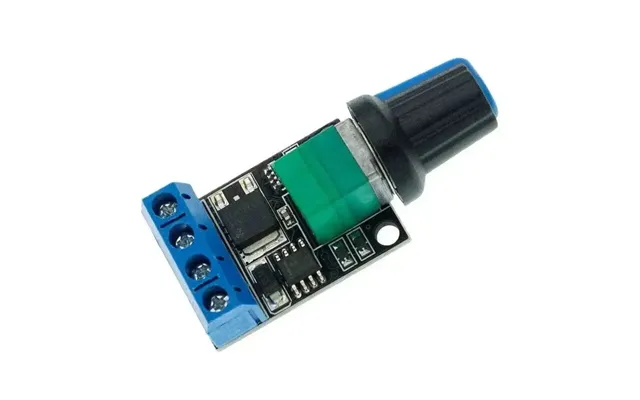
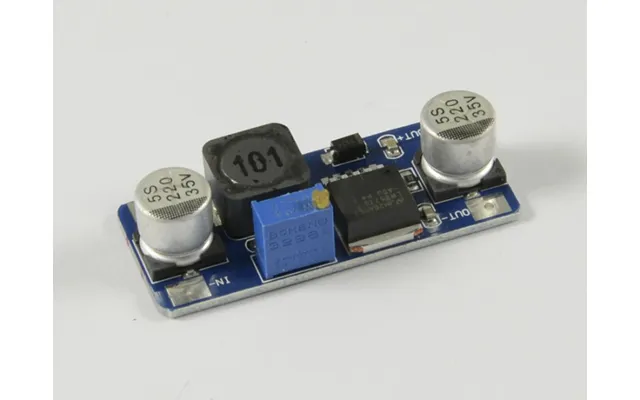
Adjustable buck modules let you dial in the exact voltage for LEDs, sensors, or logic levels. Look for units with clear labeling, a trimpot you can adjust with a small screwdriver, and onboard indicators. Always test the output with a multimeter before connecting expensive modules. Add a resettable fuse or a small inline fuse for extra peace of mind when experimenting.
Half of prototyping is measuring. The right leads and clips make it easy to test signals without a third hand. Whether you’re checking a sensor line or debugging serial signals, having the proper adapters ready will speed up every task.
Alligator clips are perfect for temporary power connections and quick continuity checks. For tight spaces, spring-loaded hooks latch onto individual pins without slipping. Keep a set with silicone-insulated wire for flexibility and heat resistance. Color-coded leads are worth it—your future self will thank you during late-night debugging sessions.
You don’t need a high-end lab to decode I2C or SPI. Budget logic analyzers can capture digital waveforms and help you spot timing issues fast. Pair one with clear pin labels and short ground leads for clean signals. Even a basic unit can save hours when a serial bus goes silent and refuses to cooperate.
Breakouts for microcontrollers, accelerometers, temperature sensors, and power monitors often come with 0.1-inch headers that drop straight into a breadboard. This plug-and-play approach is ideal for quick trials before you commit to a custom PCB.
Most hobby-friendly boards align with 0.1-inch spacing and include labeled pins for painless wiring. When comparing options, look at the number of I/O pins, power requirements, and whether the board exposes extras like analog references or capacitive touch. Compatibility with common shields and modules can dramatically speed up your experiments.
Shared-bus protocols like I2C reduce wiring clutter—two lines plus power can handle a bunch of sensors. SPI is faster but uses more pins. UART is simple and reliable for point-to-point links. When wiring these on a breadboard, keep runs short and parallel lines tidy to reduce noise. If you need longer runs, twisted pairs and careful routing help keep signals clean.
Even if you start solderless, you’ll eventually want to make something sturdier. A few affordable consumables make a world of difference in quality and reliability, especially for semi-permanent builds on perfboard or stripboard.
A flux pen helps solder flow beautifully and prevents dull, grainy joints. For hand work, a solder wire diameter around 0.031 inch is a comfortable choice—thin enough for precision, thick enough to fill joints quickly. Leaded solder flows easier at lower temperatures; lead-free is tougher and requires a bit more practice. Keep your iron tip clean with a brass sponge, and add a dab of fresh solder before placing it back in the stand to prevent oxidation.
Heat-shrink tubing protects splices and strengthens wire ends that see movement. Pair it with zip ties, adhesive-backed tie mounts, and spiral wrap to transform a messy prototype into something that looks and feels professional. Also consider strain relief on connectors that hang from modules—your wires and headers will last much longer.
It’s hard to innovate when you’re hunting for a single header in a jumble of parts. Simple organization upgrades can improve your build speed and your mood. Bonus: you’ll stop buying duplicates because you “lost” something that was under your elbow the whole time.
Small compartment boxes with clear lids are perfect for resistors, headers, and jumpers. Label each bin with the part type and value, and group items by function—power parts in one container, connectors in another. A marker and some small card inserts work wonders for quick changes. Over time, this system will save money and prevent project delays.
If you work with sensitive ICs, consider ESD-safe storage pouches and an antistatic mat. It’s not just for fancy labs—one stray zap can quietly damage a chip and leave you chasing “ghost” bugs for days. Ground yourself when handling delicate parts, especially during dry seasons.
Hunting for the best price is part of the fun, but it pays to look beyond the headline number. A good comparison site lets you line up offers from multiple retailers at a glance, making it easier to judge value by features, seller reputation, and total cost.
Focus on the details: material quality, included accessories, and customer impressions of durability. If a breadboard includes a power module or jumper pack, that bundle might beat a slightly cheaper board alone. Similarly, a kit with assorted Dupont housings may save you repeated small purchases later.
Always consider the full cost to your bench. A low unit price can be offset by steep add-ons, while a slightly higher upfront cost for a robust kit could replace several future purchases. When comparing, factor in how much time you’ll save by buying a complete, well-thought-out set today.
Sometimes the best way to judge tools is to see them in action. Here are two quick concepts that rely heavily on the “other” category and can be built quickly on a breadboard or stripboard.
Use a breadboard, a handful of resistors, a MOSFET, and a buck module to drive a high-brightness LED. With a microcontroller, you can PWM the gate to dim smoothly. Jumper wires keep it modular, and once tuned, you can migrate the circuit onto stripboard for a durable demo rig. It’s a perfect weekend project to practice power routing and heat management.
Combine a microcontroller breakout with an I2C temperature sensor and a small display. Use color-coded jumpers for clarity and a breadboard power module for a stable supply. Keep wires short, label buses, and add standoffs if you plan to mount it to a panel. Once you like the performance, transfer it to perfboard with female headers so you can swap sensors later without soldering.
Even seasoned builders hit snags. The good news? Most problems have fast fixes once you know where to look.
It’s easier than you think to misplace a jumper by one column. Use a magnifier and highlight your power rails with a thin marker line to reduce errors. If a board’s rails are broken in the middle, jump them with a red or black wire and mark the join, so you never forget the split is there.
Long, loose jumpers can act like antennas. Route ground and power first, keep signal lines short, and twist pairs for critical signals. If your microcontroller resets unexpectedly, suspect power dips—add a decoupling capacitor near the board and shorten the path from the supply to the load. Simple layout tweaks can turn flaky behavior into rock-solid reliability.
Ready to build a versatile prototyping kit? Here’s a practical way to think about your first buys and future add-ons without overspending.
Grab a reliable full-size breadboard with continuous rails, a mixed jumper set in AWG 22–26, a pack of 0.1-inch headers (male and female), a standard 9 V clip or USB supply solution, and a small assortment of resistors and capacitors. Add a few alligator clips, a simple multimeter, and you’ll be ready for most beginner-to-intermediate experiments.
As your projects get bigger, add a stripboard and perfboard pack, adjustable buck regulators, stacked headers, nylon standoffs, a flux pen, 0.031-inch solder wire, spring hook probes, and a basic logic analyzer. These upgrades open the door to cleaner builds, faster debugging, and prototypes that can travel without falling apart.
The magic of circuit prototyping isn’t just in the chips; it’s in the connectors, boards, wires, and tools that let you iterate rapidly and confidently. By focusing on quality “other” components—breadboards with solid rails, dependable jumper wires, modular power, reliable headers and standoffs—you’ll spend less time fighting flaky connections and more time creating. Comparing prices across UK retailers on a dedicated comparison site helps you stretch your budget further while picking gear that lasts. Stock your bench with the right essentials, and your next idea will move from sketch to sturdy prototype faster than you thought possible.