





All categories
Business & Offices
Electronics & Media
Fashion & Accessories
Groceries & Essentials
Health & Personal Care
Home & Living
Kids & Family
Sports & Outdoors
Search in ZoneOffer
Loading...
A printer duplexer is a clever accessory or built-in mechanism that lets your printer automatically print on both sides of a sheet. Instead of feeding the same sheet back in by hand, the duplexer flips it internally and finishes the job in one go. If you’ve ever wished your reports, booklets, or handouts looked more professional while using fewer sheets, a duplexer is the behind‑the‑scenes hero making it happen.
When you choose two‑sided printing, the duplexer manages the order of pages and physically reverses each sheet so the second side lines up correctly. It’s a seamless dance: your printer lays down side one, pauses, flips the sheet inside a dedicated paper path, then prints side two. The result? Neat, aligned pages that read like a proper booklet—without you lifting a finger.
Think of a printer duplexer as a small upgrade that pays you back every week. It cuts paper usage dramatically, streamlines filing, and makes every handout look like it came from a professional print house. Whether you’re in a home office or a busy small business, the time and paper savings stack up quickly, and the quality bump is obvious the moment you staple your first two‑sided set.
Printing both sides means halving the number of sheets you store, carry, hole‑punch, and archive. If your monthly workload is a few thousand pages, two‑siding can reduce stacks of paper into slimmer binders and lighter folders. And because the printer handles the flipping, you’re not standing over the device refeeding sheets by hand—freeing you to handle your next task.
Two‑sided documents feel “finished.” Reports, proposals, and training packs flow like a proper booklet. It’s a small change, but clients, teachers, and board members notice that tidy, magazine‑style rhythm. It’s the difference between “printed” and “published.”
Not all duplexers are the same. Some printers include an integrated duplexer from day one, while others use a clip‑on accessory designed for a specific model or family. You’ll also see differences in speed and paper handling which can impact both output quality and reliability.
Many modern printers—laser and inkjet alike—ship with a built‑in duplexer. It’s the simplest route: everything is ready out of the box. Add‑on units, on the other hand, are external or semi‑internal accessories that snap or slide into a bay. They’re perfect if your printer model supports two‑siding but didn’t include the hardware at purchase. Always confirm the exact model number to ensure the add‑on matches your printer’s interface and firmware.
Automatic duplexing uses a dedicated mechanism that flips the sheet inside the printer. Manual duplexing asks you to reinsert sheets after the printer outputs side one. If you print more than the occasional handout, automatic duplexing is worth it for consistency, time savings, and fewer misfeeds.
Compatibility is the big one. Duplexers are typically brand‑ and model‑specific because the paper path, sensors, and control board must work in sync. Before you buy, match your printer’s exact model number with the duplexer’s listed compatibility, and check for any firmware requirements or driver updates.
Major brands organise printers into families, and duplexers often follow those lines. For example, HP LaserJet and OfficeJet families, Brother HL and MFC series, Canon imageCLASS and MAXIFY lines, Epson WorkForce ranges, and Lexmark MS or MX models may have compatible duplexers within their respective ecosystems. Even within a family, specific sub‑models can differ, so use the full model code (including suffixes) when you check the official compatibility list.
Consider the paper you use most. Good duplexers handle Letter (8.5 x 11 in) and Legal (8.5 x 14 in) as standard, and some support larger formats like Tabloid (11 x 17 in). For paper weight, many duplexers are optimised for everyday 20 lb or 24 lb sheets. If you print on heavier stock—say 60 lb text or 65 lb cover—review the duplexer’s guidance to avoid curl, smear, or jams. Certain speciality media, like glossy photo paper, may be one‑sided only; always check your printer’s media specifications for duplex suitability.
Two duplexers can look similar on paper, but small differences matter in everyday use. Pay attention to duplex speed, duty cycle, paper path design, driver support, and maintenance requirements. A little research now saves a lot of friction later.
Manufacturers often list “up to” speeds that assume one‑sided printing. Duplexing introduces a flip and feed step, so expect real‑world two‑sided speeds to be lower. If your team prints long reports, seek a duplexer and printer rated for fast duplex performance so you’re not waiting around the output tray.
Match the duplexer to your workload. A light‑duty setup is fine for a home office printing a few hundred pages each week. Small workgroups hitting thousands of pages a month should look for enterprise‑leaning models designed to handle frequent duplexing without heat buildup, curl, or excessive wear.
Paper path design directly affects jam rates, especially when flipping sheets. Some units use a straight‑through path that reduces curl on heavier stock; others rely on more turns to compact the mechanism. If you routinely print on Legal size or heavier 24 lb sheets, look for a duplexer known for reliable handling across those media.
Seamless duplexing depends on software as much as hardware. Confirm support for your operating systems—Windows, macOS, or Linux—and ensure the driver exposes duplex settings clearly. If you manage multiple devices, consistency across platforms saves training time and prevents misprints.
If you’re shopping for a new setup, consider printers with integrated duplexers from reputable brands. If you already own a compatible device, an add‑on duplexer can be a cost‑effective upgrade. Either way, compare prices, specs, and availability through trusted comparison platforms in the UK to spot the best offers at a glance.
Laser models from HP LaserJet Pro, Brother HL and MFC collections, Canon imageCLASS series, and Lexmark mono and colour lines often include robust duplexers optimised for text‑heavy output. They’re a smart pick for invoices, letters, training materials, and policy documents where crisp text and fast duplex speeds matter most.
Don’t overlook business inkjets from Epson WorkForce, HP OfficeJet Pro, and Canon MAXIFY. These lines frequently include duplexing and shine on mixed documents—think colour charts, forms, and text with occasional images. Inkjets can be surprisingly quick in duplex mode and economical if you print colour regularly.
If your printer supports a dedicated add‑on duplexer, upgrading can extend its life and add major functionality. Search by exact part code—for instance, a brand‑specific duplex accessory made for your model family—and verify fit, firmware, and paper support. This route often costs less than buying a new printer while giving you most of the benefits of built‑in two‑siding.
The best installation is simple and repeatable. With integrated duplexers, you’re mostly setting preferences. With add‑ons, you’ll secure the unit, update drivers, and enable duplexing in your software. Always follow the manufacturer’s instructions for your specific model and keep firmware up to date for reliable performance.
Add‑on duplexers typically align to rails or slots at the rear or base of the printer. A solid, flush fit prevents misfeeds, so take a moment to ensure everything is seated properly before printing. Place the printer on a stable, level surface and verify the paper tray guides are snug against your chosen size—Letter, Legal, or Tabloid—to minimise skew.
Once installed, open your printer’s preferences and set two‑sided printing as the default for common paper types. Most drivers offer options like “flip on long edge” or “flip on short edge.” Long‑edge is ideal for standard portrait documents; short‑edge suits landscape or tablet‑style booklets. Save profiles for your most frequent jobs so everyone on your team prints the right way without thinking about it.
Even well‑designed duplexers can hiccup with the wrong media or environment. A few quick checks solve the majority of misfeeds, smears, or alignment quirks—and keep your two‑sided jobs humming.
Start with fresh, good‑quality 20 lb or 24 lb paper stored in a dry place. Overfilled trays, worn rollers, or slightly curled sheets are the usual suspects. If jams cluster around Legal size or heavier stock, reduce the stack height, fan the paper gently, and confirm the driver matches the actual size and weight. For persistent issues, inspect rollers for wear and consider a maintenance kit recommended for your model.
Smearing can occur if ink or toner doesn’t set before the flip. Switching to a “normal” or “high quality” mode for duplex jobs (instead of “draft”) often helps, as does using paper suited to duplexing rather than ultra‑glossy media. Curl usually traces back to heat or humidity; try 24 lb sheets designed for laser or inkjet duplexing, and store reams flat. When mixing media—say, a 65 lb cover with 20 lb inserts—print the heavy pieces simplex if your duplexer doesn’t explicitly support that weight.
Two‑sided printing is one of those upgrades that pays you back in weeks, not years. You’ll buy fewer reams, refill trays less often, and move less paper around your office. It’s also a simple sustainability win—cutting paper use without changing your workflows or compromising output quality.
Say your team prints 1,000 pages a week. One‑sided, that’s 1,000 sheets. With duplexing, it’s roughly 500 sheets. Over a year, you’ve saved the equivalent of dozens of reams. If a 500‑sheet ream costs around £6 to £8, even modest weekly volumes translate into noticeable savings. Factor in fewer paper orders, less storage, and reduced shredding or recycling volume, and the ROI grows further.
Duplexing trims waste while maintaining a professional look. Combine two‑sided printing with sensible defaults—black‑and‑white for drafts, automatic two‑siding for common sizes—and you’ll see real sustainability gains with zero drama. It’s a rare win‑win: leaner operations and cleaner conscience.
If you print more than a handful of pages each week, a duplexer is worth it. The more you print, the faster it pays off. But different scenarios get different benefits—here’s how to think about it.
For home businesses, freelancers, and students, two‑sided printing keeps coursework, invoices, and drafts tidy and compact. If your desk drawers are bulging with single‑sided prints, a duplexer will change your day‑to‑day rhythm immediately.
Small to mid‑size teams gain the most. Meeting packs, proposals, contracts, and onboarding docs drop to half the sheet count. When everyone prints smarter by default, your supply orders shrink and your printers run more efficiently with fewer tray refills.
Education and non‑profits often face tight budgets. Duplexing delivers instant savings without sacrificing clarity. Handouts and newsletters feel more coherent and cost less to produce—ideal when every pound matters.
Start by confirming your printer model and the duplexer or built‑in features it supports. Then compare prices, specs, and availability across trusted comparison sites in the UK. Comparison platforms like ZoneOffer let you weigh offers side by side, see what’s in stock, and zero in on the right accessory or duplex‑capable printer without jumping between dozens of pages.
Use your printer’s full model string and any relevant part codes for add‑ons. A single character can indicate region or revision, and that can make or break compatibility. If you’re cross‑shopping brands or families, shortlist options that meet your paper sizes—Letter, Legal, and any Tabloid needs—plus your preferred weights like 20 lb or 24 lb.
Sometimes a duplexer comes bundled with extra trays or maintenance kits. If you’re upgrading a busy device, those bundles can hit the sweet spot of value and longevity. Also review warranties and support terms—especially for devices running high monthly volumes—so your investment is protected.
Once you’ve got duplexing enabled, a few habits make your prints look consistently sharp. Set clear defaults, use media profiles that match your paper, and consider preset shortcuts for common jobs like reports, booklets, and presentations.
If you print a lot of reports in portrait orientation, set long‑edge binding as the default to avoid upside‑down second pages. For landscape booklets or handouts designed to flip like a notepad, short‑edge binding keeps the flow natural. Saving both presets removes guesswork and prevents waste.
Duplexing works great with colour, but if a job is mostly text, grayscale can be the thrifty choice. For mixed content—charts, photos, and text—use normal or high‑quality modes to prevent any show‑through on the second side. On laser devices, a slightly lower fuser temperature for duplex tasks can reduce curl on heavier stock; check your printer’s admin settings if available.
Prices vary based on brand, model compatibility, and whether the unit is integrated or an add‑on. Add‑on duplexers for legacy or mid‑range office printers typically cost less than replacing the whole device, while premium enterprise models include sophisticated duplex paths designed for speed and heavy duty cycles. A quick comparison sweep will reveal a practical “price list” landscape, helping you judge whether to upgrade your existing unit or invest in a new duplex‑capable printer.
A printer duplexer is the quiet upgrade that makes every print job smarter: half the paper, a cleaner look, and a smoother workflow. Whether you choose a printer with duplex built in or an add‑on for a model you already trust, the benefits show up on day one and compound over time. Confirm compatibility, compare offers through a reliable UK comparison site, and set your defaults to two‑sided—then enjoy crisper, leaner, more professional documents with every click of “Print.”
| Printer Duplexers | Price | |
|---|---|---|
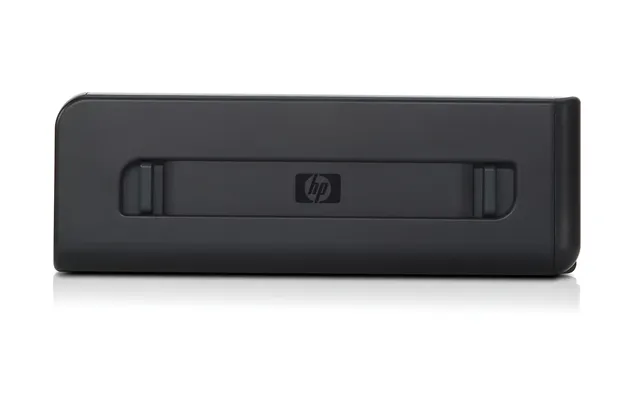
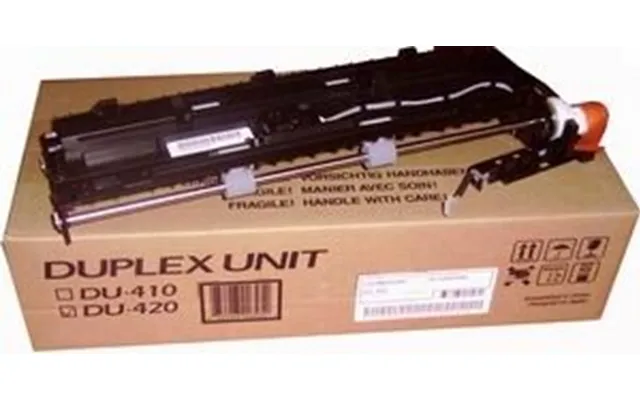
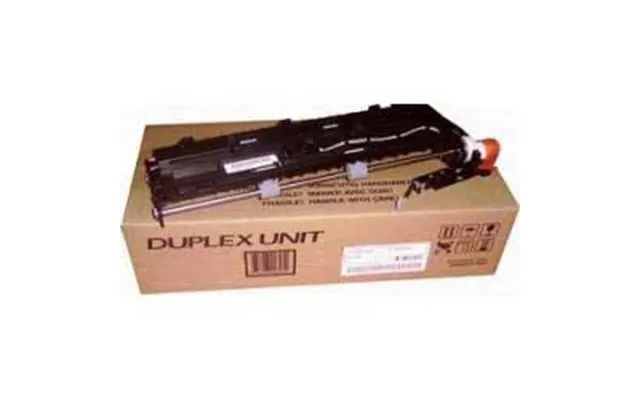
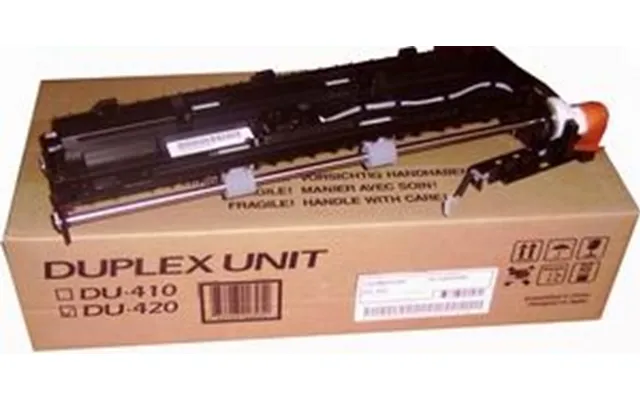
| Hp Officejet Wide Format Duplexer Duplex Unit | £ 54,99 | |
| Hp Officejet Wide Format Duplexer Duplex Unit | £ 54,99 | |
| Hp Officejet Wide Format Duplexer Duplex Unit | £ 54,99 | |
| Hp Officejet Wide Format Duplexer Duplex Unit | £ 54,99 |


