

Address Labels price list
Last updated Sunday, 18 Oct 2026





View 13 Offers





Loading...
Last updated Sunday, 18 Oct 2026
In an age of emails and instant messages, physical mail hasn’t disappeared — it’s become more important and more deliberate. Whether you’re sending holiday cards, invoices, product shipments, or a stack of marketing postcards, address labels make mail look professional and save time. Think of them as the small detail that turns a pile of envelopes into a polished presentation. If you’ve ever wrestled with handwriting dozens of addresses or smudged an important return label, you know why a quality address label matters.
There’s more variety in address labels than you might expect. The main types are sheet labels (laser and inkjet compatible), roll labels for thermal label printers, and specialty labels like clear, waterproof, or removable adhesive varieties. Sheet labels are sold in packs that fit standard paper trays, while roll labels feed through dedicated machines for high-volume work. Choosing the right type depends on volume, printer type, and the surface you’re sticking them to.
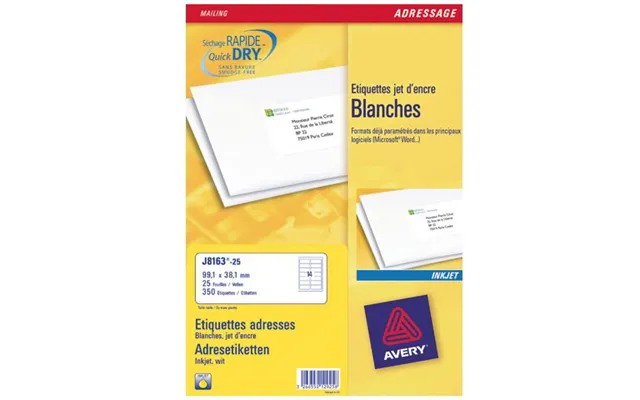
Sheet labels are the go-to for home offices and small businesses. You’ll find common sizes like 1" x 2-5/8" for single-address labels and 2" x 4" for larger mailing or shipping labels. Sheet labels usually come 30 or 80 to a pack and are compatible with templates from label manufacturers. They’re simple to line up and print on a typical inkjet or laser machine, making them ideal for occasional mailings.
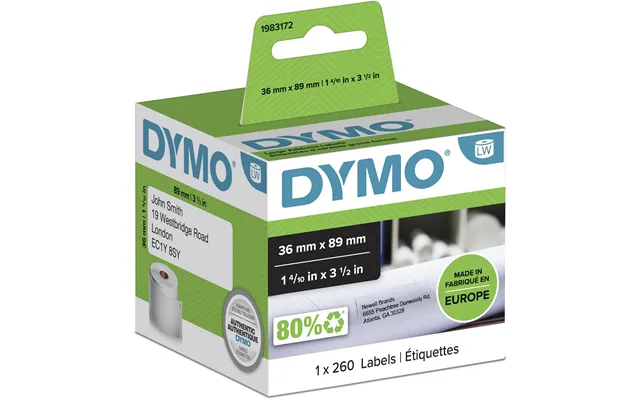
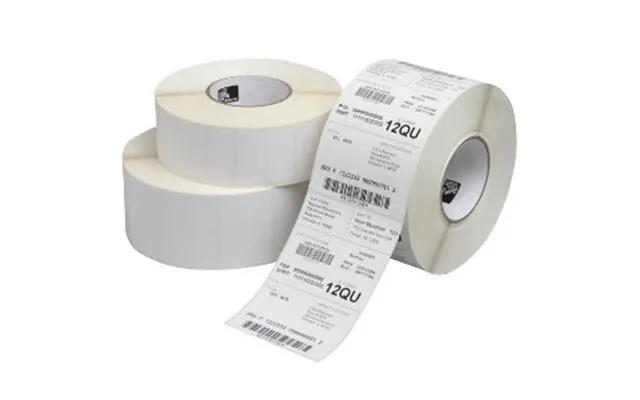
If you ship dozens or hundreds of parcels, a thermal label printer can be a time-saver. Roll labels are used in Dymo, Brother QL, and industrial thermal printers. Sizes range from narrow 1-1/8" rolls for address and barcode labels to wide 4" rolls for shipping. Thermal printing is fast, smudge-resistant, and doesn’t require ink — perfect for busy e-commerce setups.
One of the most common questions is “what size should I use?” For standard #10 envelopes, the classic address label is 1" x 2-5/8". It fits the address block neatly and leaves room for postage. For larger envelopes or small parcels, 2" x 4" labels are a safe bet. If you use a label printer, check the recommended roll widths — many printers are optimized for 2" or 4" wide labels. Always test-print on plain paper to ensure alignment before using your label stock.
When mailing business letters in #10 envelopes, place the address label approximately 2-3/4" from the left edge and centered vertically for a clean look. For parcels, center the label on the largest flat surface and avoid folds or seams. If you ship internationally, leave a little extra space around the address for customs stickers and barcodes.
Labels use different adhesives depending on the application. Permanent adhesive is what you want for mailing and shipping — it won’t peel off during transit. Removable or repositionable adhesives are great for temporary labeling, such as price tags, file labels, or events where you may need to adjust names or addresses. There are also specialty adhesives formulated for low-temperature storage or rough surfaces like corrugated cardboard.
Waterproof labels use synthetic materials like polypropylene or polyester and often include a protective coating. If your packages might face rain, snow, or extended outdoor exposure, consider waterproof, smudge-proof labels — especially when using inkjet printing, which can smear if not sealed. Thermal-printed labels are inherently more resilient, but for ultimate protection, clear laminate overlays are available.
Not all labels are created equal when it comes to printers. Laser-safe labels are designed to withstand high heat in a laser printer, while inkjet labels are optimized to absorb ink without feathering. Thermal printers require special thermal-coated roll labels. Always check packaging to ensure compatibility. Trying to run the wrong label type through a printer can cause jams, smearing, or even void the warranty.
Designing labels is easier than it sounds. Use standard templates from manufacturers or label-design software that supports precise measurements in inches. Keep fonts bold and legible at small sizes — a sans-serif font at 10 to 12 point often works best for address labels. Leave a small margin so the adhesive edge doesn't interfere with the print, and set a “quiet zone” for barcodes if you’re including tracking numbers.
Some brand names have become synonymous with labels. Avery-style sheet labels are ubiquitous and work well in most home and office printers. Dymo and Brother dominate the desktop thermal label market with compact models for small businesses. For heavy-duty or industrial needs, companies like Zebra offer high-volume thermal printers and wide-format labels. Pick a brand based on your specific use case: occasional mailings, bulk shipping, or industrial labeling.
If you’re choosing a label printer, consider the Dymo LabelWriter for address labels and small shipping needs, the Brother QL series for flexible roll sizes, or a Zebra printer if you need 4" wide shipping labels and high durability. For sheet labels, stick with trusted manufacturers that list compatibility with inkjet and laser printers to avoid surprises.
Good design improves readability and brand perception. Use contrasting colors for text and background — dark text on a light background is easiest to read. If you include logos, keep them small to avoid overwhelming the address area. For return address labels, consider using a slightly smaller font and dedicate a separate label size if you want both recipient and sender addresses printed neatly.
Variable data printing lets you print unique addresses and personalized messages on each label. This is a game-changer for direct mail campaigns or mass mailings. Many label programs and Excel mail-merge templates make this simple: create a spreadsheet with name, address, and any custom fields, then merge to your label template. Thermal printers with batch-printing software can also handle variable data from CSV files.
If sustainability matters to you or your customers, look for labels made from recycled paper or compostable materials. Some adhesive formulations are also greener, avoiding harsh solvents. Keep in mind that sustainable labels may have different performance characteristics; test them for your printer and intended surface. For businesses with environmental commitments, switching to eco-friendly label stock is an easy, visible step.
Plan your label runs and consolidate mailings to reduce partial sheets or unused rolls. Print a test page on plain paper first to check alignment, and store unused label sheets flat and in a cool, dry place to prevent curling. Using the correct template minimizes misprints, and especially for small runs, double-checking settings saves money and waste.
Labels are inexpensive per unit, but costs add up when you print thousands. Buying in bulk reduces the per-label price. Sheet labels and generic-brand roll labels are cheaper, while premium waterproof or specialty adhesives cost more. If you’re a small seller, invest in a mid-range thermal printer to save on long-term ink costs. Remember: cheaper labels can mean more misprints or jams, so balance price with reliability.
If you ship more than a few dozen packages a week, a thermal printer pays for itself quickly. For occasional mailers, stick to sheet labels and a reliable laser or inkjet. A modest upfront investment in a better printer and label stock can reduce headaches, return postages, and time spent fixing print issues.
Small habits make a big difference. Always peel labels carefully to avoid curling, and avoid stretching labels when applying to curved surfaces. When printing multiple sheets, fan them slightly before loading to prevent jams. If a label misaligns, stop the run—peeling off adhesive labels can leave residue or tear the envelope. For thermal labels, keep the printer head clean to prevent streaks or uneven prints.
Store labels flat and at room temperature — extreme heat can warp sheets and ruin adhesives. Keep labels in their original packaging until use to protect them from dust and humidity. For long-term archiving, printed labels on good-quality paper will retain legibility for years if kept in dry, dark conditions.
Shopping for labels can be overwhelming because of the variety. Compare materials, adhesive types, and package counts across retailers and brands. Look for multipacks if you send mail regularly and check whether labels are pre-perforated for easier separation. Reading reviews helps, but trying a small sample pack first is the fastest way to find what works for your printer and workflow.
Address labels aren’t just for mail. Use them for organizing storage bins, labeling gift tags, sealing envelopes, or making custom name tags at events. You can print decorative patterns or color-code labels for campaign tracking. With a little creativity, labels become multifunctional tools beyond simple addresses.
Choosing the right address label involves matching label type, size, adhesive, and printer to your needs. For occasional mailing, sheet labels in 1" x 2-5/8" size and a reliable inkjet or laser will do the job well. For frequent shipping, a thermal roll label setup and 2" or 4" rolls are faster and more durable. Always test first, use the correct templates, and pick materials that suit your climate and handling conditions.
With the right setup, labeling becomes fast, professional, and nearly worry-free. Whether you’re sending a single holiday card or running a full e-commerce dispatch line, the small changes — like swapping to waterproof labels or investing in a thermal printer — can save time and protect your brand’s image.
Conclusion: Address labels are a tiny part of the mailing process with a big impact. From size and material to printer compatibility and environmental choices, a thoughtful selection improves efficiency and presentation. Test, compare, and pick what fits your volume and aesthetic — and enjoy the smooth, tidy results when your mail looks exactly the way you intended.